7.5 kVA - 15 kVA UPS
Parallel for redundancy System
User’s and Installation Manual
1012833
Revision 4
22
Battery start
The UPS is provided with battery start function enabling start-up of the unit when the input
lines are not available or acceptable. Read first the ahead normal start-up procedure.
Remove the front panels of the UPS. Fig. 5a.
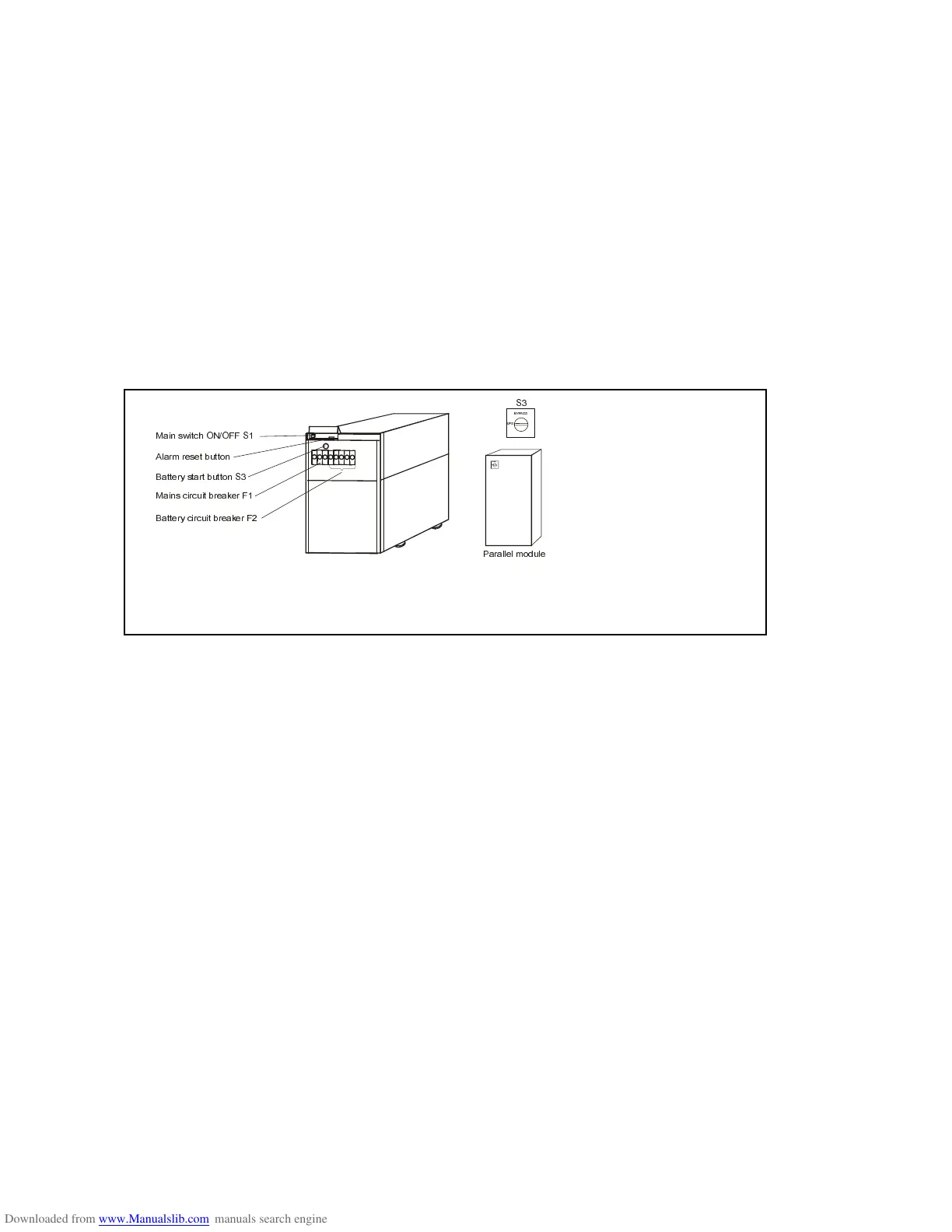
Turn the battery circuit breaker F2 to ON-position
Turn the main switch S1 to I position
Start the UPS by pressing battery start button S3 for 2 seconds.
Turn cicuit breaker F1 to ON-position so that the UPS will continue to operate in
normal mode after the mains returns.
Reinstall the front panels
When the UPS ON LED is lit the other UPS can be started up in the same way.
Fig. 9. Starting up and shutting down switches. (UPS front panels are removed.)
$ODUPUHVHWEXWWRQ
%DWWHU\VWDUWEXWWRQ6
%DWWHU\FLUFXLWEUHDNHU)
0DLQVFLUFXLWEUHDNHU)
0DLQVZLWFK212))6
6
3DUDOOHO












 To Next Page