20
DB-750X
General Setting
1.
Press key to enter function menu.
2.
Turn the main band selector knob to
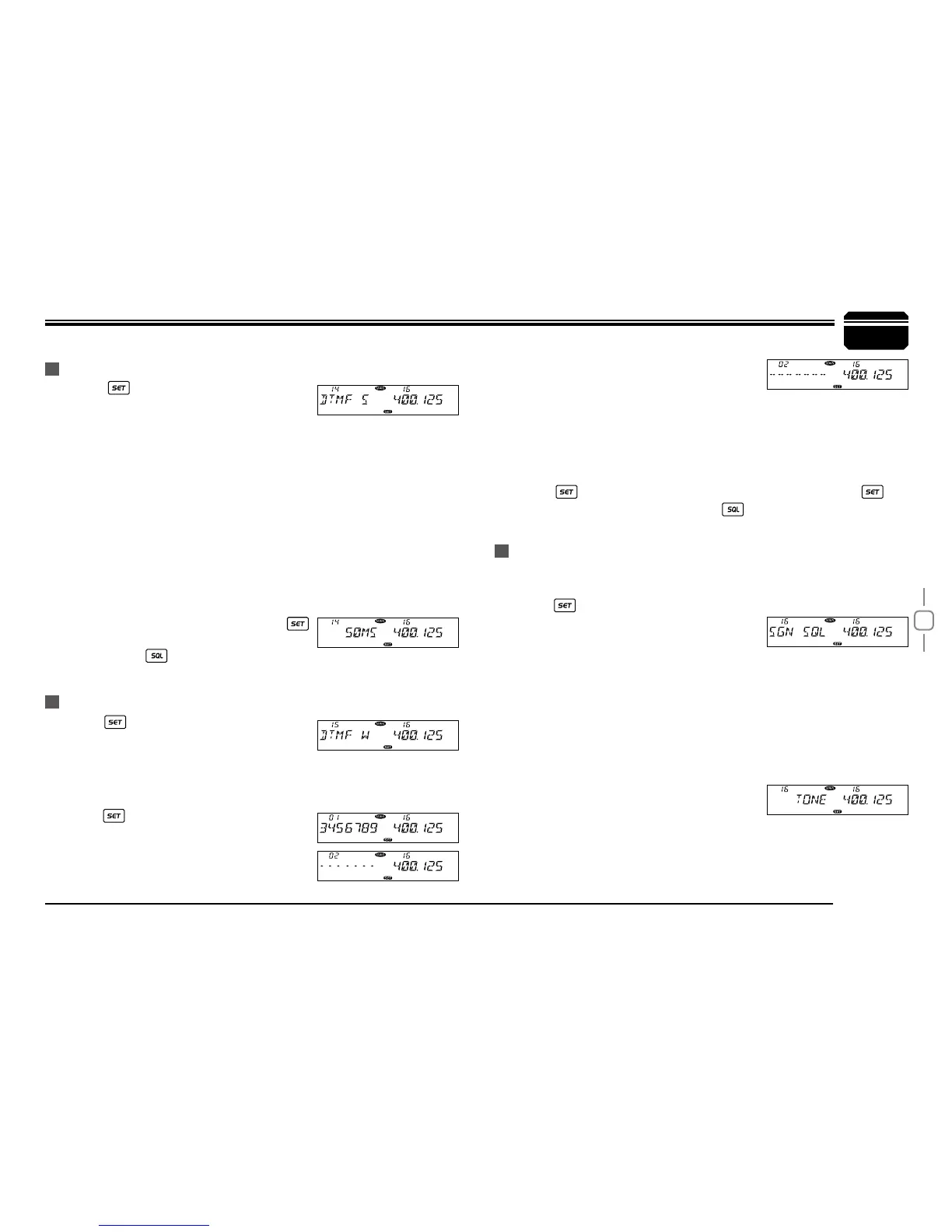
choose No. 14 menu. The LCD displays "DTMF S"
3.
Press the main band selector knob to enter function setup.
4.
Switch the main band selector knob to choose desired value.
30MS: The time to transmit a single DTMF encode and the interval is 30ms,
50MS: The time to transmit a single DTMF encode and the interval is 50ms,
80MS: The time to transmit a single DTMF encode and the interval is 80ms,
100MS: The time to transmit a single DTMF encode and the interval is 100ms,
150MS: The time to transmit a single DTMF encode and the interval is 150ms,
200MS: The time to transmit a single DTMF encode and the interval is 200ms,
250MS: The time to transmit a single DTMF encode and the interval is 250ms,
5.
Press the main band selector knob or
key to store value and return to function
menu. Press
key or hold selector knob for one second to store
setup and exit.
1.
Press to enter function menu
2.
Switch the main band selector knob to
choose No. 15 menu. The LCD displays DTMF W
3.
Press the main band selector knob to enter function setup.
4.
Switch the main band selector knob to choose DTMF group. Then
press
key back to DTMF menu. Press
PTT to transmit with selected DTMF code.
06-16: total 16 group of DTMF code.
DTMF ENCODE TRANSMITTING TIME
DTMF ENCODE SETUP
5.
When the selected group is empty, the
LCD displays "------"
6.
Press the selector knob to enter the DTMF signaling edit. The LCD
displays "-- -- -- -- -- --", and the last character ashes.
7.
Switch the selector knob to choose desired character. Press the
selector knob to confirm selected value and start edit for next
character.
8.
Press key to store value and exit code editing. Press key
again to store setup and exit. Press
key or hold selector knob for
1 second to store setup and exit.
This transceiver has ve squelch modes available to prevent reception
of certain unwanted signal.
1.
Press key to enter function menu.
2.
Turn the main band selector knob to
choose No. 16 menu. The LCD displays
"SGN SQL"
3.
Press the main band selector knob to enter function setup.
4.
Switch the main band selector knob to choose desired value
SQ: Receives when carrier is detected.
CTSS/DCS: Receives when carrier and CTCSS/DCS code are
detected.
TONE: Receives when carrier + optional signaling are detected.
CT*TO: Receives when carrier + CTCSS/
DCS + optional signaling are
detected.
CT/TO: Receives when any carrier or CTCSS/DCS or optional
signaling is detected.
SQUELCH MODE SETUP
7


 To Next Page