29
The transceiver offers enquiry of calling record.
1.
Press key to enter function menu.
2.
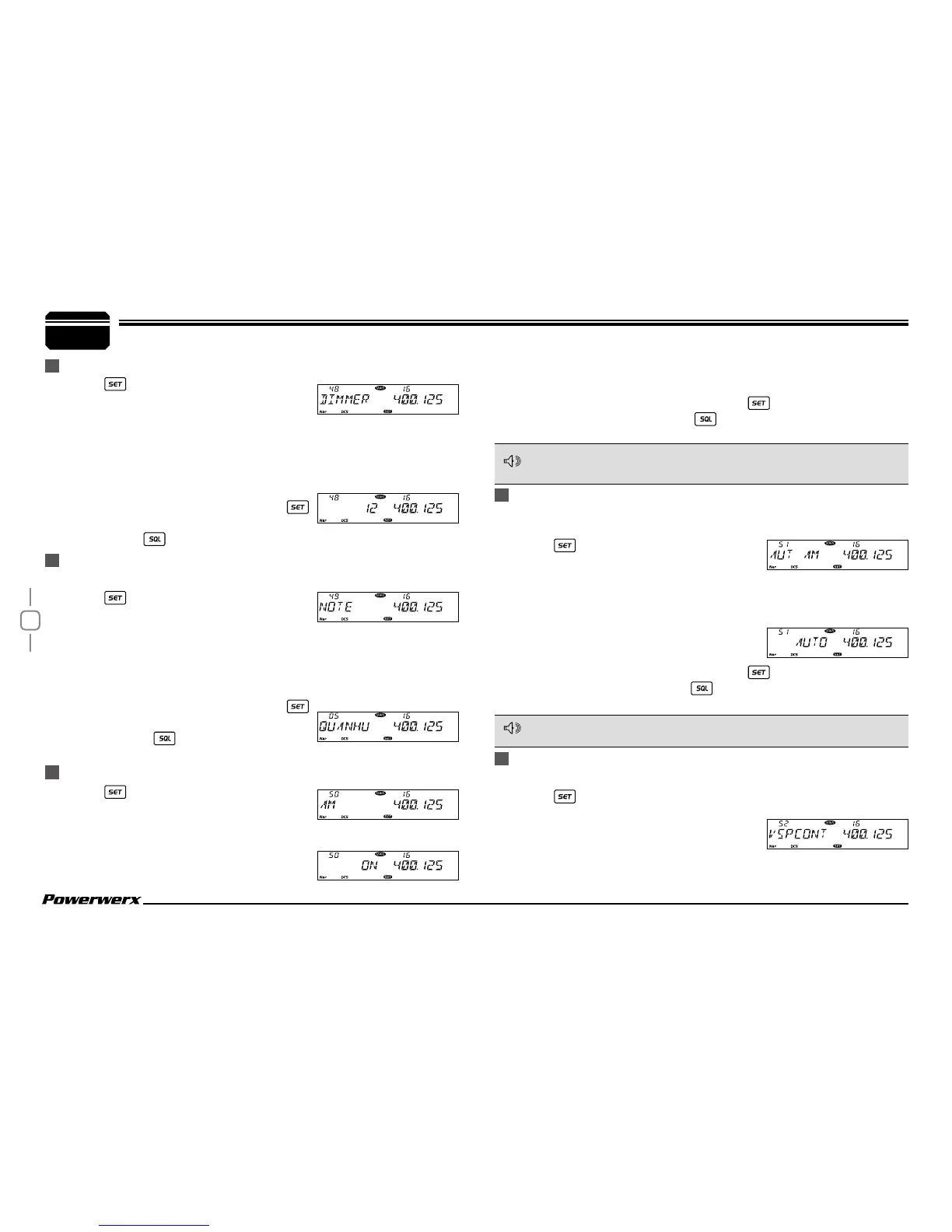
Turn the main band selector knob to
choose No. 49 menu. The LCD displays "NOTE".
3.
Press the main band selector knob to enter function setup.
4.
Switch the main band selector knob to choose desired value.
This transceiver is able to record 16 calls at most.
5.
Press the main band selector knob or
key to store value and return to function
menu. Press
key or hold selector
knob for one second to store setup and exit.
CALLING RECORD
1.
Press key to enter function menu.
2.
Turn the main band selector knob to
choose No. 50 menu. The LCD displays "AM".
AM FUNCTION
This function is only valid when the main band frequency is VHF 108-
180 MHz on the left band. Right band will not receive AM.
NOTE
AUTOMATIC AM FUNCTION
To enable automatic AM function, the AM function must be turned on rst.
The radio will automatically receive AM mode when the VHF frequency
is under 136 MHz
1.
Press key to enter function menu.
2.
Turn the main band selector knob to
choose No. 51 menu. The LCD displays "AUT AM".
3.
Press the main band selector knob to enter function setup.
4.
Switch the main band selector knob to choose desired value.
ON: turn on auto AM function.
OFF: turn off auto AM function.
5.
Press the main band selector knob or key to store value and
back to function menu. Press
key or hold selector knob for one
second to store setup and exit.
NOTE
7
General Setting
3.
Press the main band selector knob to enter
function setup.
4.
Switch the main band selector knob to
1.
Press key to enter function menu.
2.
Turn the main band selector knob to
choose No. 48 menu. The LCD displays
"DIMMER".
3.
Press the main band selector knob to enter function setup.
4.
Switch the main band selector knob to choose desired value from
32 brightness levels.
5.
Press the main band selector knob or
key to store value and return to function
menu. Press
key or hold selector knob for one second to store.
choose desired value.
ON: turn on AM function. OFF: turn off AM function.
5.
Press the main band selector knob or key to store value and
return to function menu. Press
key or hold selector knob for one
second to store setup and exit.
EXTERNAL SPEAKER PORT
The radio has two external speaker options.
1.
Press key to enter function menu.
2.
Turn the main band selector knob to
choose No. 52 menu. The LCD displays
"VSPCONT".
3.
Press the main band selector knob to enter function setup.
4.
Switch the main band selector knob to choose desired value.
MICROPHONE KEYPAD BACKLIGHT BRIGHTNESS


 To Next Page