33
9
ASSIGNING A CHANNEL TO A MEMORY BANK
Memory Banks
1.
Select memory channel to assign to a memory bank.
2.
Press key to enter function menu.
3.
Turn the main band selector knob to choose No. 56 menu. The LCD
displays "BAK"
4.
Press the main band selector knob to enter function setup.
5.
Switch the main band selector knob to choose desired value.
OFF: No bank assignment
A, B, C, D, E, F, G, H, I, J to assign the selected bank.
6.
Press the main band selector knob or key to store.
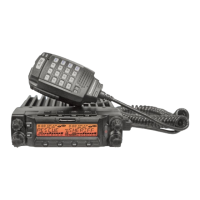
10 memory banks are available for memory channel assignments to
ease in operation of the DB-750X dual band radio. You can enable one
bank or multible banks through either software programming or through
the radio itself.
BANK LINKING
1.
Press key to enter function menu.
2.
Turn the main band selector knob to choose No. 57 menu. The LCD
displays "BALK".
3.
Press the main band selector knob to enter function setup.
4.
Switch the main band selector knob to choose which banks to link.
The following menus allow you to link banks A-J.
ON/OFF: Select ON to turn on Bank Linking, OFF to turn off Bank Linking
Menu 58 Bank A Link ON /OFF
Menu 59 Bank B Link ON /OFF
Menu 60 Bank C Link ON /OFF
Menu 61 Bank D Link ON /OFF
Menu 62 Bank E Link ON /OFF
Menu 63 Bank F Link ON /OFF
Menu 64 Bank G Link ON /OFF
Menu 65 Bank H Link ON /OFF
Menu 66 Bank I Link ON /OFF
Menu 67 Bank J Link ON /OFF
5.
Press the main band selector knob or key to store.
CHOOSING ACTIVE BANK
1.
Select either left or right band in memory mode.
2.
Press key to enter bank mode.
3.
Bank numbers show in the position of channel number. If a channel
number is not assigned, a bank "--" will show; otherwise the assigned
bank of that channel will show.
4.
Rotate the selector knob to choose desired bank to view.
5.
Press key to conrm. Radio will switch to chosen bank. You can
now view or scan channels in choosen bank.
6.
Press key two times to cancel bank view and return to memory
view.
Memory banks can be linked together for expanded scanning or viewing.


 To Next Page