27
With this function on, the transceiver will not transmit on a busy
channel, to avoid disturbing other transceivers using same frequency.
If the channel is busy and you press PTT, the transceiver will beep as
warning and return to receiving.
1.
Press key to enter function menu.
2.
Turn the main band selector knob to
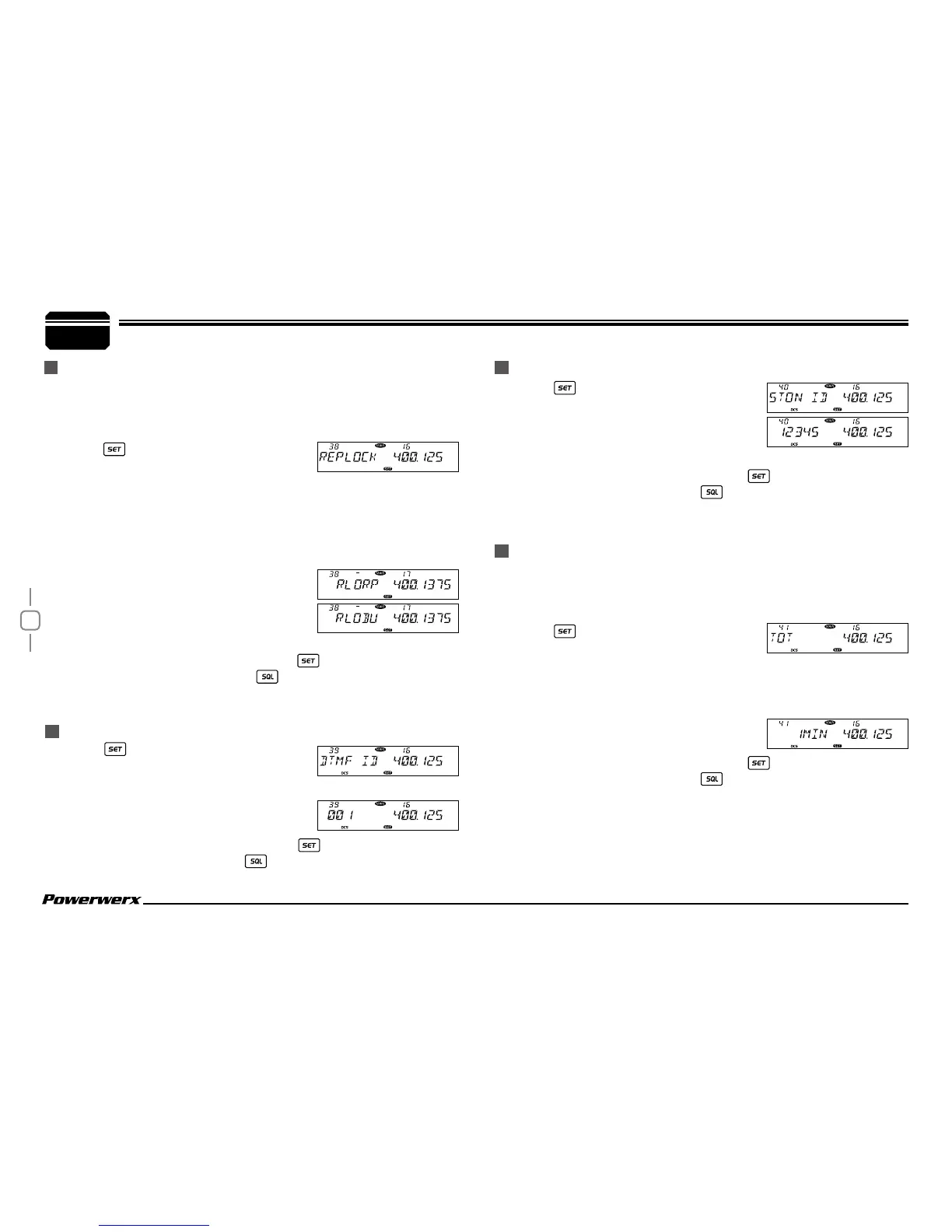
choose No. 38 menu. The LCD displays "REPLOCK".
3.
Press the main band selector knob to enter function setup.
4.
Switch the main band selector knob to choose desired value.
RLORP: Signaling busy lockout; transmitting is inhibited when current
channel receives a matching carrier but non-matching CTCSS/
DCS.
RLOBU: Channel busy lockout; transmitting
is inhibited when current channel
receives a matching carrier;
OFF: Busy channel lockout is disabled.
Transmitting is allowed in any receiving status.
5.
Press the main band selector knob or key to store value and
return to function menu. Press
key or hold selector knob for
onesecond to store setup and exit.
BUSY CHANNEL LOCKOUT
RADIO'S DTMF SELF ID ENQUIRY
7
General Setting
1.
Press key to enter function menu.
2.
Switch the selector knob to choose No. 40
function. The LCD displays "5TON ID".
3.
Press the main band selector knob to
enter function setup. The LCD will show the DTMF self ID.
4.
Press the main band selector knob or key to store value and
return to function menu. Press
key or hold selector knob for 1
second to store setup and exit.
The time-out timer limits the amount of continuous transmitting time.
When transmitting reaches the time limit that has been programmed,
the transmission will be cut off and will emit a warning beep.
1.
Press key to enter function menu.
2.
Turn the main band selector knob to
choose No. 41 menu. The LCD displays "TOT".
3.
Press the main band selector knob to enter function setup.
4.
Switch the main band selector knob to choose desired value.
1-30 MIN, total 30 levels.
OFF: TOT is disabled.
5.
Press the main band selector knob or key to store value and
return to function menu. Press
key or hold selector knob for 1
second to store setup and exit.
5 TONE SELF ID ENQUIRY
TOT (TIME-OUT TIMER)
1.
Press key to enter function menu.
2.
Switch the selector knob to choose No. 39
function. The LCD displays "DTMF ID".
3.
Press the main band selector knob to
enter function setup. The LCD will show
the DTMF self ID.
4.
Press the main band selector knob or key to store value and
return to function menu. Press
key or hold selector knob for one
second to store setup and exit.


 To Next Page