23
3.
Press the main band selector knob to enter function setup.
4.
Switch the main band selector knob to
choose desired mode.
BAND R, lock the right band PTT. Only able to transmit on left band.
BAND L, lock the left band PTT. Only able to transmit on right band.
BAND BOTH, lock both band PTT. Not able to transmit on any side.
OFF: PTT no lock.
5.
Press the main band selector knob or key to store value and
return to function menu. Press
key or hold selector knob for 1
second to store setup and exit.
7
General Setting
1.
Press key to enter function menu.
2.
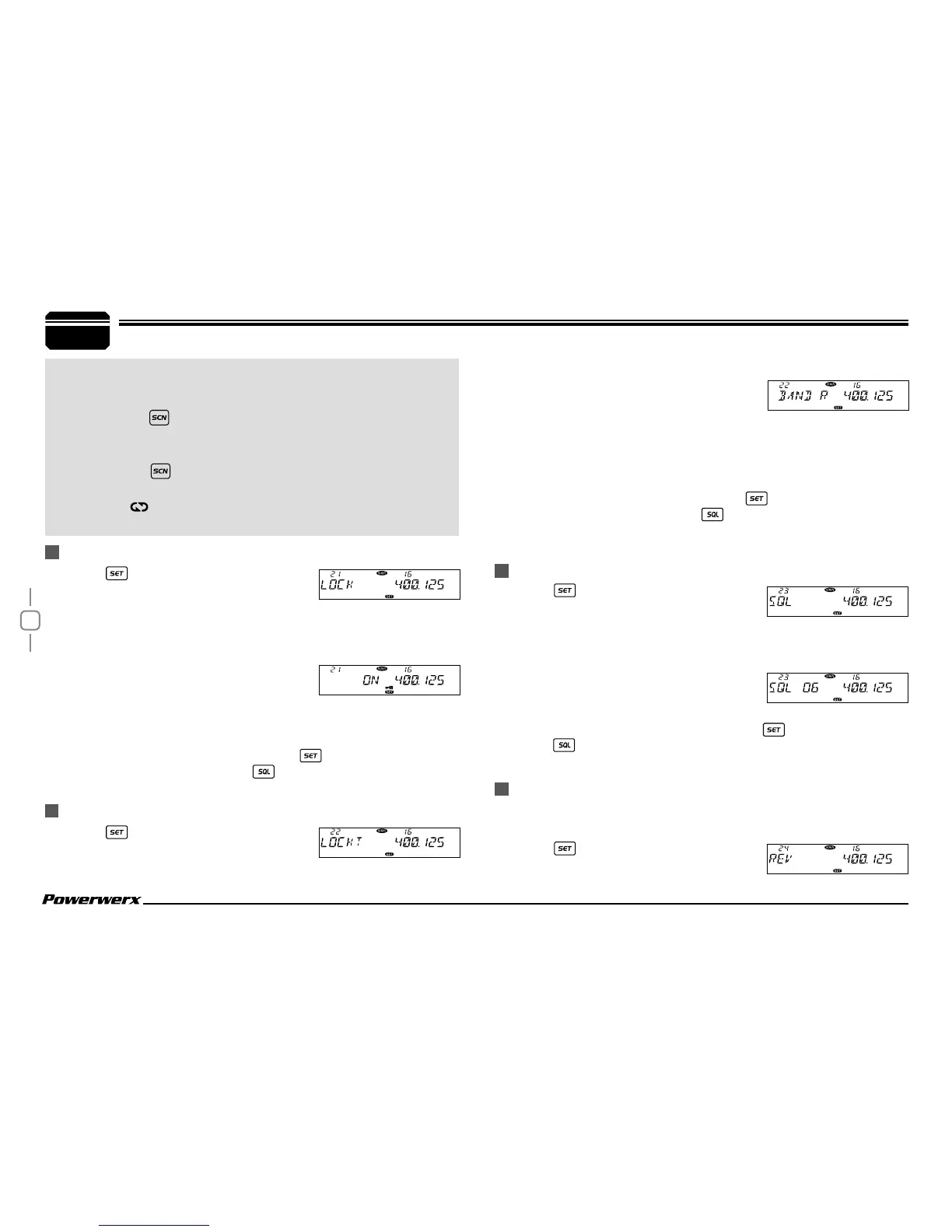
Turn the main band selector knob to
choose No. 21 menu. The LCD displays "LOCK"
3.
Press the main band selector knob to enter function setup.
4.
Switch the main band selector knob to choose desired mode.
ON: The keypad lockout function is turned
on. WARNING: All keys and functions of
the radio are locked. To exit, either reprogram the radio with software
or perform a hard reset. See page 34 for factory reset.
OFF: The keypad lockout function is turned off.
5.
Press the main band selector knob or key to store value and
return to function menu. Press
key or hold selector knob for 1
second to store setup and exit.
1.
Press key to enter function menu.
2.
Turn the main band selector knob to
choose No. 22 menu. The LCD displays "LOCKT".
1.
Press key to enter function menu.
2.
Turn the main band selector knob to
choose No. 23 menu. The LCD displays "SQL".
3.
Press the main band selector knob to enter function setup.
4.
Switch the main band selector knob to choose desired value.
1-20: total 20 squelch levels.
OFF: Turn off squelch function. The
background noise remains on.
5.
Press the main band selector knob or key to store value.
Press
key or hold selector knob for one second to store setup and
exit.
With this function on, the transceiver will transmit on the repeater
output when current channel is programmed with repeater offset.
1.
Press key to enter function menu.
2.
Turn the main band selector knob to
KEYPAD LOCKOUT
TX OFF (PTT LOCKOUT)
SQUELCH LEVEL SETUP
FREQUENCY REVERSE
corresponding channel selector knob. Note:To enable this
function, the channel must be programmed with CTCSS/DCS
decode.
Bottom
short press: The sub band will display "MAIN"
and ashes. In this case, you can setup for sub band without
switching between Main band and Sub band.
Bottom
long press: Choose scrambler group for main
band. In standby, hold this key,the LCD displays SCR X
and
icon. X stands for the group number. Repeat above
operation to choose desired group.
8.
9.


 To Next Page