1
2
3
9106 - Product version 9106-002 9
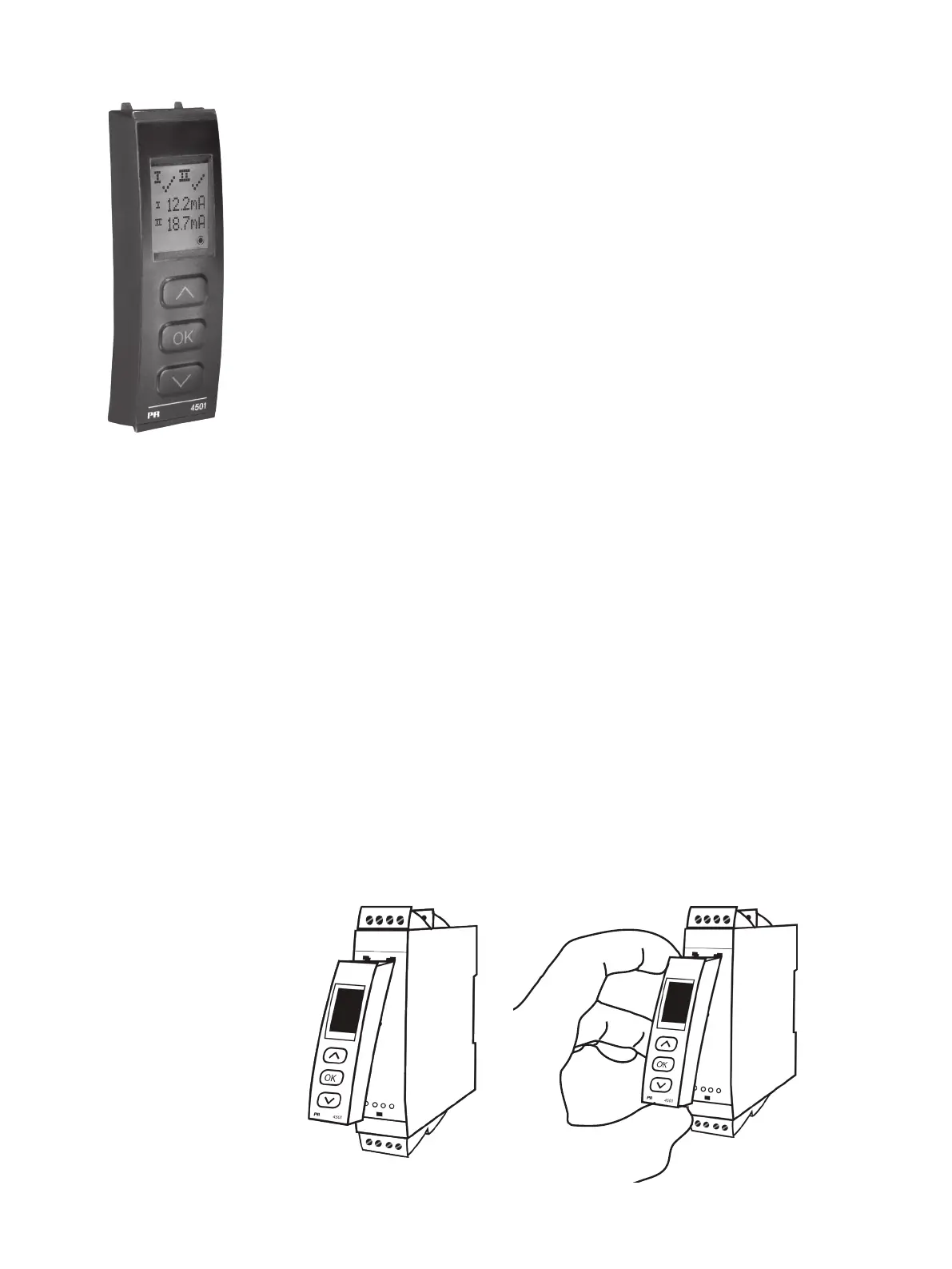
PR 45xx display / programming front
Functionality
The simple and easily understandable menu structure and the explanatory help texts guide you
effortlessly and automatically through the configuration steps, thus making the product very easy to
use. Functions and configuration options are described in the section ”Configuration / operating the
function keys”.
Application
• Communications interface for modification of operational parameters in 9106.
• When mounted in the process, the display shows process values and device status.
Technical characteristics
• LCD display with 4 lines:
Line 1 (H=5.57 mm) shows status for each channel (OK or error).
Line 2 (H=3.33 mm) shows loop current in mA for channel 1 or tag no.
Line 3 (H=3.33 mm) shows loop current in mA for channel 2 or tag no.
Line 4 shows communications status.
• In order to protect the configuration against unauthorised changes, access to the menus can be
blocked by a password.
Using Modbus output via 4511
When using the digital output of the 4511 and no load on the output terminals of the 9106, the output terminals need to be
shorted to make sure that the 9106 does not overheat.
A short-circuit bridge will be mounted from factory, but only when you order the part together with the 9106. Remember to
order 2 short-circuit bridges if you order the 2-channel version of 9106.
Mounting / demounting the PR 45xx
1: Insert the tabs of the PR 45xx into the holes at the top of the device.
2: Hinge the PR 45xx down until it snaps into place.
Demounting of the PR 45xx
3: Push the release button on the bottom of the PR 45xx and hinge the the PR 45xx out and up.
4: With the PR 45xx hinged up, remove from holes at the top of the device.



 To Next Page