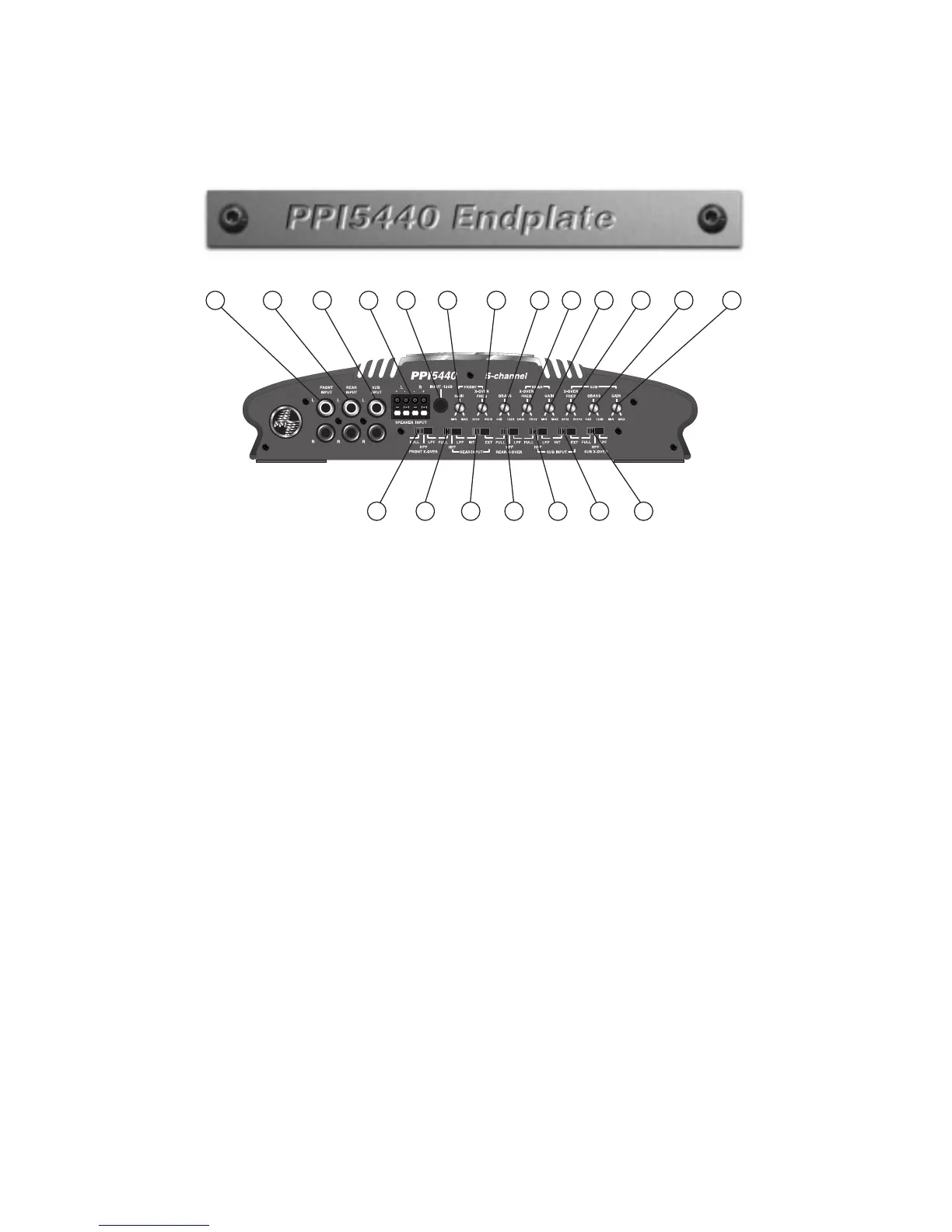
1. Front RCA Input
Plug in the front RCA cables from the source unit or
PPI
signal
processor here.
2. Rear RCA Input
Plug in the rear RCA cables from the source unit or
PPI
signal
processor here.
3. Subwoofer RCA Input
Plug in the subwoofer RCA cables from the source unit or
PPI
signal
processor here.
4. Speaker Input
Plug in speaker cables here when RCA cables are not available.
5. Input -12db
Push this switch “IN” when using Speaker Inputs, or when RCA level
is over 5V.
6. Front Gain Control
Use this control to match the output level of the head unit to the
amplifier.
7. Front X-Over Freq
Select the front crossover frequency here. The detented control moves
clockwise from 20Hz to 5kHz.
8. QBASS™ Control
Select the desired boost for both Front and Rear Channels by turning
the control clockwise from 0-12dB.



 To Next Page