EasyManua.ls Logo

Precor 515e - Page 7

Precor 515e
23 pages
Print Icon
To Next Page IconTo Next Page
To Previous Page IconTo Previous Page
Loading...
3.
Install
End
Pads.
(Photo
1)
Take
the
following
steps
to
install
the
end
pads:
a.
Remove
the
end
pads
from
the
hardware
kit.
Note:
A
utility
knife
or
scissors
might
be
useful
to
help
cut
open
the
hardware
kit.
b.
Install
the
end
pads
by
removing
the
backing
from
each
pad.
c.
Position
a
pad
over
the
end
of
each
carriage
track
with
the
tab
facing
up
as
shown
in
Photo
1.
d.
Press
firmly
on
the
edge
of
the
pads.
The
sticky
surface
on
the
end
pad
will
allow
it
to
adhere
to
the
carriage
track
and
remain
in
place.
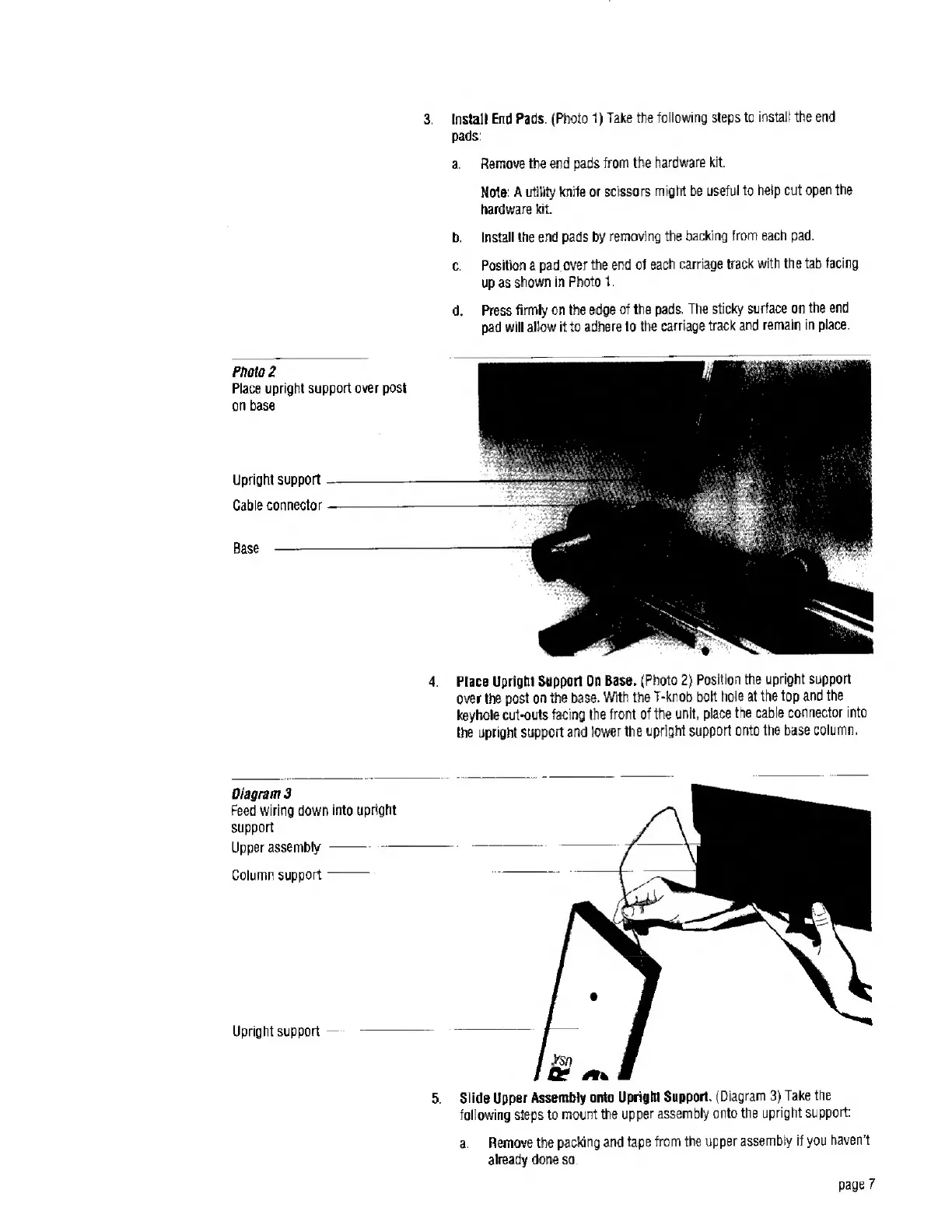
Photo
2
Place
upright
support
over
post
on
base
Upright
support
Cable
connector
Base
-
4.
Place
Upright
Support
On
Base.
{Photo
2)
Position
the
upright
support
over
the
post
on
the
base.
With
the
T-knob
bolt
hole
at
the
top
and
the
keyhole
cut-outs
facing
the
front
of
the
unit,
place
the
cable
connector
into
the
upright
support
and
lower
the
upright
support
onto
the
base
column.
Diagram
3
Feed
wiring
down
into
upright
support
Upper
assembly..-
Column
support-
Upright
support
5.
Slide
Upper
Assembly
onto
Upright
Support.
(Diagram
3)
Take
the
following
steps
to
mount
the
upper
assembly
onto
the
upright
support:
a.
Remove
the
packing
and
tape
from
the
upper
assembly
if
you
haven't
already
done
so.
page
7

Related product manuals