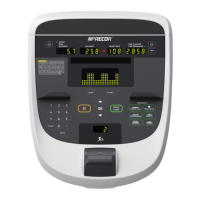
The P80 Club parameters include additional configuration parameters for TV, internet con-
nectivity, and Preva Net functionality. Refer to the Owner's manual for the complete descrip-
tion of available Club parameters.
The P80 Club parameters are located on System Settings page:
l Access code 51765761.
l Select System Settings.
l Select form the list of available System Setting menus.
SYSTEM SETTINGS
MENU
DESCRIPTION
CONNECTIVITY set-
tings
Connectivity settings allow you to configure or provides inform-
ation about the equipment’s network connection.
DISPLAY settings Display settings allow you to configure the, Measurement units,
Standby Mode Delay, Internet Browser Access, and Preva® Net
Panel.
SELECT
LANGUAGE
Default:English
Sets the default language for all workouts on this machine. Lan-
guage for single use workouts can still be set by the user from the
workout options.
SET UNITS Range: U.S, Metric
Default: U.S.
Sets units of measure to US standard* or Metric.
STANBY MODE
DELAY
Range: sec
Default: sec
Specifies wait time starting Standby mode.
INTERNET ACCESS Range: YES/NO
Default: YES
Sets internet access connectivity.
PREVA NET PANEL Range: YES/NO
Default: YES
Sets internet access connectivity.
TV SETTINGS TV SETTINGS configure the television channels.
WORKOUT LIMITS set-
tings
WORKOUT LIMITS page, select System Settings > Workout Limits.
MAXIMUM
WORKOUT
DURATION
Range: 1 to 240 min, NO LIMIT
Default: 60 min
Sets the maximum allowable user workout time per session.
MAXIMUM PAUSE Range: 1 to 300 sec
Default: 30 sec
Sets how long the equipment remains in a paused banner during
a workout before resetting.
P82 Console 25
3 Standard Service Software
Club Parameter - Settings (5651565)


 To Next Page