DIAGNOSTIC
TEST
TEST DESCRIPTION
Heart Rate Test Tests the Hands ON/OFF Status, Raw and Filtered pulse values. Grasp the
touch grips to test the hand held heart rate. Use a Polar heart rate simulator to
test the wireless heart rate.
Club Parameter - Settings (5651565)
Service Access Code: 5, 6, 5, 1, 5, 6, 5 (see "Service Access Codes" on page20)
Club Parameters or Club Settings are used to manage and configure the usage of the
machine. Select a console model to view the available club parameters.
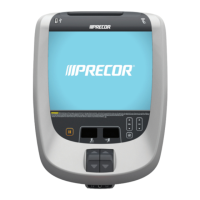
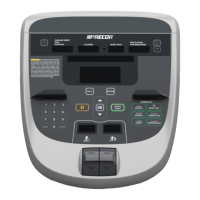
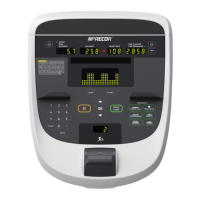
Standard, P10, P20, & P30 consoles:
CLUB PARAMETER DESCRIPTION
SELECT LANGUAGE
Default:English
Sets the default language for all workouts on this machine. Lan-
guage for single use workouts can still be set by the user from the
workout options.
SET UNITS Range: U.S, Metric
Default: U.S.
Sets units of measure to US standard* or Metric.
SET MAX WORKOUT
TIME
Range: 1 to 240 min, NO LIMIT
Default: 60 min
Sets the maximum allowable user workout time per session.
SET MAX PAUSE
TIME
Range: 1 to 120 sec
Default: 120 sec
Sets how long the equipment remains in a paused banner during a
workout before resetting.
SET COOL DOWN
TIME
Range:1 to 5 min
Default: 5 min
Sets the amount of time that a cool down period will occur at the
end of every workout. Factory default is 5 minutes. Settable in 1
minute increments.
REMOTE SPEED
CONTROL
Not supported.
SET CUSTOM
PROGRAM 1/2
*
Range: ON/OFF
Default: OFF
Create a customized workout program (residential use).
Note:* not available on all models.
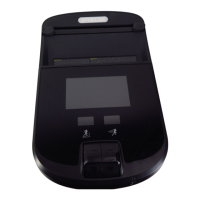
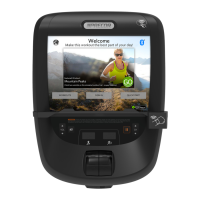
P80 Series Consoles:
P82 Console 24
3 Standard Service Software
Club Parameter - Settings (5651565)


 To Next Page