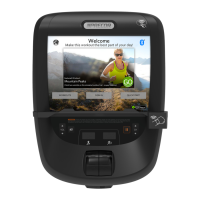
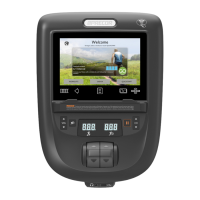
DEMO mode (5555)
DEMO mode locks out “disables” all console menu softkeys and Speed/Incline controls. DEMO mode must be
exited before the menu softkeys and controls can be used.
l
TIP: DEMO mode locks out “disables” all softkey menu items and may make you think the console is not working
properly. Make sure that the console is not in DEMO mode: go to service access DEMO mode (code 5555) >
select “Turn Demo OFF” > Save.
Enter DEMO mode:
To enter service software access DEMO mode:
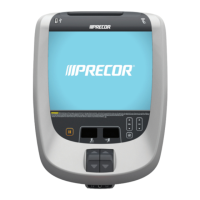
1. From the console default Home page select the Settings softkey.
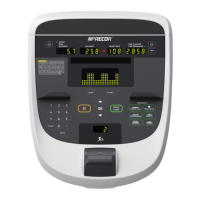
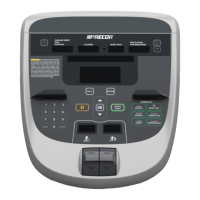
6. Simultaneously and momentarily press the My Settings (upper right) and Edit (lower right) softkeys.
The My Settings softkey can be blank and/or OFF, however it remains an
active softkey. Simultaneously momentarily press and release the upper and
lower right side softkeys to access the System Settings page.
The menu softkey name may be different and the Top (right side) menu softkey border may not show.
However, the menu softkey is active and needs to be simultaneously pressed with the Lower menu
softkey to enter Hardware Validation mode.
2. Type in the DEMO Software Access Code “5555” > select Next.
3. Select “Turn Demo On” > Save.
The main screen will begin to slowly alternate between different workout pages and the audio control lights
will switch ON “illuminate” (no audio player connected).
Note: The Save softkey must be selected to start DEMO mode.
Exit DEMO mode
To exit DEMO mode
1. Press and hold down the lower right softkey for 5 seconds and release.
This will return to the Home page, all softkey functionality will be enabled, and the audio player control lights
will be switched OFF (no audio player connected).
2. From the Home page, select the Settings softkey.
3. Simultaneously and momentarily press the My Settings (upper right) and Edit (lower right) softkeys.
4. Type in the DEMO Software Access Code “5555” > select Next.
5. Select “Turn Demo Off” > Save...
Note: The Save softkey must be selected to exit DEMO mode. If not saved within 5 minutes, DEMO mode will
resume.


 To Next Page