14 - 1 Upgrading your computer
Memory
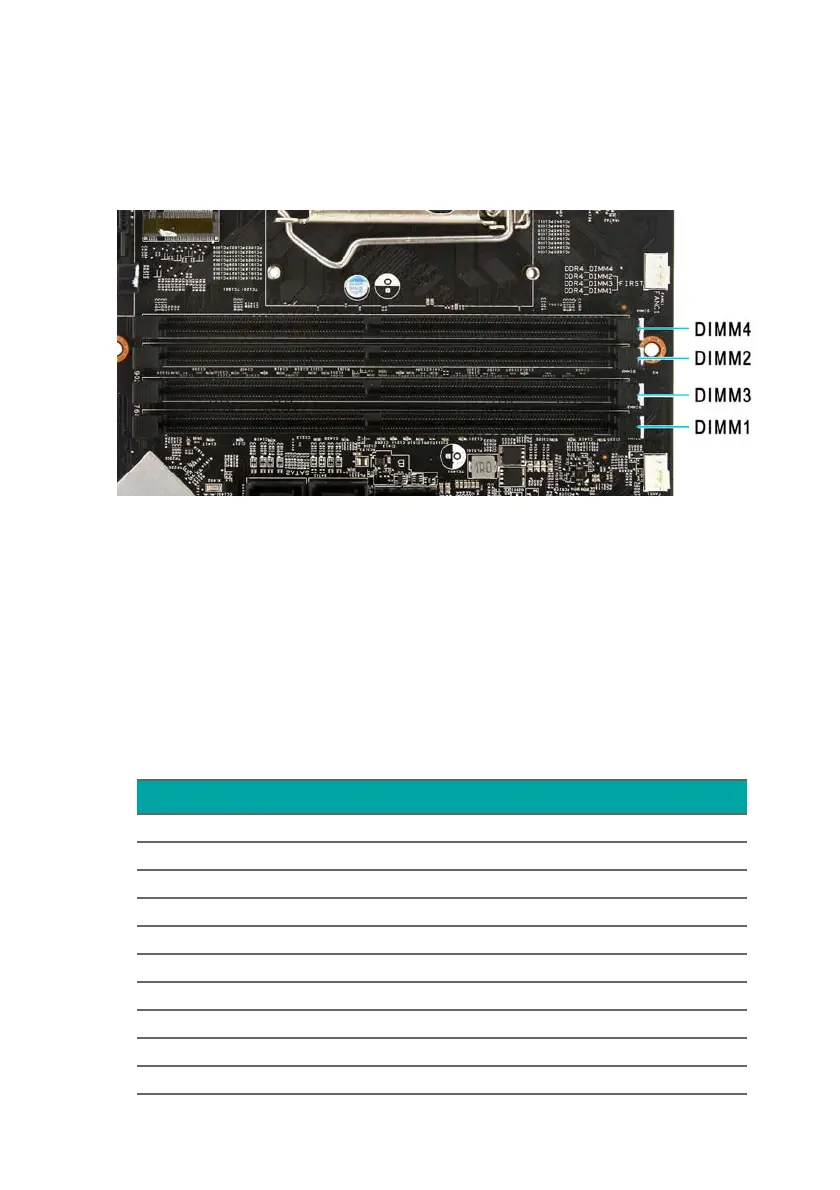
The computer has four DDR4 U-DIMM slots that support
up to 64 GB maximum system memory.
Memory configuration guidelines
• To ensure data integrity, use only Acer-approved DDR4
2666 MHz type memory modules.
• Memory modules must be installed starting with DIMM1
slot.
• Always handle memory modules by its edges.
• When installing memory modules, populate the DIMM slots
according to the table below.
Size DIMM1 DIMM2 DIMM3 DIMM4
4GB 4GB N/A N/A N/A
8GB 4GB 4GB N/A N/A
8GB 8GB N/A N/A N/A
16GB 4GB 4GB 4GB 4GB
16GB 8GB 8GB N/A N/A
16GB 16GB N/A N/A N/A
32GB 8GB 8GB 8GB 8GB
32GB 16GB 16GB N/A N/A
48GB 16GB 8GB 16GB 8GB
64GB 16GB 16GB 16GB 16GB



 To Next Page