2 PredatorSense - 27
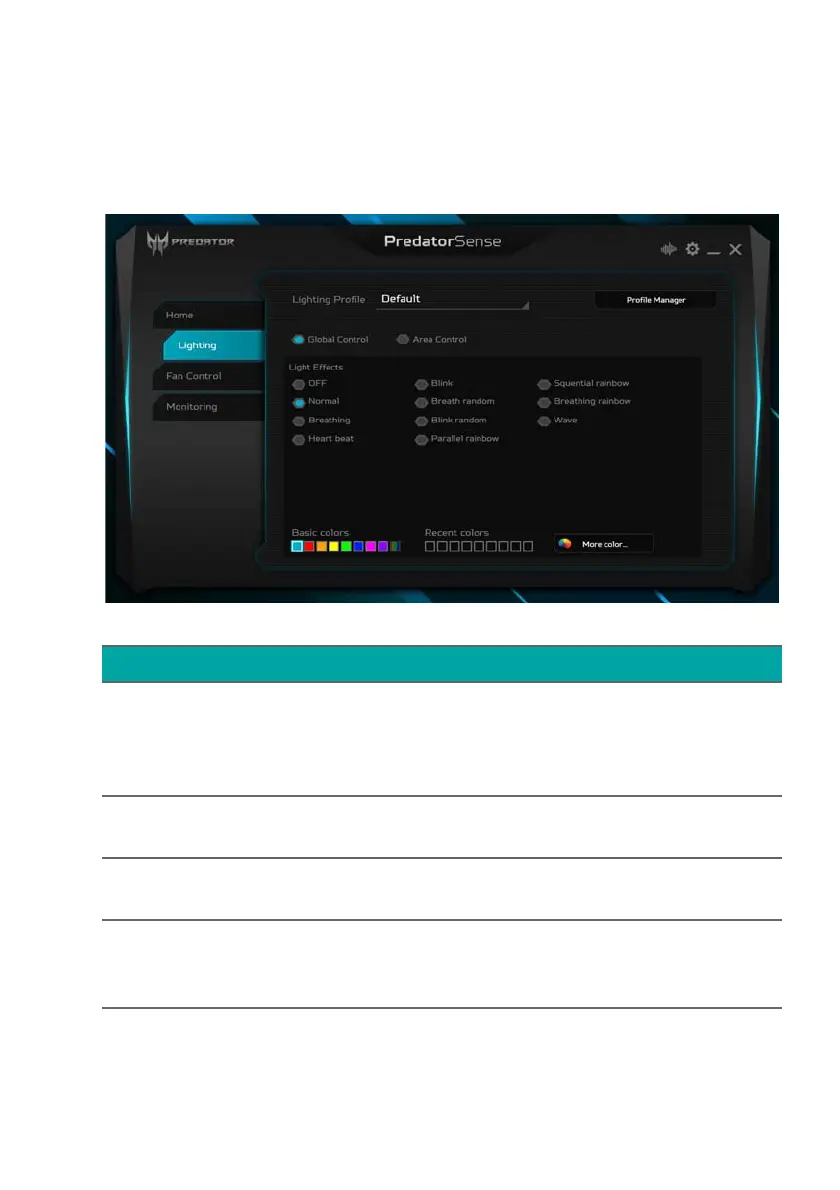
Lighting
Select the Lighting tab to configure the system’s lighting
options.
Category Description
Lighting Profile
Shows the current lighting profile used
by the system. Load a previously saved
lighting profile by choosing from the
drop down list.
Profile Manager
Add or remove a user’s custom lighting
profile.
Global Control
Set up the lighting effects configuration
as a theme for the whole system.
Area Control
Customize the lighting effects
configuration of the Front light bar,
Front Fan and Rear Fan.



 To Next Page