16 - 1 Upgrading your computer
Installing a memory module
1. Select an empty DIMM slot.
2. Remove the new memory module from its packaging,
handling it by the edges.
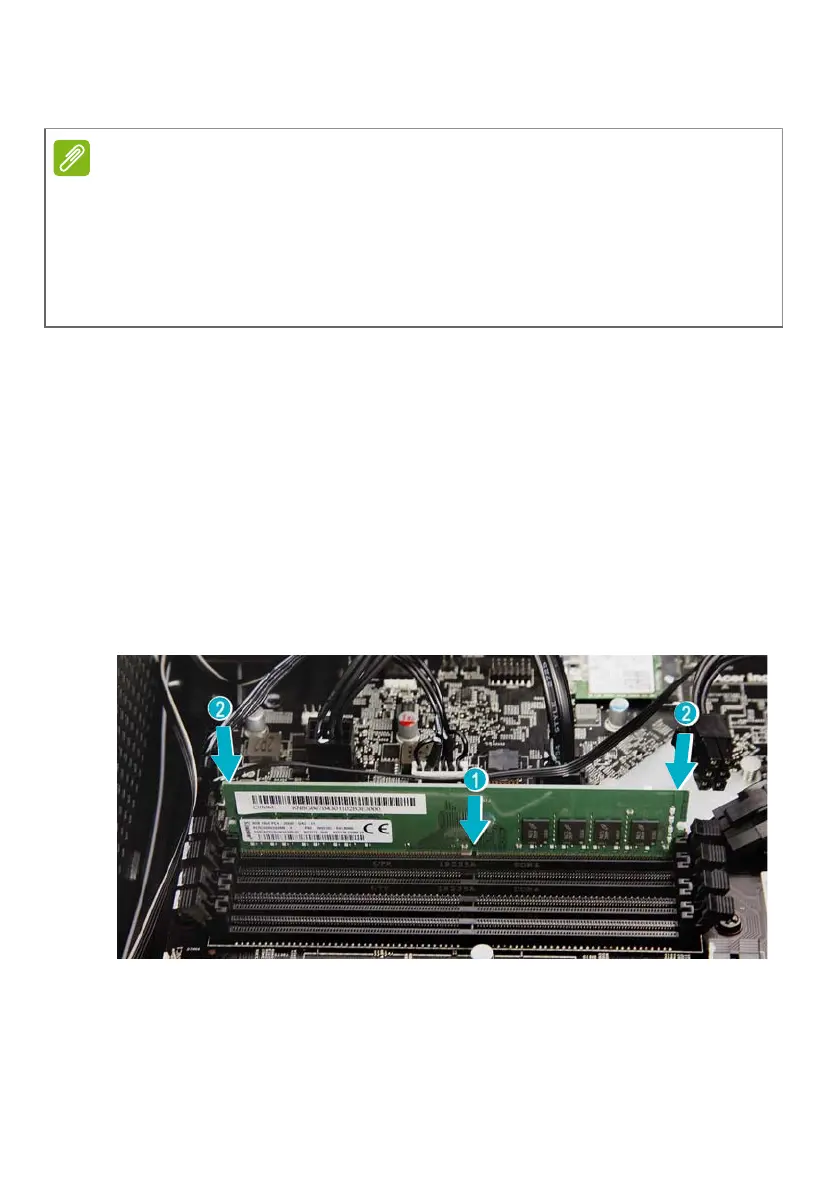
3. Align then insert the memory module into the DIMM slot (1).
4. Push the module to the slot until the retaining clips snap
inward (2).
The module is keyed so it can only be inserted in one
direction. If the module does not fit, make sure that the
notch in the module lines up with the tab in the memory
slot.
5. Repeat steps 1~4 to install the other memory modules.
6. Replace the graphics board. See Installing the graphics
board on page 20.
7. Observe the Post-installation instructions on page 5.
DIMM slots on the mainboard must be installed only in certain
configurations. Numbers next to DIMM slots correspond to
installation sequence.
Be sure to install the memory module in DIMM1 slot followed by
DIMM2 slot.



 To Next Page