8. Press the START button to create air cushions.
6. Touch the top line button to change to the
desired operating mode:
Normal Operation starts and runs film con-
tinuously until a stop is pressed.
Automatic Stop after *** ft runs an amount of
film, set by the operator, and then stops.
Fill Basket With *** ft uses optional
sensors in a basket or bin to start/stop as
required to keep the bin full.
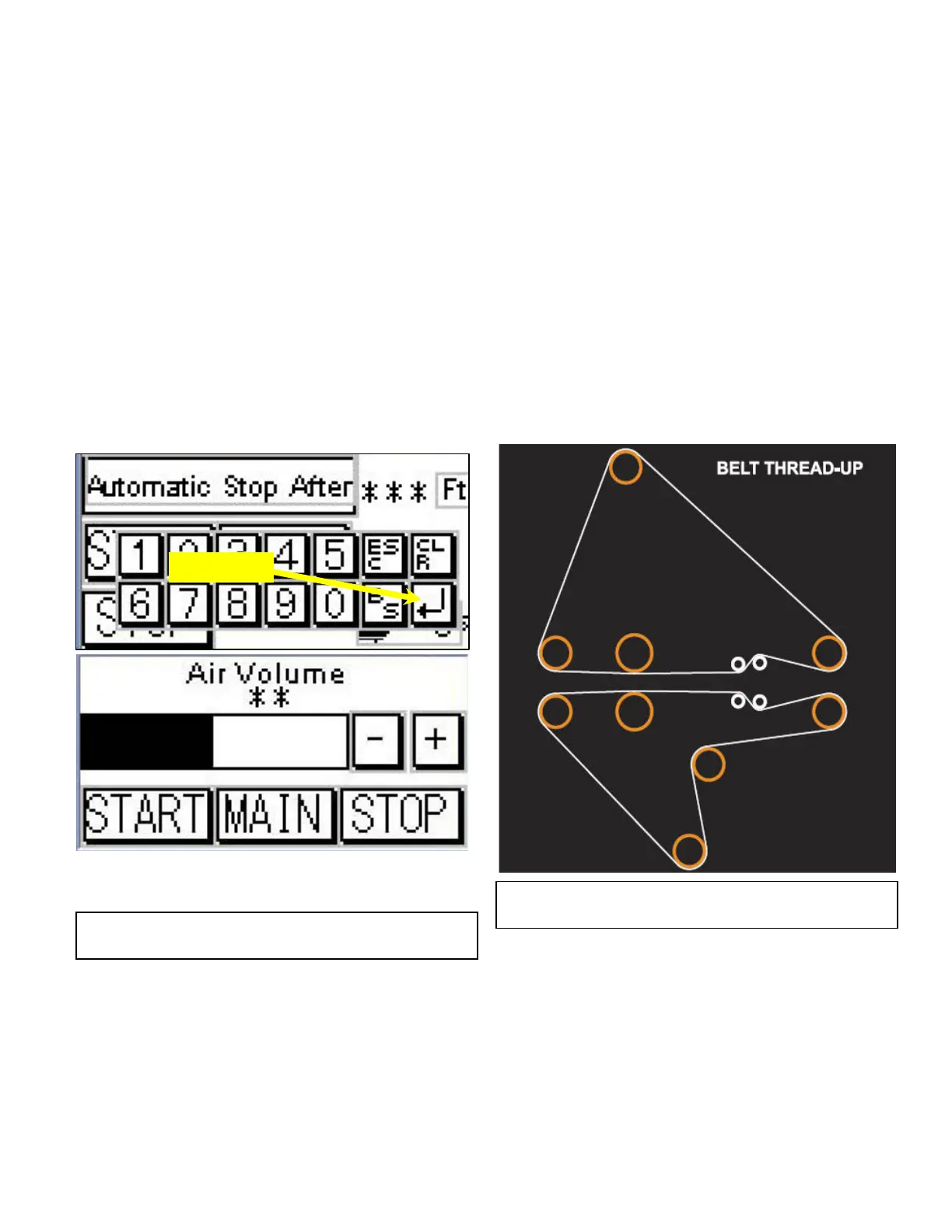
7. If the Automatic Stop mode is selected, touch
the area on the screen *** Ft. Screen will
change to a key board. Select length and touch
the enter key.(Bent Arrow Key)
Set the air volume, by touching the “AIR” button.
The screen will change to “Air Volume” screen
(Fig.2). Adjust air volume by using the + or –
buttons.
NOTE: To test for proper inflation of cushions,
gently squeeze cushion with both hands
while viewing it from the perf edge.
There should be a 0.75"-1.0" gap
between the forefinger and thumb on
both hands.
9. Press the STOP button to stop the machine.
Fig. 2
Cushion Inflation Volume
Enter Key
Fig. 3
Belt Thread – Up Diagram


 To Next Page