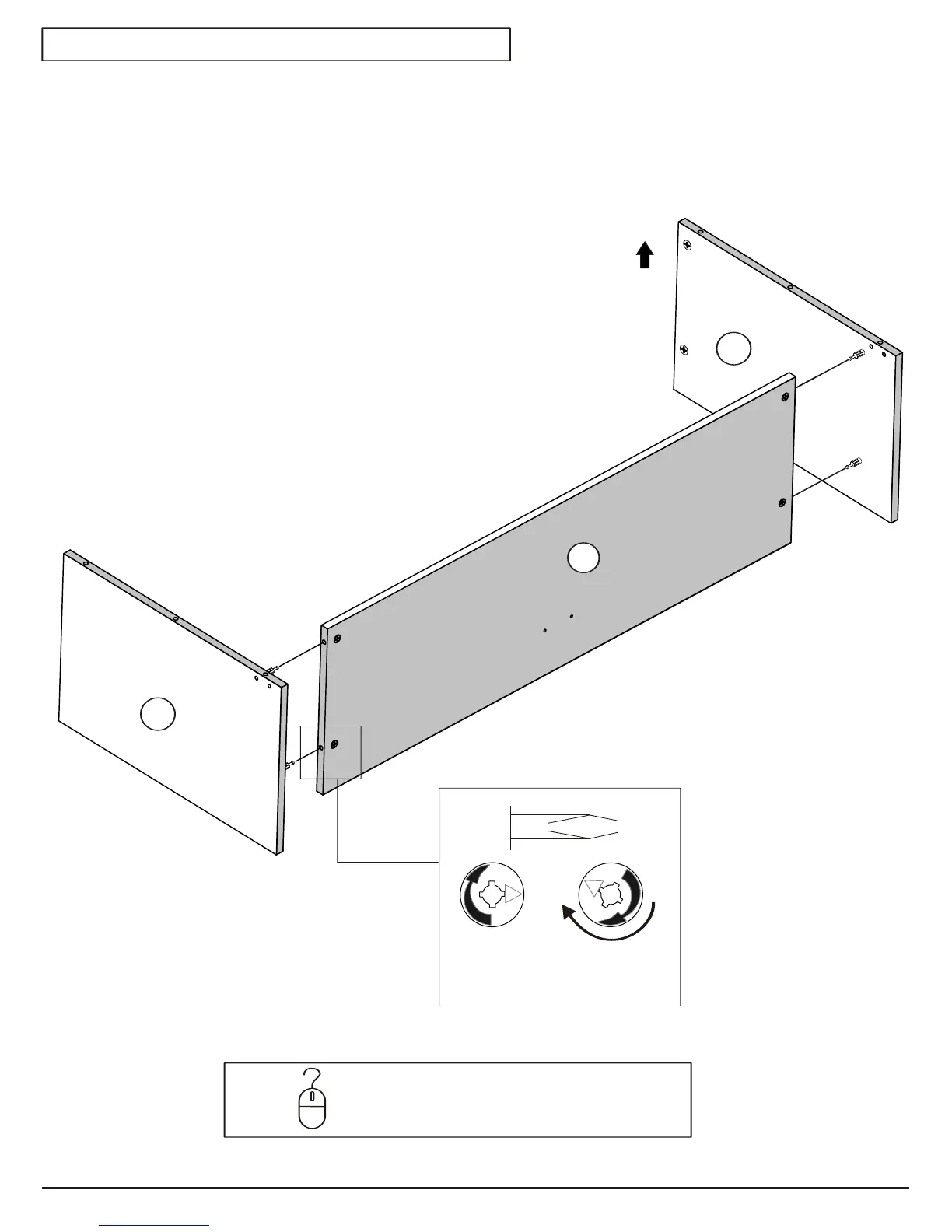
STEP 2
Estimated Time: 5 minutes
Unlocked
Locked
Turn 210°
C5
FRONT
2a.
2b.
Attach the LEFT SIDE (C3) to the bottom (C5) and tighten
cams using a FLAT HEAD screwdriver.
Repeat for the RIGHT SIDE (C4).
ONLINE
HELP
To see a video showing how to use cams and
connectors, visit Product Support on our website:
www.prepacmfg.com/support/assemblyvideos.html
C3
C4
Page 4 of 12


 To Next Page