UC Surface ControlSoftware
RTA
Quantum 2626
Owner’sManual
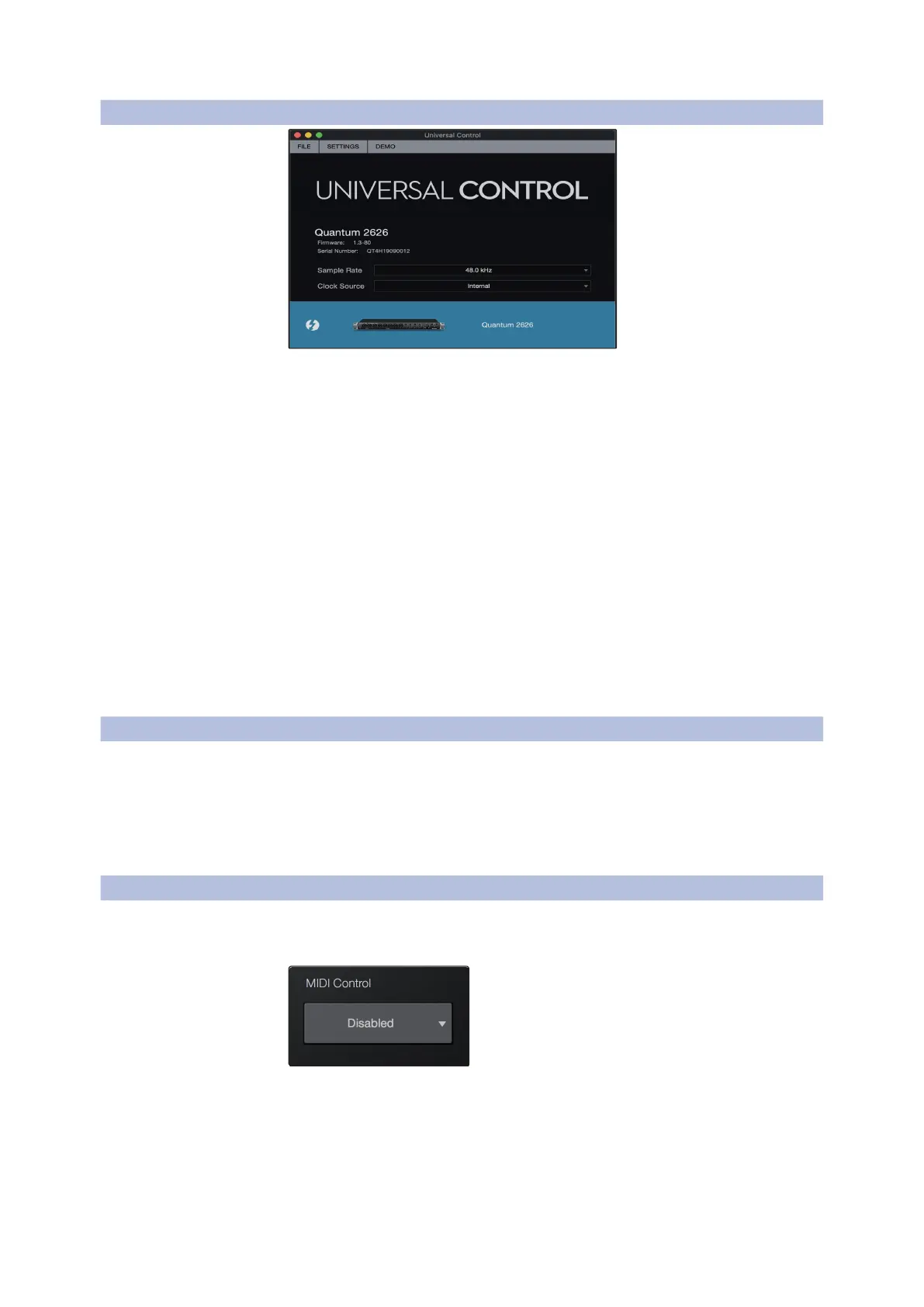
4.1 UC Surface Launch Window UC表面启动窗口
Sample Rate. Changes the sample rate.
Sample Rate.
改变采样率。
You can set the sample rate to 44.1, 48, 88.2, 96, 176.4, or 192 kHz. A higher
sample rate will increase the fidelity of the recording but will increase the file
size and the amount of system resources necessary to process the audio.
你可以将采样率设置为
44.1
、
48
、
88.2
、
96
、
176.4
或
192kHz
。较高的
采样率会提高录音的保真度,但会增加文件大小和处理音频所需的系
统资源。
Clock Source. Sets the digital clock source.
Clock Source.
设置数字时钟源。
From this menu, you can set the clock source for your Quantum 2626
interface: Internal, External S/PDIF, or External ADAT.
从这个菜单中,你可以为你的
Quantum 2626
接口设置时钟源
”
Internal,
External S/PDIF, or External ADAT
”
Please note:
Only ADAT 1 can be used as a clock source input for your Quantum 2626.
请注意
:只有
ADAT 1
可以作为
Quantum 2626
的时钟源输入。
When a DigiMax DP88 is connected to your Quantum interface’s ADAT Input
and Output, you will be presented with ADAT controls, allowing you to
remote control your DigiMax DP88’s preamps and phantom power.
当你的
Quantum
接口的
ADAT
输入和输出被
DigiMax DP88
连接时,你会
看到
ADAT
控制,允许你远程控制
DigiMax DP88
的前置放大器和幻象电
源。
As previously mentioned, the preamps on your Quantum-series interface can
be controlled via MIDI over Thunderbolt. This feature can be enabled and
disabled from UC Surface.
如前所述,
Quantum-
系列接口上的前置放大器可以通过
Thunderbolt
的
MIDI
控制。系列的接口可以通过
Thunderbolt
的
MIDI
控制。这个功能可
以从
UC Surface
启用和禁用。
The preamp functions on your Quantum-series interface can be controlled via
MIDI from your DAW application, an external MIDI controller, both, or neither.
Select ‘Internal MIDI Only’ if you only want your DAW to send and receive MIDI















 To Next Page