Studio One ArtistQuickStart
Setting Up Studio One
Quantum 2626
Owner’sManual
2.
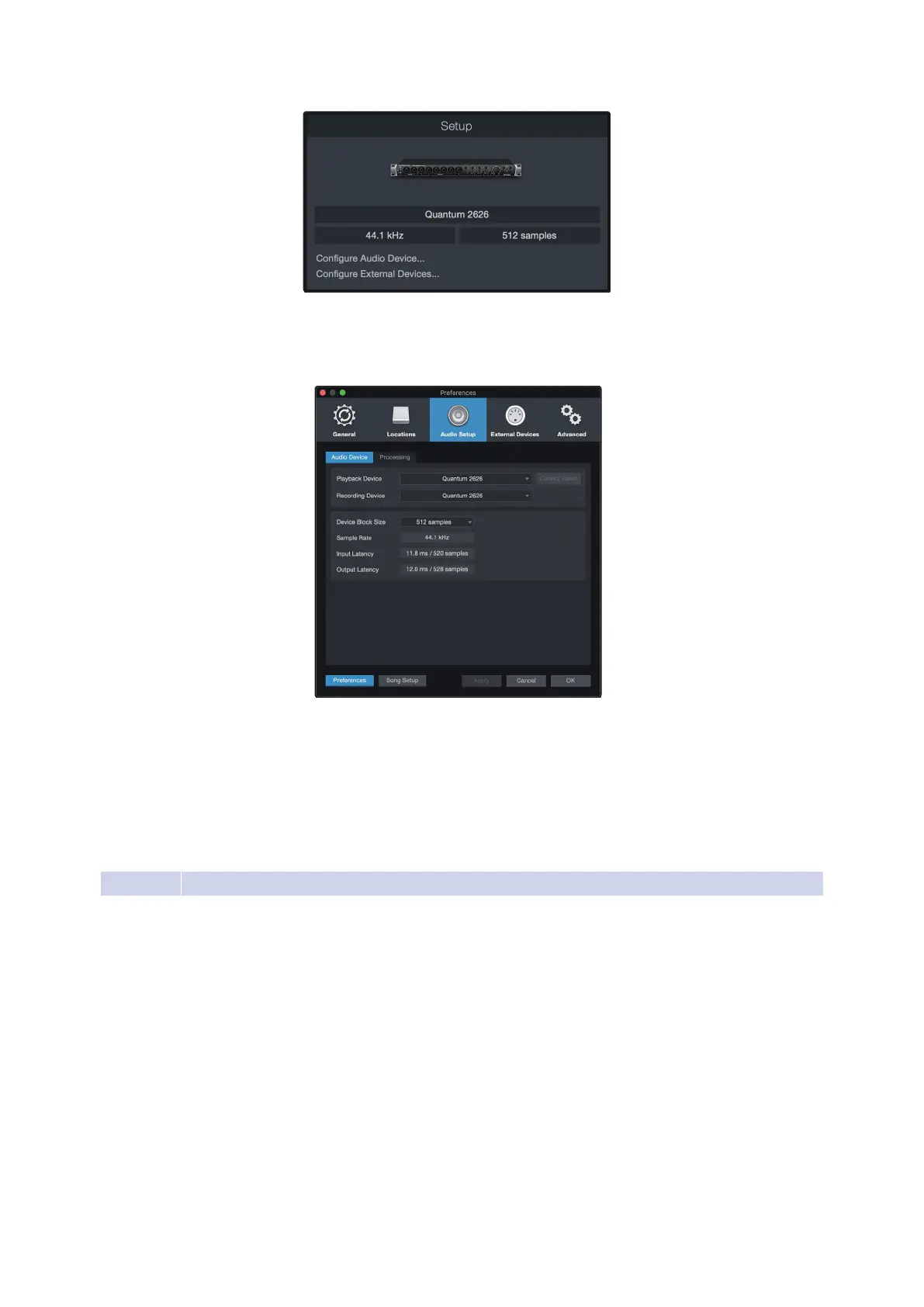
If you do not see your device listed on the Start page when
you launch Studio One, click on the Configure Audio Devices
link in the Setup area to open the Options window.
如果你在启动
Studio One
时,你的设备没有列在
"Start "
页上,点击
”Setup”
区域的
”Configure Audio
Devices”
的 链接,打开
”Options ”
窗口。
In the Options window, click on the Audio Setup tab and
select your device driver from the pull-down.
在
” Options ”
窗口中,点击
”Audio Setup”
音频设置
标签,并从下拉菜单中,选择你的设备驱动程序。
6.2.2
Configuring MIDI Devices 配置MIDI装置
Fromthe External Devices windowin Studio One Artist, you can configure
your MIDI keyboard controller,sound modules,and controlsurfaces.This
section will guide you through setting up your MIDI keyboard controller
and sound modules.Please consult the ReferenceManual located within
Studio One for complete setup instructions for other MIDI devices.
在
Studio One Artist
的外部设备窗口,你可以配置你的
MIDI
键盘控
制器、声音模块和控制面。本节将指导你,如何设置你的
MIDI
键
盘控制器和声音模块。关于其他
MIDI
设备的完整设置说明,请查
阅
Studio One
中的
”Reference Manual”
《参考手册》。
If you are using a third-party MIDI interface or USB MIDI-controller
keyboard, you must install any required drivers for these devices before
beginning this section. Please consult the documentation that came
with your MIDI hardware for complete installation instructions.















 To Next Page