Hookup
Back Panel Connections
Quantum 2626
Owner’sManual
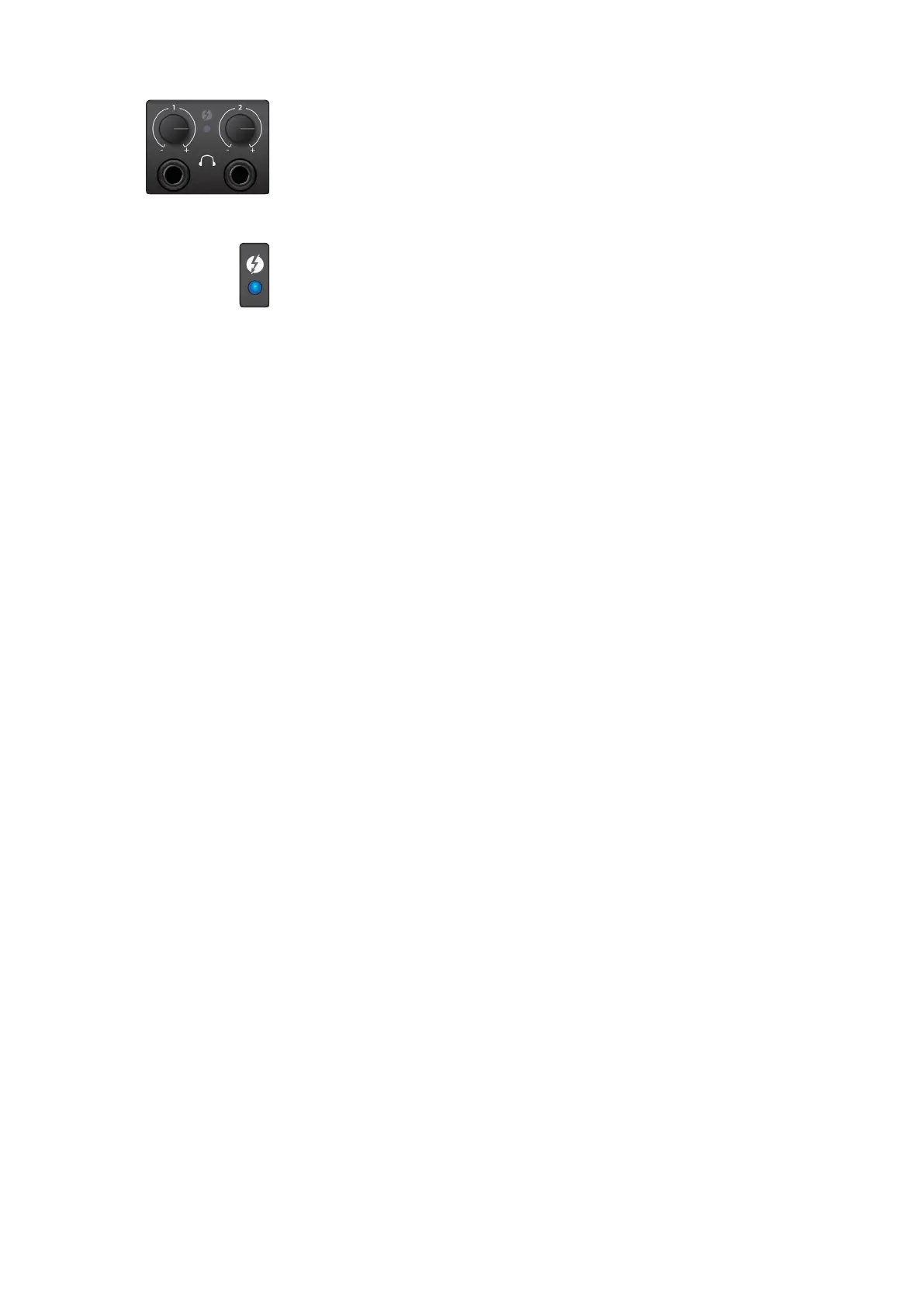
Headphones. Your Quantum 2626 interface provides two
headphone outputs, each with its own level control. Both
headphone outputs share a stream with the Main Outputs.
Headphones.
你的
Quantum 2626
接口提供了两个耳机输
出,每个都有自己的电平控制。这两个耳机输出
与
”
Main Outputs
”
主输出共享一个音频流。
Sync light. This light is the clock source / sync indicator. It lets
you know if you unit is receiving word clock correctly.
Sync light.
这是时钟源
/
同步指示灯。让你了解设备是否
能正确接收字时钟。
•
Blue.When this light is blue, your Quantum 2626 is correctly
synced via Thunderbolt, word clock, ADAT, or S/PDIF
•
Blue.
当这个灯为蓝色时,你的
Quantum 2626
通过
Thunderbolt
、字时钟、
ADAT
或
S/PDIF
正确同步。
•
Flashingredandblue.Quantum 2626 is in the process of
trying to sync to a received clock signal.
•
Flashing red andblue
.
闪烁红色和蓝色,
Quantum
2626
正在与接收到的时钟信号同步的尝试过程中。
•
Red. Quantum 2626 is either not synced to your computer
or its external clock source is not present.
•
Red.
灯为红色时
,
Quantum 2626
不是没有与你的计
算机同步,就是其外部时钟源不存在。
•
Flashingpurple.The identify button is active in UC Surface.
•
Flashingpurple.
灯为紫色时,识别按钮在
UC Surface
中是激活的。
Power User Tip:
Word clock is the timing signal with which digital devices
sync frame rates. Proper word clock sync prevents digital devices from
having pops, clicks, and distortion in the audio signal due to mismatched
digital audio transmission. In general, you will use your Quantum 2626
interface as the master clock in your studio; it provides high-quality word
clock for this purpose. However, if you would like to use another device as
the master clock, you can set the input source for clocking in UC Surface.
See
Section 4.1 for details
.
用户提示:
字时钟是数字设备同步帧率的计时信号。正确的字时钟同步
可以防止数字设备由于数字音频传输不匹配而导致音频信号中出现爆音、
咔嚓和失真。一般来说,你将使用
Quantum 2626
接口作为演播室的主
时钟;这是为了提供高质量的字时钟。然而,如果你想使用其他设备作
为主时钟,你可以在
UC Surface
中设置时钟的输入源。
详见第
4.1
节。















 To Next Page