UC Surface ControlSoftware
RTA
Quantum 2626
Owner’sManual
information to and from the preamp controls. Select ‘External MIDI Only’ if you would
like to control your preamp functions from a MIDI device that is connected to the
MIDI connections on the back of your Quantum-series interface. Select ‘Enabled’
to use both. Select ‘Disabled’ if you only want local control of your preamps.
Quantum
系列接口的前置放大器功能可以通过
DAW
应用程序的
MIDI
控
制,也可以通过外部
MIDI
控制器控制,或者两者都不控制。如果你只
想让
DAW
发送和接收前级放大器控制的
MIDI
信息,请选择
"Internal
MIDI Only"
。如果你想通过连接到
Quantum
系列接口背面的
MIDI
设备,
来控制你的前置放大器功能,请选择
"External MIDI Only"
。选择
"Enabled "
可以同时使用。如果你只想对你的前置放大器进行本地控制,
请选择
"Disabled "
。
Note: Even when MIDI control is disabled, you can still control your preamp
functions from UC Surface and Studio One.
See Section 3.3 for the Quantum 2626 preamp MIDI mappings.
注意:
即使
MIDI
控制被禁用,你仍然可以从
UC Surface
和
Studio One
,来控制
你的前置放大器的功能。
Quantum 2626
前置放大器的
”MIDI mappings”
见第
3.3
节。
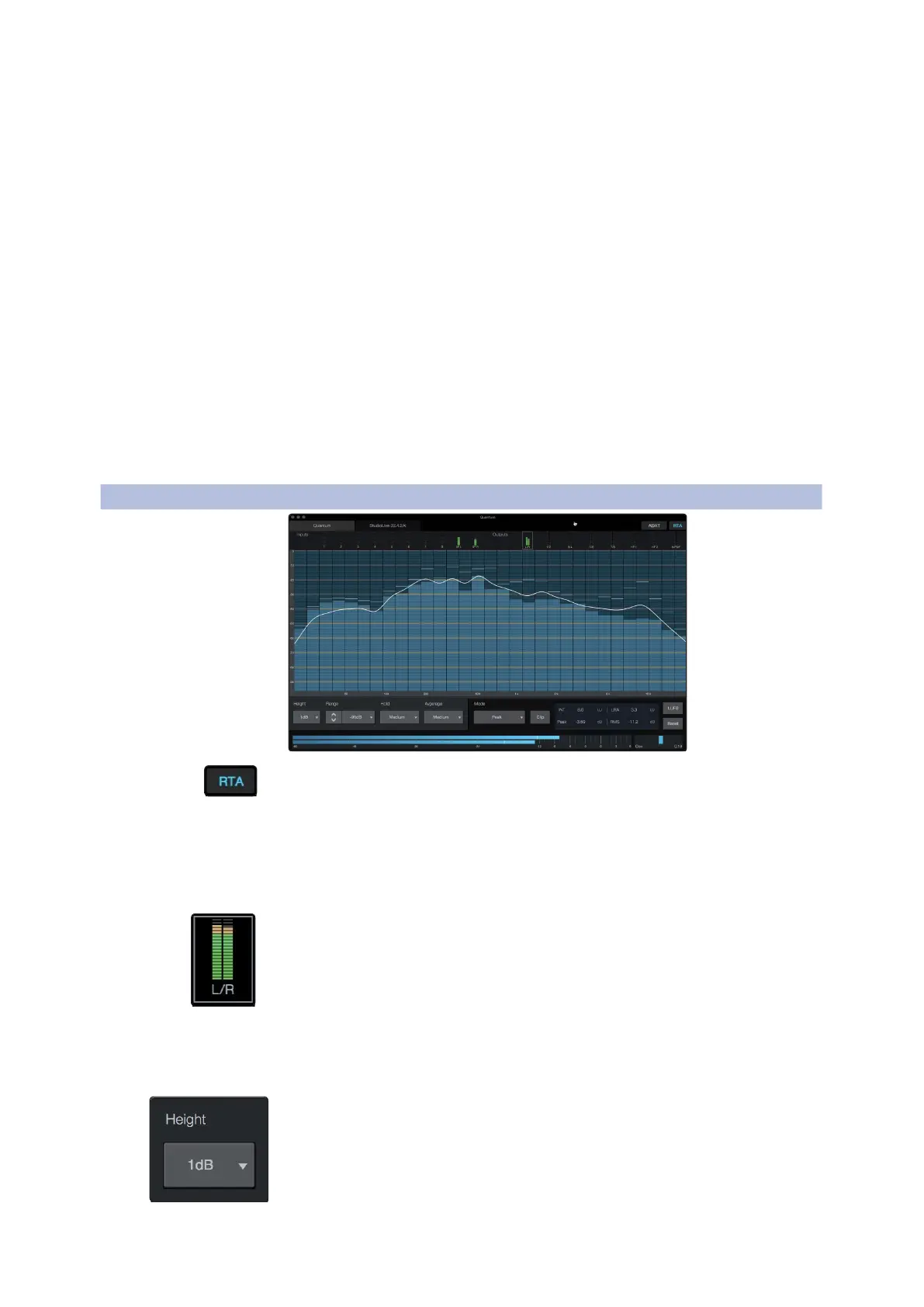
UC Surface provides a real-time analyzer (RTA) in which x = frequency and y =
amplitude for every input and output. An RTA provides a close visual representation
of what you are hearing. It provides a view of the long-term spectrum of the signal,
such as the one third-octave spectrum long-term average of a musical performance.
UC
Surface
提供了一个实时分析器(
RTA
),其中
x=
频率,
y=
每个输入和输
出的振幅。
RTA
为你所听到的内容,提供了一个近距离的视觉表现。它提供
了信号的长期频谱视图,如音乐表演的三分之一倍频程频谱长期平均值。
To enable the RTA for any input or output, select its meter from the top of the screen.
要启用任何输入或输出的
RTA
,从屏幕的顶部选择它的仪表计量。
The Quantum RTA provides several customization features that allow you
to view the RTA in the way that is most useful for your application.
Quantum RTA
提供了几个定制功能,通过最有用的方式,为你的
应用查看
RTA
。
Height. This provides a more or less granular display for the RTA.
Height.
这为
RTA
提供了一个或多或少的细化显示。















 To Next Page