Studio One ArtistQuickStart
Creating a New Song
Quantum 2626
Owner’sManual
Power User Tip: If you would like to add an audio track for each of the available inputs,
simply go to Track | Add Tracks for All Inputs.
用户提示 :
如果你想为每个可用的输入添加一个音轨,仅需要进入
Track
| Add Tracks for All Inputs
为所有输入添加音轨。
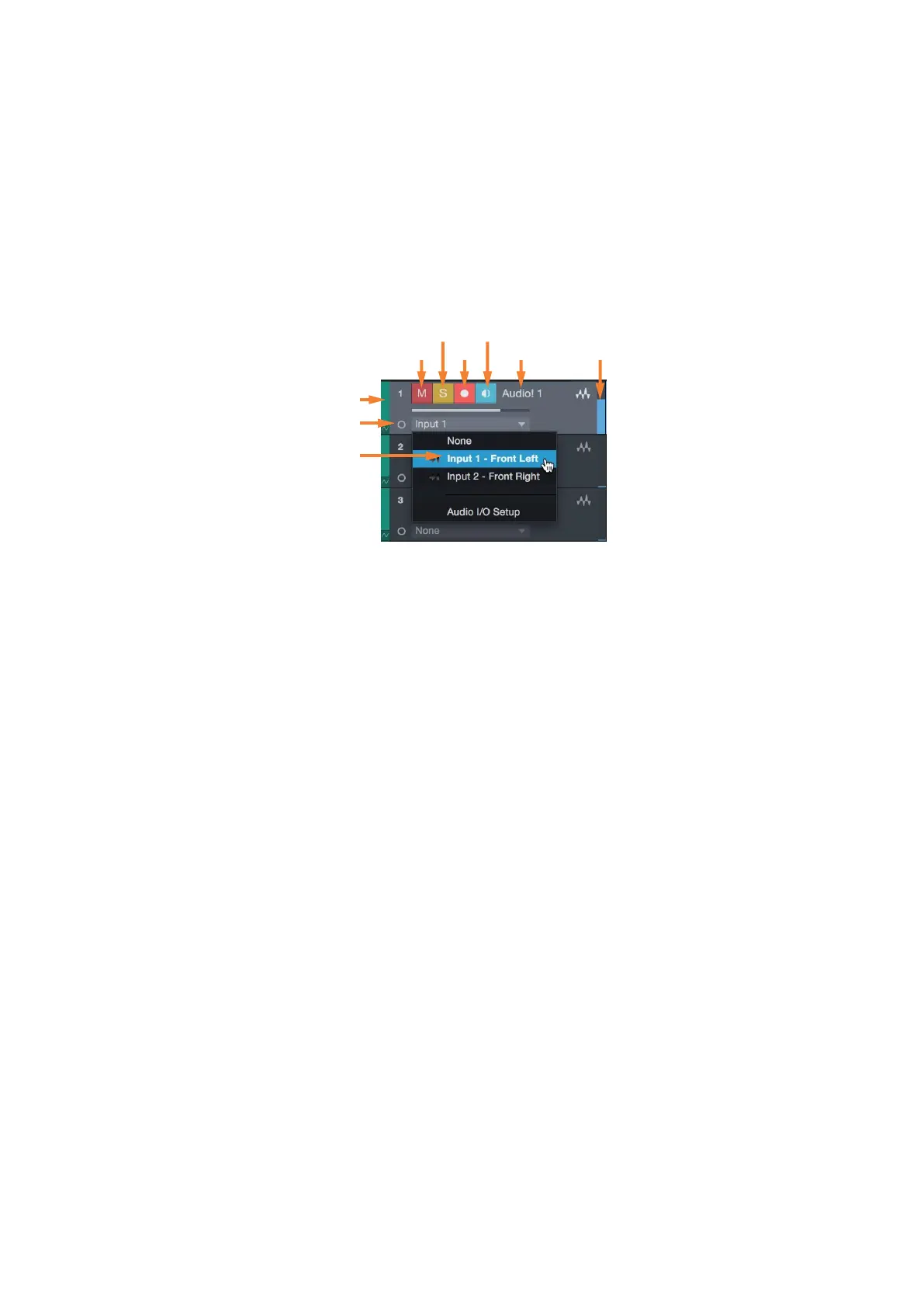
Track anatomy:
音轨剖析图:
Solo Monitor
Custom
Track Color
ST/Mono
Audio Input
Source Select
Note:
MIDI tracks are nearly identical to Audio tracks. The Input Source list for MIDI
tracks lists available external MIDI devices as well as any virtual instruments that have
been added to the Song.
注意:
MIDI
轨道与音频轨道几乎相同。
MIDI
轨道的输入源列表列出了可用
的外部
MIDI
设备,以及任何已添加到歌曲中的虚拟乐器。















 To Next Page