UC Surface ControlSoftware
RTA
Quantum 2626
Owner’sManual
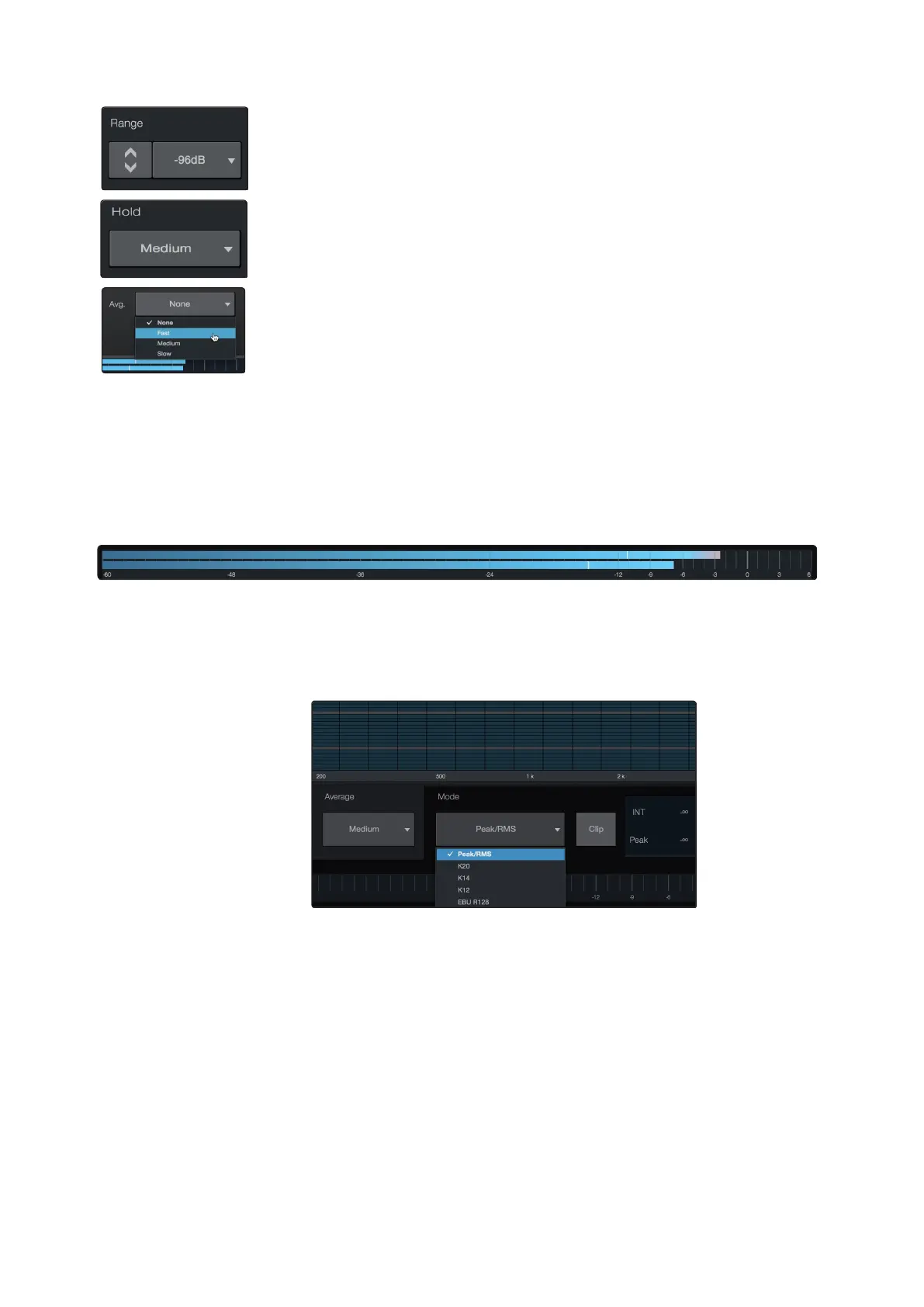
Range. Use the Range controls to set the upper and lower decibel limits that the RTA
will display.
Range.
使用
”
Range
”
控制,设置
RTA
将显示的分贝上限和下限。
Hold. Use this control to set the peak hold time for each band of the RTA.
Hold.
使用此控制,设置
RTA
每个频段的峰值保持时间。
Average. Averaging is a mathematical process that takes multiple data samples and
performs division to acquire a statistically more accurate calculation of the response.
That’s a technical way of saying that it slows down the “real-time” of a real-time
analyzer.
Average.
平均值是一个数学过程,它采取多个数据样本并进行除法,以获得统
计上一个更准确的响应计算。这是一种技术上的说法,它减慢了实时分析仪
的
"
real-time
"
实时性。
At the bottom of the screen, you will find the signal meter. This meter can be
customized for your application.
在屏幕的底部,你会发现信号仪表计量。这个仪表可以根据你的应用进行定
制。
MeterStyle.
This menu allowsyou to change the type of output
metering displayed at the bottom of the screen.
Meter Style.
这个菜单。你可以改变显示在屏幕底部的输出
测光的类型。
•
Peak.This type of metering displays the instantaneous level of the audio signal.
•
K-20, K-14, and K-12. K-System metering displays loudness metering and dynamic range.
Select the scale based on the genre or media format. K-20 is used for film, classical music,
and high-fidelity recordings. It provides the most dynamic range visualization. K-14 is used
for mainstream pop, rock, and country. K-12 is used for broadcast and radio and provides
the least dynamic range visualization.
•
EBU R128. Displays the perceived loudness of the signal based on the EBU R128 standard.
•
Peak.
这种类型的计量显示的是音频信号的瞬时电平。
•
K-20, K-14, and K-12.
K-System
测光展示响度测光和动态范围。根据体裁或媒体格式
来选择刻度。
K-20
用于电影、古典音乐和高保真录音。它提供了最多的动态范围的
可视化。
K-14
用于主流流行音乐、摇滚和乡村音乐。
K-12
用于广播和无线电,提供
最小的动态范围的可视化。
•
EBU R128. 基于 EBU R128 标准显示信号的感知响度。















 To Next Page