Studio One ArtistQuickStart
Creating a New Song
Quantum 2626
Owner’sManual
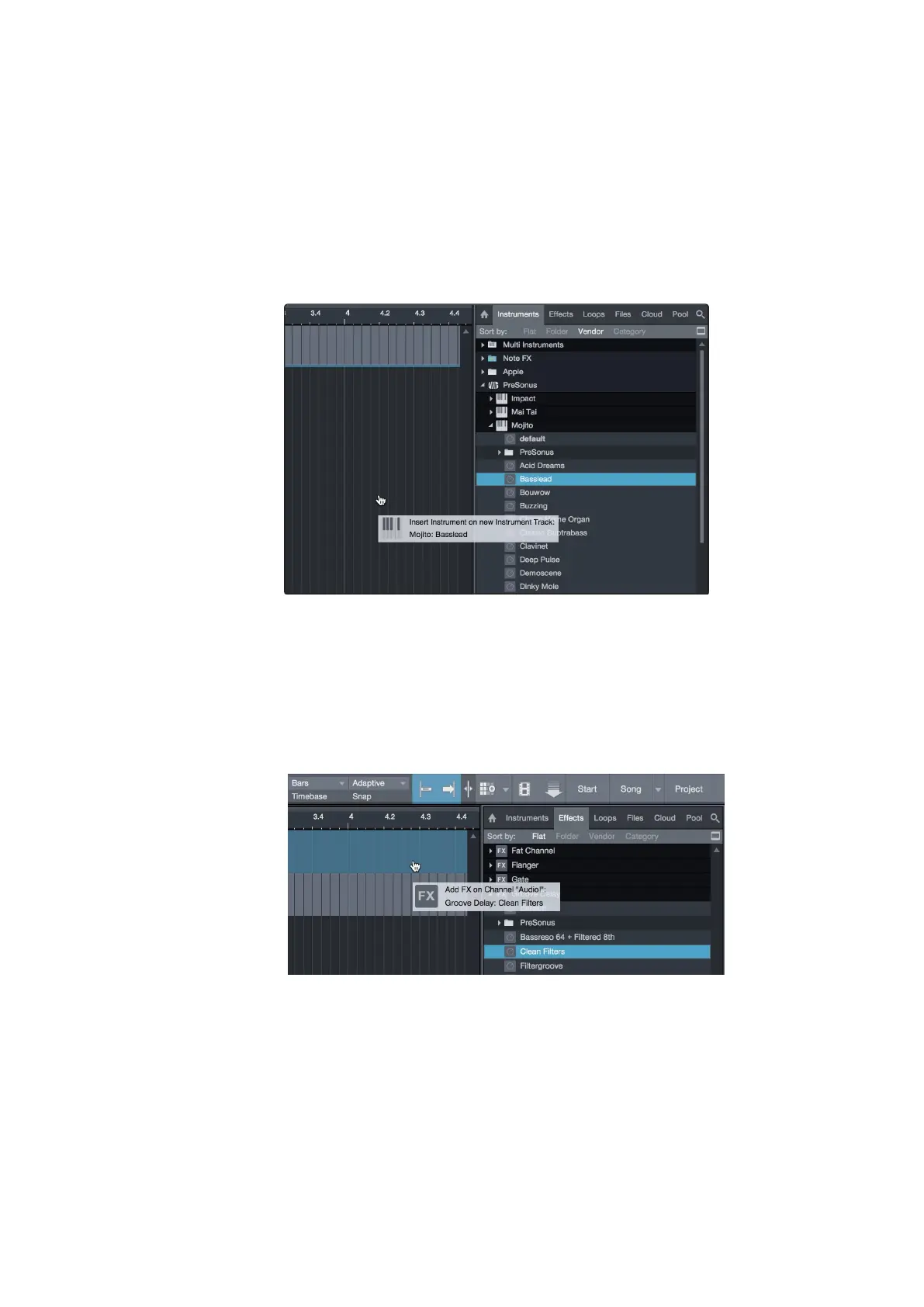
Drag-and-drop virtual instruments.
拖放虚拟乐器。
To add a virtual instrument to you session, open the browser and click on
the Instrument button. Select the instrument or one of its patches from the
instrument browser and drag it into the Arrange view. Studio One Artist will
automatically create a new track and load the instrument as the input.
要在你的会话中
,
添加一个虚拟乐器,打开浏览器并点击乐器按钮。从
乐器浏览器中,选择乐器或它的一个补丁,然后把它拖到编曲视图中。
Studio One Artist 会自动创建一个新的音轨,并将该乐器作为输入载入。
Drag-and-drop effects.
拖放效果器。
Toadd a plug-in effect to a track, click the Effects button in the browserand
selectthe plug-in orone of its presets inthe effects browser.Drag-and-drop
the selection over the track to which you would like to add the effect.
要将插件效果添加到轨道上,请点击浏览器中的效果按钮,并在效
果浏览器中选择插件或其预设之一。在你想添加效果的轨道上拖放
选择。
Drag-and-drop audio and MIDI files.
拖放音频和
MIDI
文件。
Audio and MIDI files can be quickly located, auditioned, and imported into
your Song by dragging them from the file browser into the Arrange view.
If you drag the file to an empty space, a new track will be created with
that file placed at the position to which you dragged it. If youdrag the file
to an existing track, the file will be placed as a new part of the track.















 To Next Page