StudioOneArtistQuickStart
Setting Up Studio One
Setting up an External MIDI Keyboard Controller from the Start Page
从开始页设置外部
MIDI
键盘控制器
AMIDIkeyboardcontrollerisahardwaredevicethatis generallyused forplaying
andcontrollingotherMIDIdevices,virtualinstruments,andsoftwareparameters.
InStudioOneArtist,thesedevicesarereferredtoasKeyboards,andtheymustbe
configuredbeforetheyareavailableforuse.Insomecases,your MIDI keyboard
controllerisalsousedas atone generator.Studio One Artistviews thecontroller
and tone-generation functions as two different devices: a MIDI keyboard controller
and a sound module.TheMIDI controls(keyboard,knobs, faders,etc.)will be
set up as a Keyboard. The sound modules will be set up as an Instrument.
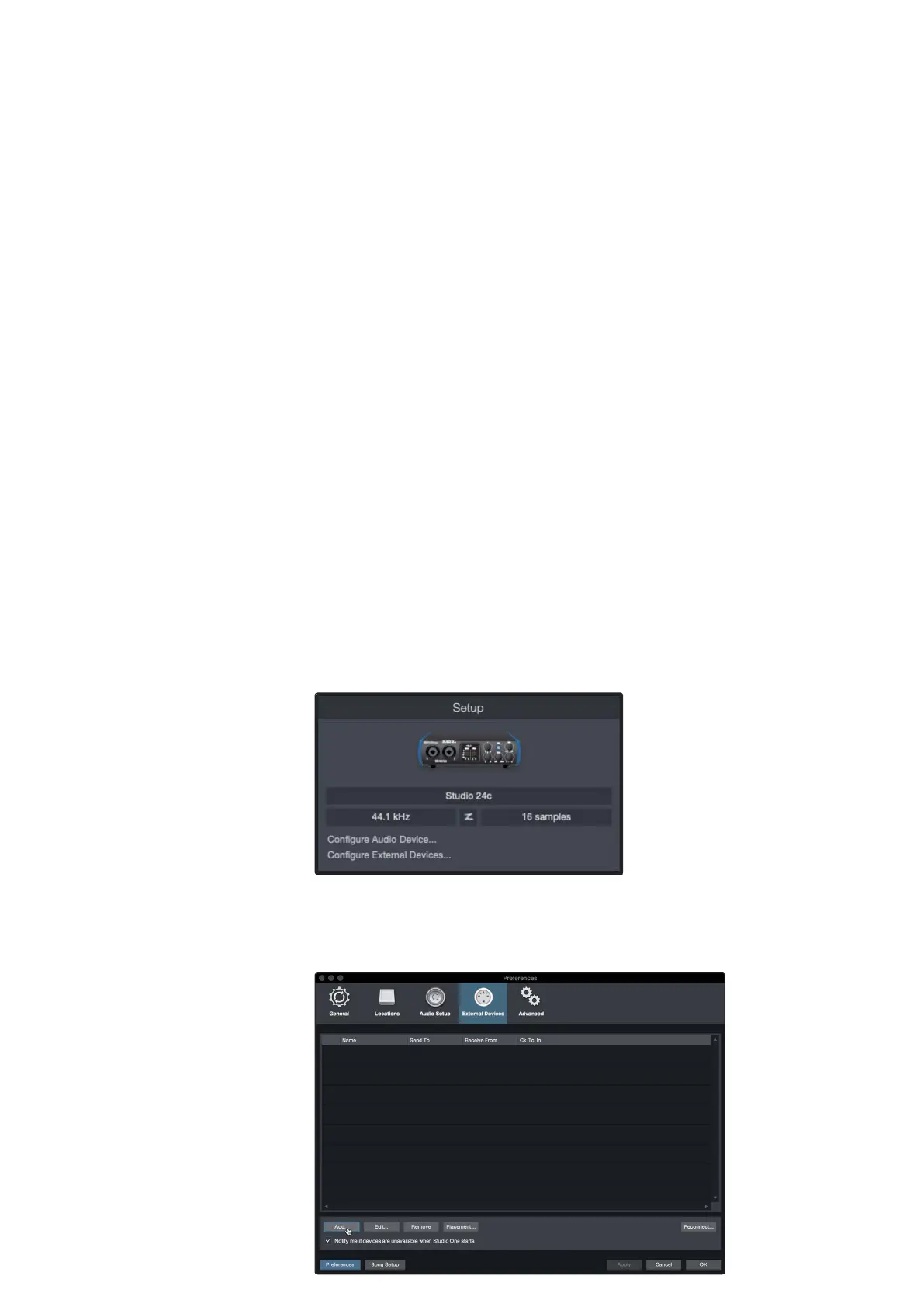
You can set up your external MIDI devices from the Setup area in the Start
page. Before setting up a new Song for recording, take a moment to
configure external devices.
MakesureyouhaveconnectedtheMIDIOutofyourexternal MIDIcontrollerto
a MIDI In on your PreSonusaudio interface (if available) or other MIDI interface. If
youareusing aUSBMIDIcontroller,connectit toyourcomputerandpoweriton.
MIDI键盘控制器是一种硬件设备,通常用于播放和
控制其他MIDI设备、虚拟乐器和软件参数。在Studio
One Artist中,这些设备被称为键盘,在使用之前必
须对它们进行配置。在某些情况下,您的MIDI键盘
控制器也被用作音调发生器。Studio One Artist将控
制器和声音生成功能视为两种不同的设备:MIDI键盘
控制器和声音模块。MIDI控制(键盘、旋钮、渐变器
等)将被设置为一个键盘。声音模块将被设置为一个
乐器。
1.
Click on the Configure External Devices link in the Setup area on
the Start page to launch the External Devices window.
1.单击“开始”页上的“安装”区域中的“配置外部设备”链接,启动外
部设备窗口。
2.
Click the Add button. This will launch the Add Device window.















 To Next Page