StudioOneArtistQuickStart
Setting Up Studio One
单击Add按钮。这将启动“添加设备”窗口。”
3.
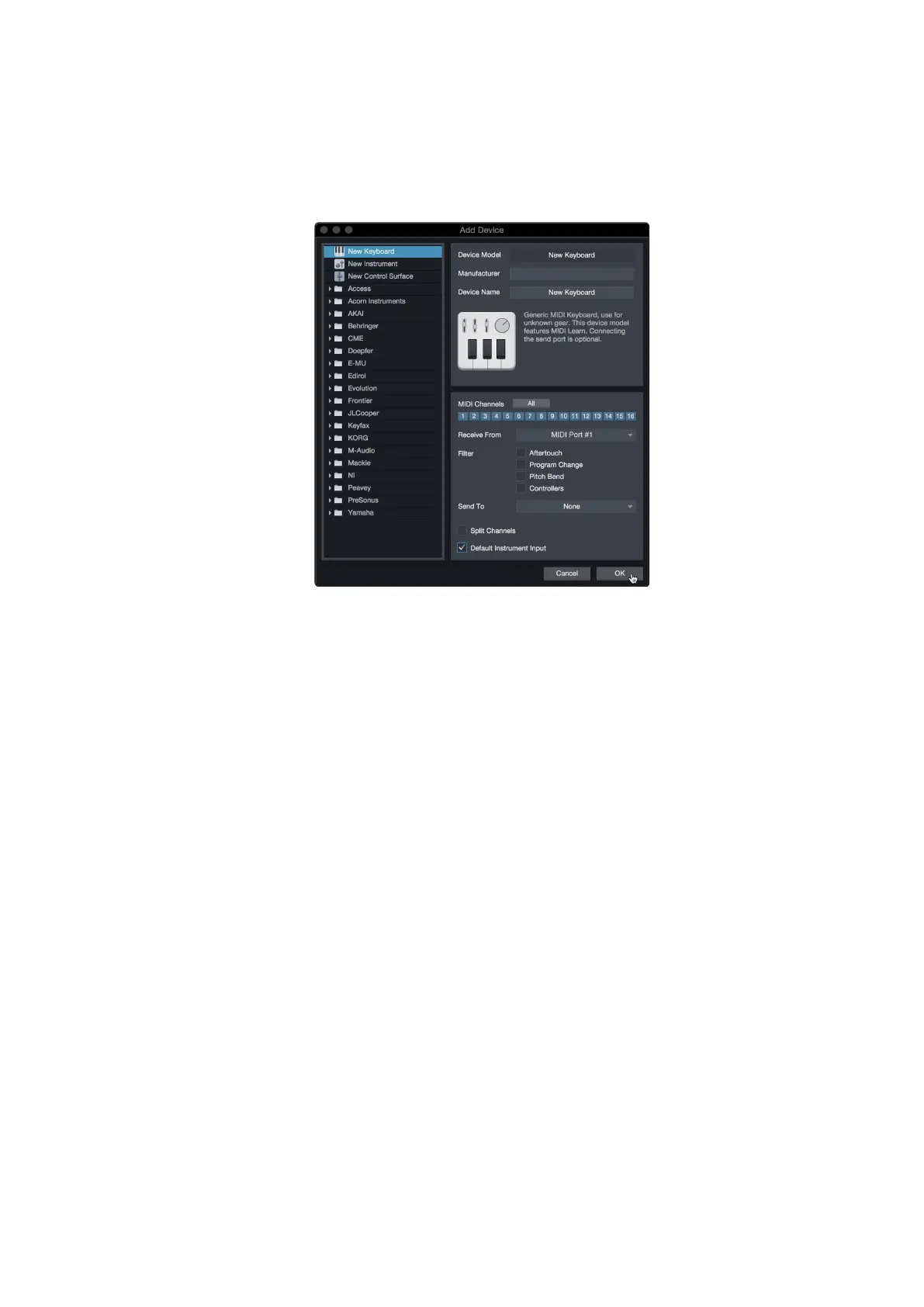
Fromthe menu on the left, select your MIDI controllerfrom the list of
manufacturersandmodels.IfyoudonotseeyourMIDIcontrollerlisted,
select New Keyboard.At this point, you can customizethe name of
your keyboard by enteringthe manufacturer and devicenames.
从左边的菜单中,从制造商和型号列表中选择您的MIDI控制器。如果
你没有看到你的MIDI控制器列表,选择New Keyboard。此时,您可以
通过输入制造商和设备名称来定制键盘名称。
4.
YoumustspecifywhichMIDIchannelswillbeusedtocommunicatewith
thiskeyboard.Formostpurposes,youshouldselectallMIDIchannels.
If you are unsure of which MIDI channels to choose, select all 16
您必须指定将使用哪些MIDI通道与此键盘进行通信。在大多数情况
下,您应该选择所有的MIDI通道。如果您不确定要选择哪些MIDI通
道,请选择全部16个。
5.
Studio Oneallowsyouto filter out specific controlfunctions. Ifyouwould
likeStudio Oneto ignoreAftertouch, PitchBend,ProgramChange,or
all CC messages, enable filtering for any or all of these messages.
Studio One允许你过滤掉特定的控制功能。如果您希望Studio One忽
略Aftertouch、Pitch Bend、Program Change或所有的CC消息,请启
用对任何或所有这些消息的过滤。
6.
In the Receive From drop-down menu, select the MIDI interface
input fromwhichStudio One Artist willreceiveMIDI data (that
is,the MIDI port to which your keyboard is connected).
PowerUserTip:
IntheSendTodrop-downmenu,selecttheMIDIinterfaceoutput
from which your Studio One Artist will send MIDI data to your keyboard. If your
keyboardcontrollerdoesn’tneed to receiveMIDI data from Studio One, youcan
leave this unselected.
在Receive From下拉菜单中,选择MIDI接口输入,Studio One Artist
将从中接收MIDI数据(即,连接键盘的MIDI端口)。
高级用户提示
: 在Send To下拉菜单中,选择MIDI接口输出,你的
Studio One Artist将从中发送MIDI数据到你的键盘。如果你的键盘控制
器不需要从Studio One接收MIDI数据,你可以不选择它。















 To Next Page