5APS901Z Owners rev A.
Remote Control Programming
Replacing Remote Control Batteries
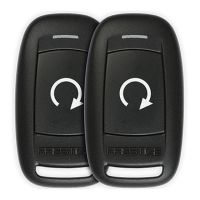
1 Button Remote Control - Model 181SP
The CR2032 battery inside each remote control should last approximately 1 year under
normal use. When the battery becomes weak you will notice the remote control range
(the distance from the vehicle the remote control will work) deteriorate and the small LED
on the remote control will dim. To replace the remote control batteries:
1. Using a coin, disassemble the halves of the remote
control.
2. Remove the old battery, observing the +/- symbols on the
batteries and replace with a new battery.
3. Reassemble the halves of the remote control
4. Test operation of the remote control.
1. Cycle the vehicle ignition ON.
2. Press and release the Valet button 3x.
2. Press 1 button of each transmitter you wish to program, the LED’s will
ash to conrm each transmitter.
3. Turn the vehicle ignition OFF.
NOTE: This system has 1 button programming which programs all channels of the
system.
NOTE: The system will hold up to 4 transmitters in memory, programming a 5th
transmitter will erase the oldest transmitter in memory.






 To Next Page