49
Trimax Operation
Navigation: Home Screen>Main Menu>Boiler Information>Lockout
History
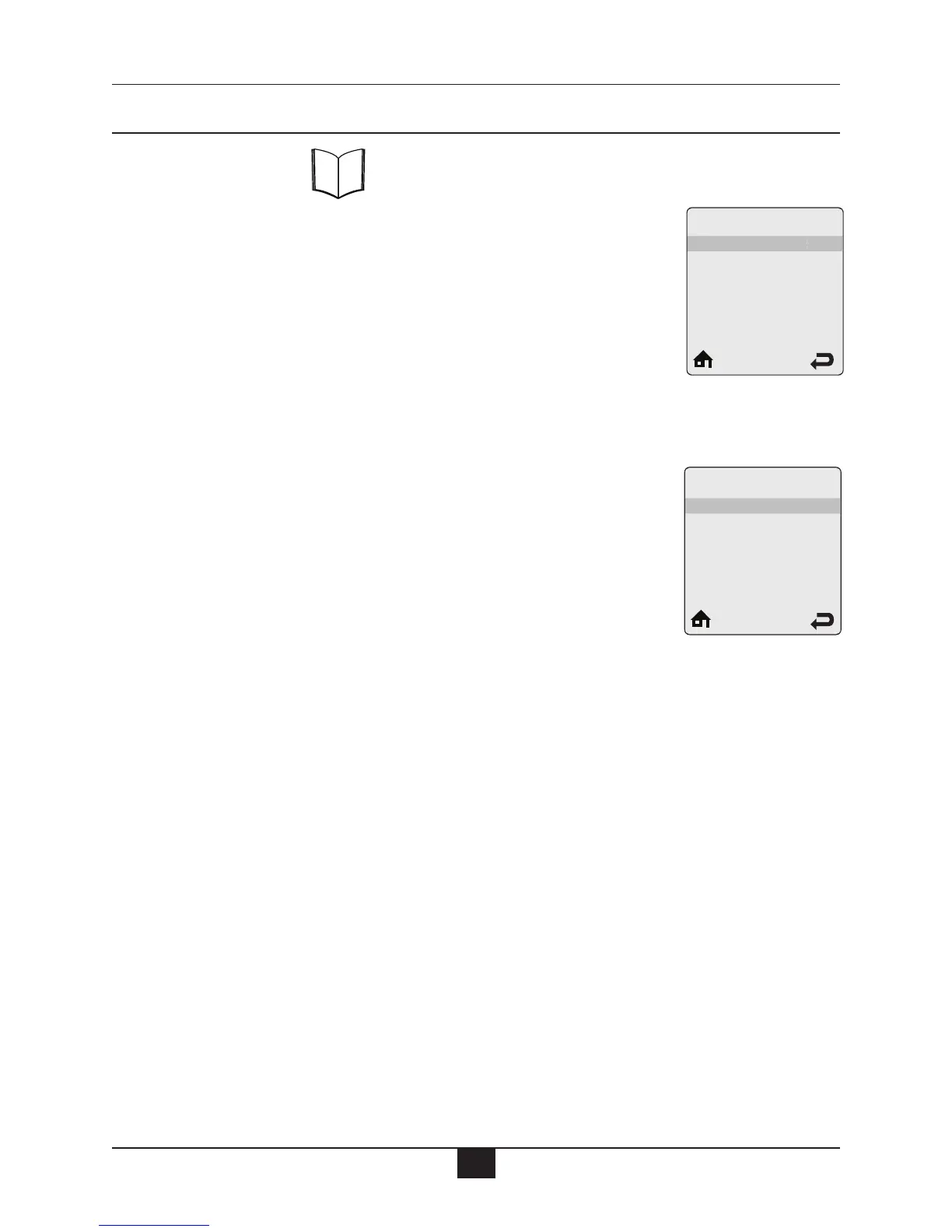
Lockout History records the last eight lockouts. Each line contains a lock-
out description followed by how long ago the lockout occurred. Six lock-
outs are displayed on the screen at one time. Press the UP or DOWN but-
tons to scroll through additional lockouts. See pages 51 & 52 for a list of
lockouts and descriptions.
Lockout Details
Some information items are recorded at the time of a lockout to aid in diag-
nosing the cause of the lockout. Select the lockout description in Lockout
History then press the OK button to view the recorded information. Press the
UP or DOWN buttons to scroll through the recorded information. The fol-
lowing information items are recorded at the time of a lockout:
• Boiler Status
• Heating Call
• Domestic Call
• Boiler Firing Rate
• Flame Ionization Current
• Boiler Setpoint
• Boiler Supply Temperature
• Boiler Return Temperature
• Boiler Flue Temperature
• Outdoor Temperature
• System Temperature
Lockout History
Lockout History
1: Low water
2: No error
3: No error
4
: No error
5
: No error
6
: No error
5h ago
25h ago
2
5h ago
2
5h ago
25h ago
25h ago
Lockout Details
Low Water
Boiler Status
Heating Call
DHW Call
Boiler Firing Rate
Flame ionization Current
Standby
No
No
__
OuA
a
b
c
d
e
f
b
b
b
b
a
b
c
d
e
f
b
b
a
b
c
d
e
a
b
c
d
e
f
b
b
b
b
a
b
c
d
e
f
b
b
a
b
c
d
a
b
c
d
e
f
b
b
b
b
a
b
c
d
e
f
b
b
a
b
c
d
e
a
b
c
d
e
f
b
b
b
b
a
b
c
d
e
f
b
b
f
b
g
a
b
c
d



 To Next Page