63
External Modulating Control
Factory Trimax Setting
Note 1: The Installer Reset function will set Prestige Model to Solo. Prestige Model must be changed back
to Excellence in Boiler settings.
Note 2: The Installer & EZ Setup Reset functions will set DHW Demand to switch. Use Domestic Hot
Water EZ Setup to change back to a sensor demand.
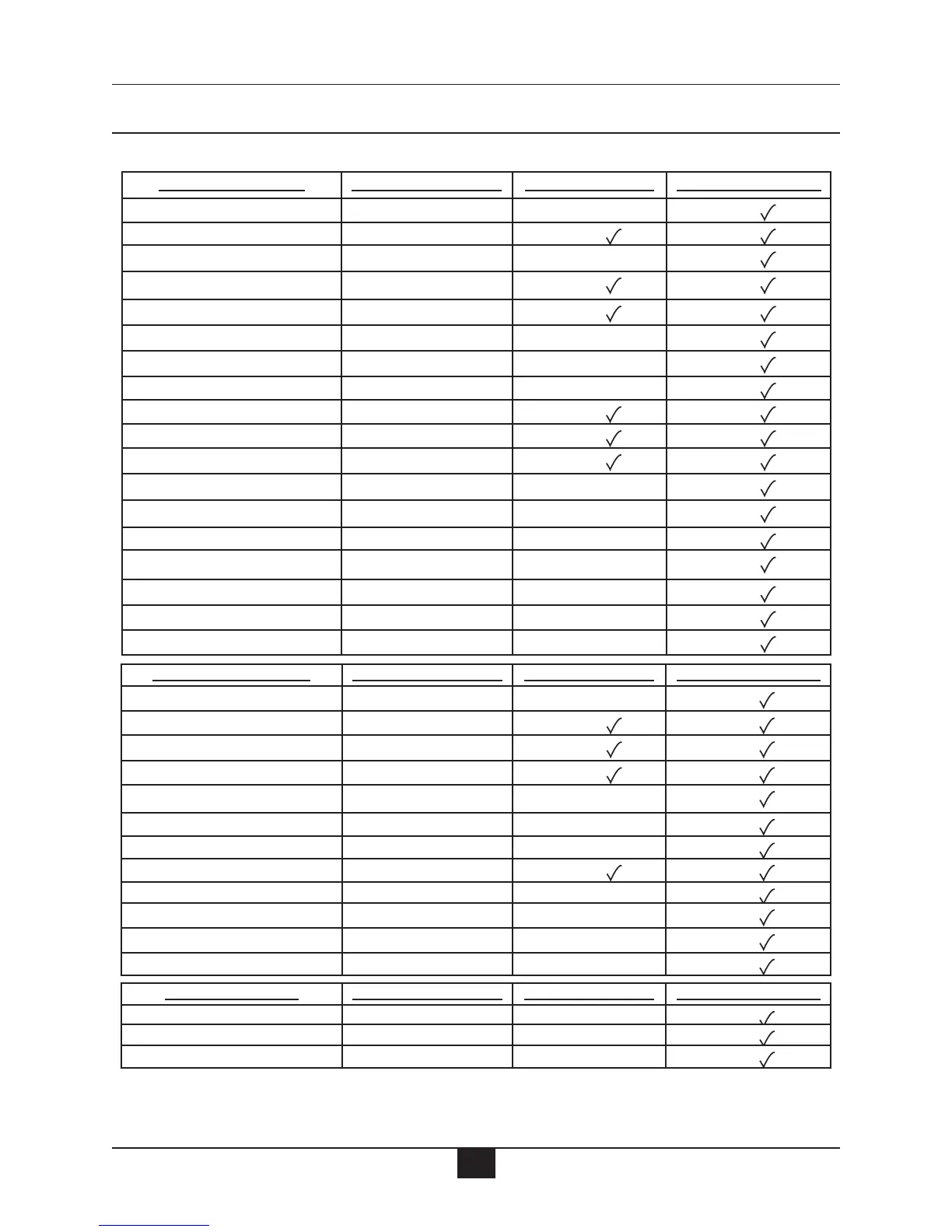
HEATING SETTING FACTORY DEFAULT EZ SETUP RESET INSTALLER RESET
H
eating Operation
E
nabled
Demand Switch & Outdoor Reset
Absolute Max CH Setpoint 188°F [87°C]
CH1 Maximum Setpoint 180°F [82°C]
CH1 Minimum Setpoint 120°F [49°C]
Reset Curve Coldest Day 0°F [-18°C]
Reset Curve Warmest Day 64°F [18°C]
CH2 Circuit Enabled
CH2 Maximum Setpoint 140°F 60°C]
CH2 Minimum Setpoint 80°F [27°C]
Warm Weather Shutdown OFF
Pump Constant Circulation Disabled
CH Post Pump Time 1 minute
Freeze Protection Enabled
Frost Protection Setpoint -22°F [-30°C]
Parallel Shift Value 0°F [0°C]
CH Call Blocking 1 minute
System Pump CH1/CH2
DOMESTIC SETTING FACTORY DEFAULT EZ SETUP RESET INSTALLER RESET
DHW Operation Enabled
Demand (Note 2) Sensor
Boiler DHW Setpoint 186°F [86°C]
DHW Storage Setpoint 140°F [60°C]
DHW On Differential 6°F [3°C]
DHW Storage Adder 46°F [25°C]
DHW Post Pump Time 1 minute
DHW Priority Timeout OFF
DHW Priority Enabled
DHW Call Blocking 0 minute
DHW to CH Call Blocking 1 minute
Antilegionella Function Disabled
BOILER SETTING FACTORY DEFAULT EZ SETUP RESET INSTALLER RESET
Prestige Model (Note 1) Excellence
Lockout Temperature 210°F [99°C]
Modbus Address 0=BCST



 To Next Page