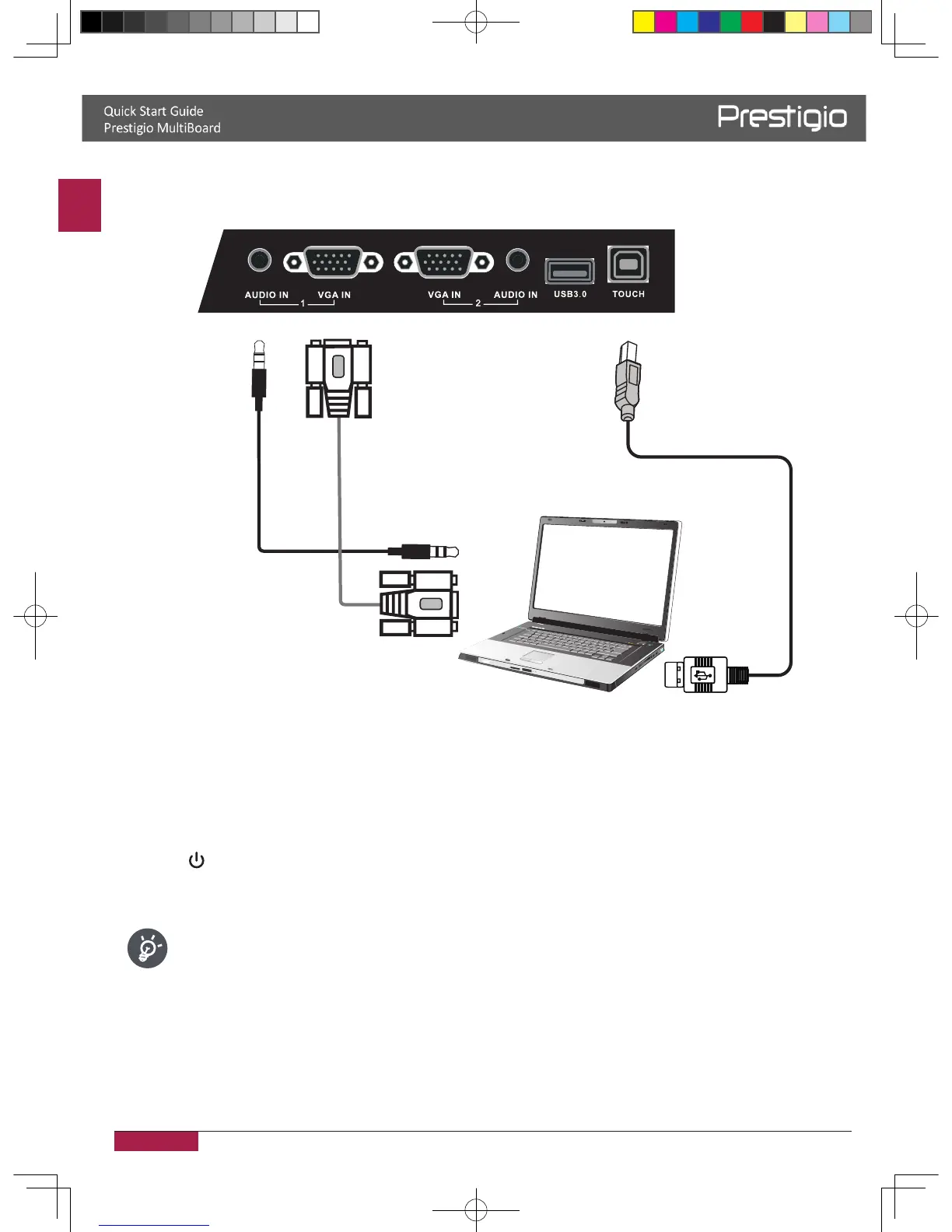
1� Connect a VGA cable (15pin) between the VGA and external PC� Connect an audio cable
between the PC and audio at the same time�
2� Connect a USB cable between the external PC and USB terminal�
3� Plug the POWER cord and switch on the power�
4� Start-up the external computer (Setup the touch driver)�
5� Press to turn the power on�
6� Press INPUT switch to PC/Android source�
• The best resolution of external computer input is 1920*1080�
• The unit can connect with the external PC via HDMI�
2016/12/01



 To Next Page