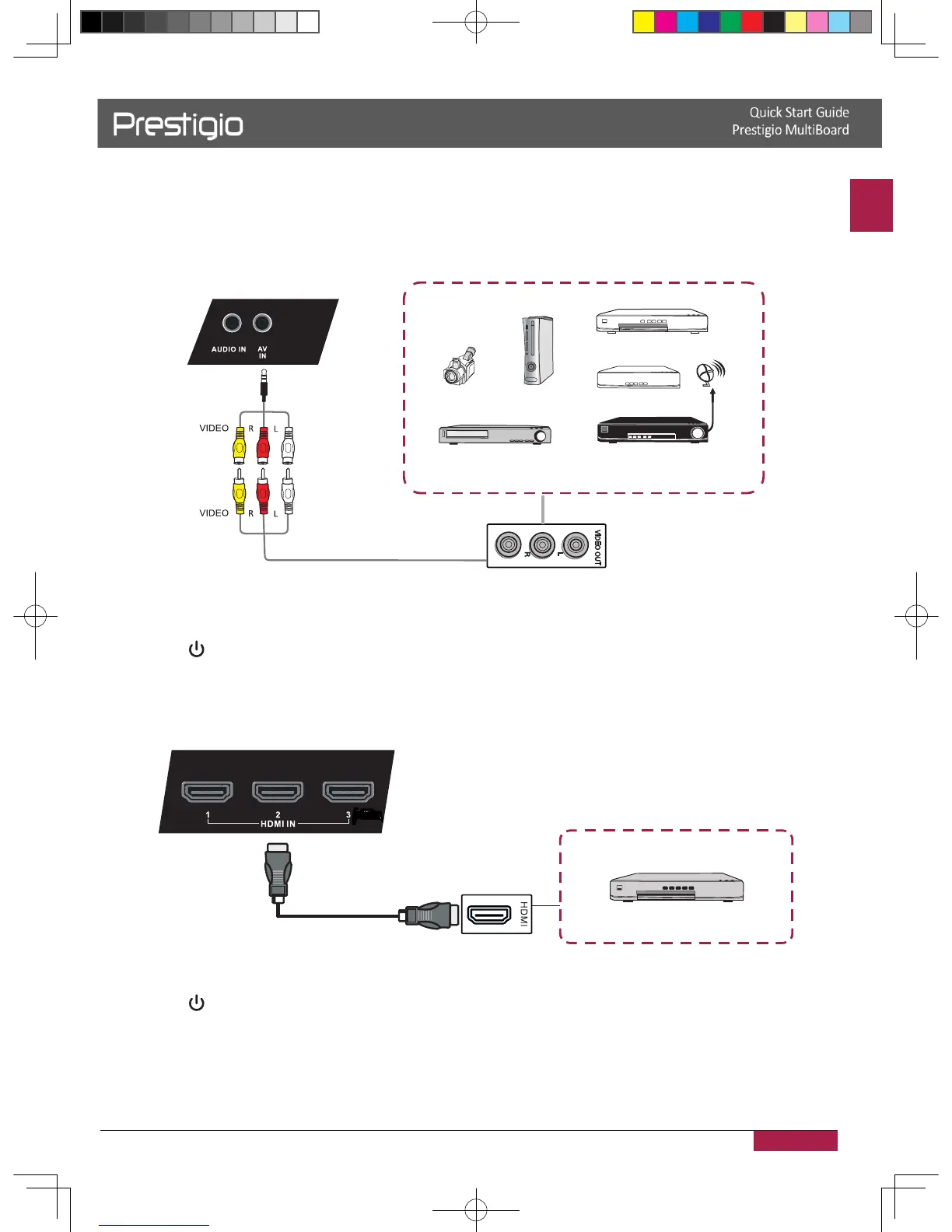
Connected with other devices
A/V connection
• AV IN
Video Game
Set-top
Satellite TV receiver
Video recorder
Camera
DVD
AV cable
1� Connect an AV-IN cable with the external devices with AV-OUT (Yellow is Video, Red is
Audio-R, White is Audio-L)�
2� Plug the POWER cord and switch on the power�
3� Press to turn the power on�
4� Press INPUT switch to PC/Android source�
• HDMI1/HDMI2
HDMI cable
DVD Disc Player
1� Use a HDMI cable to connect the device by HDMI jack�
2� Plug the POWER cord and switch on the power�
3� Press to turn the power on�
4� Press INPUT switch to HDMI source�
2016/12/01



 To Next Page