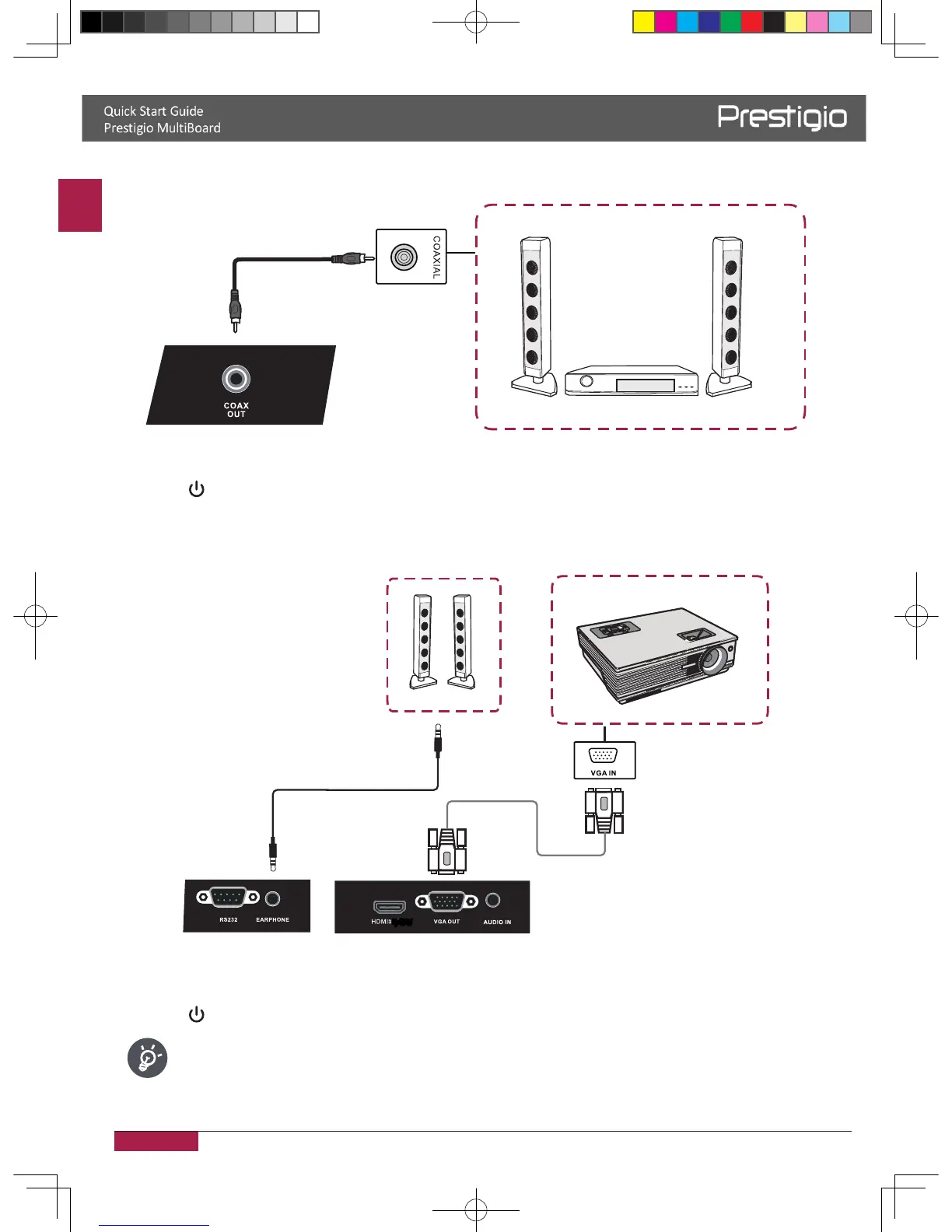
Coaxial connection
Power amplifier/stereo equipment
Coaxial cable
1� Use a coaxial cable to connect the device by Coaxial jack�
2� Plug the POWER cord and switch on the power�
3� Press
to turn the power on�
Video-OUT connection
• VGA-OUT
Projector
VGA cable
Audio cable
1� Use a VGA cable to connect the device by VGA OUT jack� Connect an earphone cable with
the Audio-OUT�
2� Plug the POWER cord and switch on the power�
3� Press to turn the power on�
VGA-OUT can output the image in the internal computer only�
2016/12/01



 To Next Page