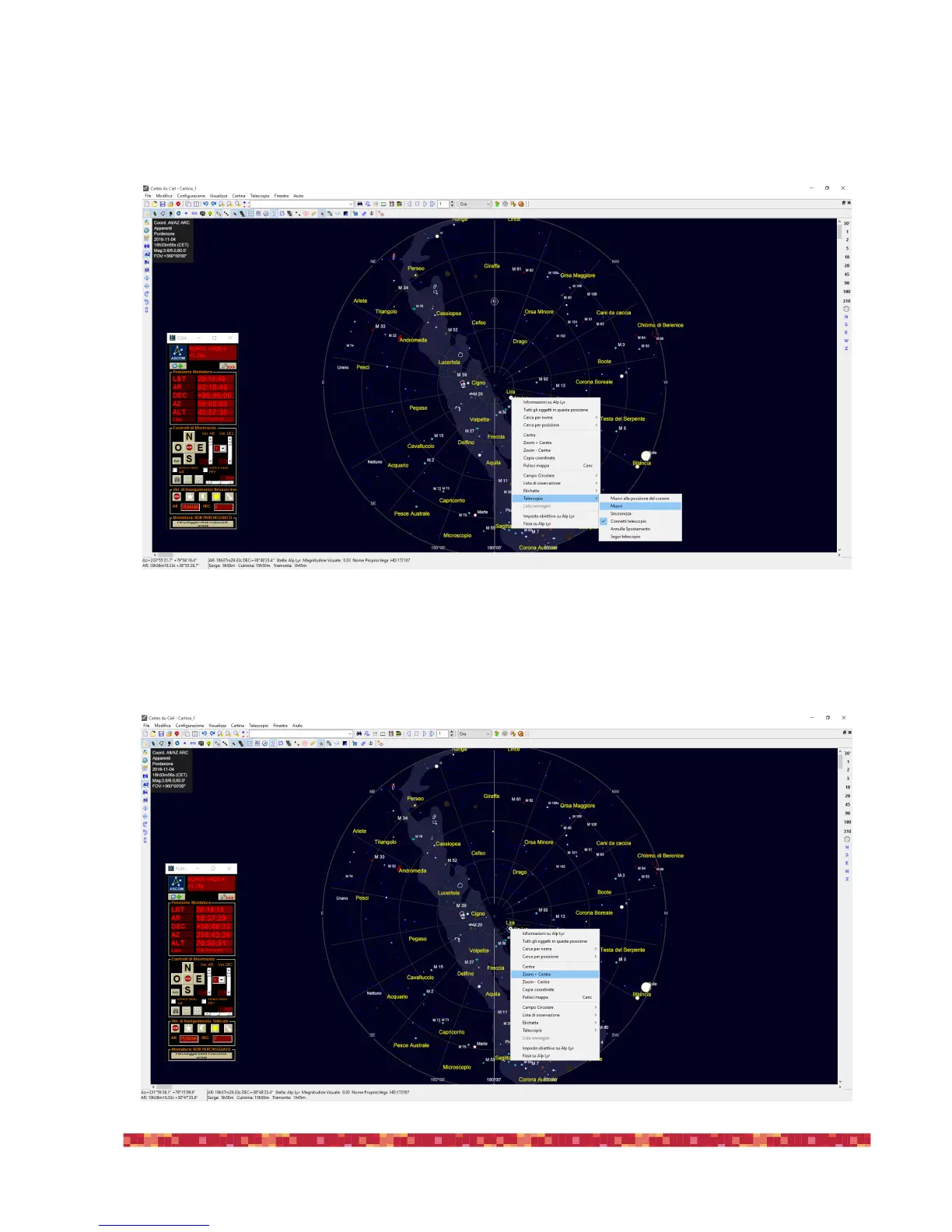
6) A circle indicator indicate the telescope position, in this example it’s in the North Polar star. In order to move the telescope to a desi-
red object you can see in the planetarium window, you can select the object, make a mouse right-click, select “Telescope” and then
“Slew”. The mount will move to the selected object.
7) If, after automatic pointing of the mount, you see that the object is not perfect centered, you can easily align and synchronize the
telescope position. In order to do that, after the telescope is moved to the required position, select the object then make a mouse
right-click, select “Zoom + Center”.


 To Next Page