73
5B Adjusting Print Alignment (Centering)
Eddie comes from the factory calibrated to print exactly to the edge of Primera
Cookies. Eddie senses the beginning of the print object height and the front and back
edge of the print object with an optical sensor. However, due to variability, it may be
necessary to fine-tune these settings.
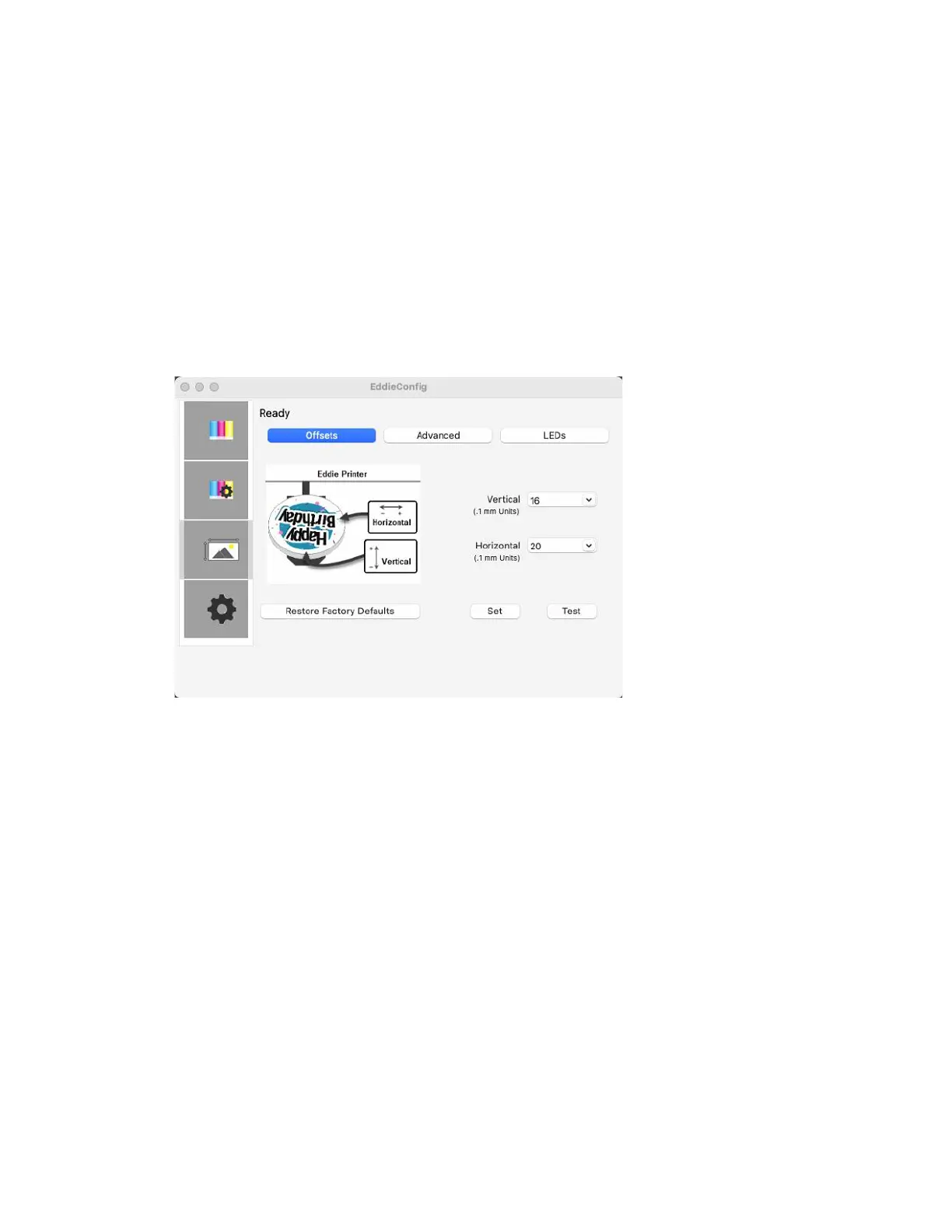
Adjust print alignment using the Eddie Config Utility. Click on the Alignment Tab (Third
Tab).
Two items can be adjusted here:
Horizontal. This value moves the printed image left or right. Add to the current
value to move the printed image to the right. Subtract from the current value to
move the printed image to the left. After adjusting the value, click the Set Offsets
button to send the value to the Printer.
Vertical. This value moves the print start position up or down on the print object.
Add to the current value to move the printed image down or toward the Printer.
Subtract from the current value to move the printed image up or away from the
Printer. After adjusting the value, click the Set Offsets button to send the value to
the Printer.
You may have to make several adjustments to one or more of these values. After each
adjustment, you can click the Test button to print a small test pattern on the print
object. This will help you find the proper alignment value.



 To Next Page