SECTION 3
OPERATING THE PRINTER
Setting up the Feed
The Digital Color Printer is equipped with four sheet separators, two side guides, a rear media support
guide and two different sized media support wedges. When properly adjusted these items will separate and
guide the media so that only one piece of media is fed into the print engine at a time.
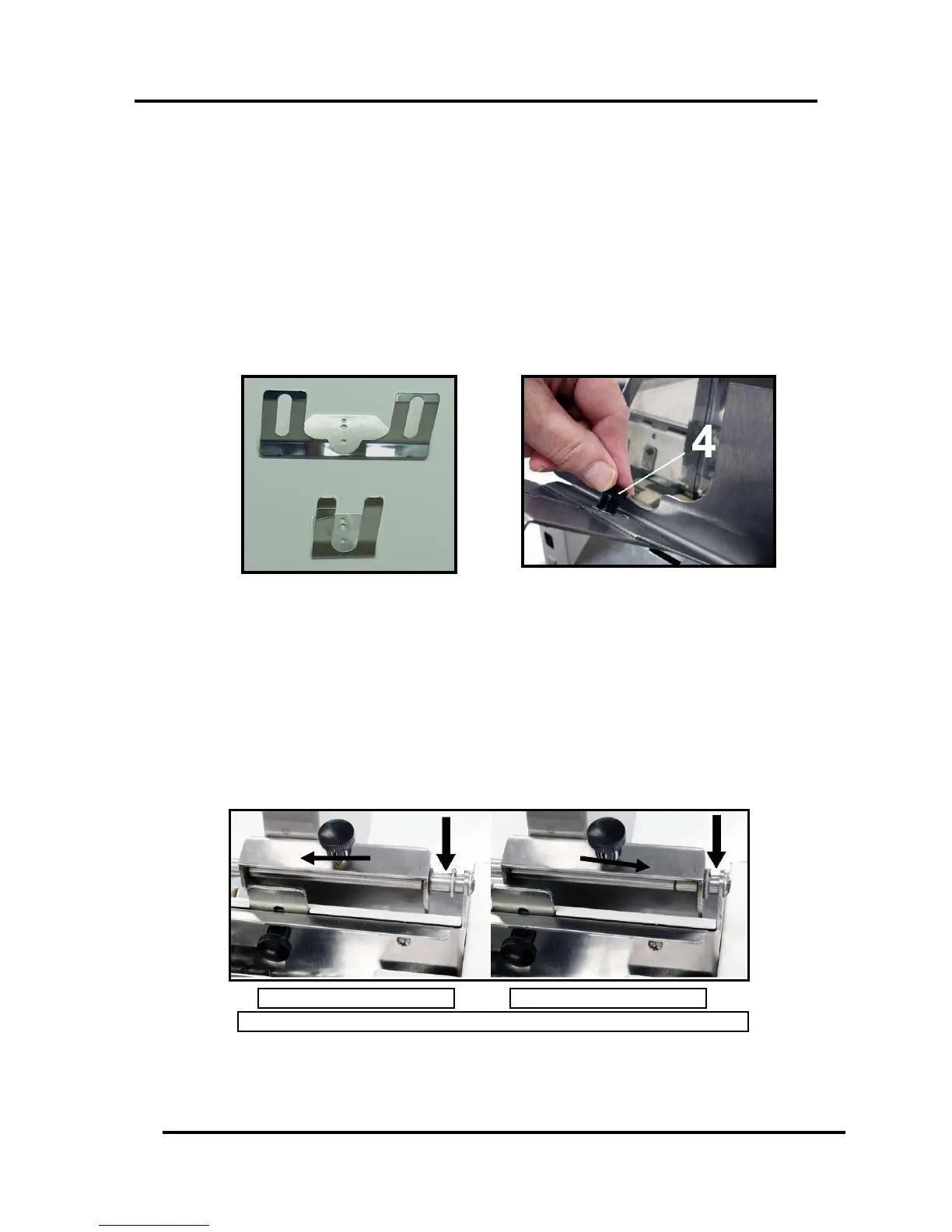
1. If not already present; install the appropriate Media Support Wedge onto the Rear Media Support
Guide, using the mounting hardware [4] provided.
Wide Media Support Wedge
– For media that is 8 inches wide or greater.
Narrow Media Support Wedge
– For media that is less than 8 inches wide.
2. Loosen the locking knob and move the Media Registration Side Guide into the desired position.
Then tighten the locking knob to secure the guide.
Select the appropriate position for the Media Registration Side Guide.
This guide has two positions.
- Inner position for media measuring 3” to 8.5” in width.
- Outer position for media measuring 8.6” to 9.5” in width.
As viewed from the exit side of the media side guide and separation area.


 To Next Page