SECTION 5
TROUBLESHOOTING
Examples of Print Quality Issues (including possible causes and solutions)
The Memjet printhead cartridge contains over 70,000 inkjet nozzles. These nozzles are divided into ten
rows; two rows of nozzles for each color channel. Due to the high number of nozzles; it is not uncommon
for some nozzles to become contaminated or clogged.
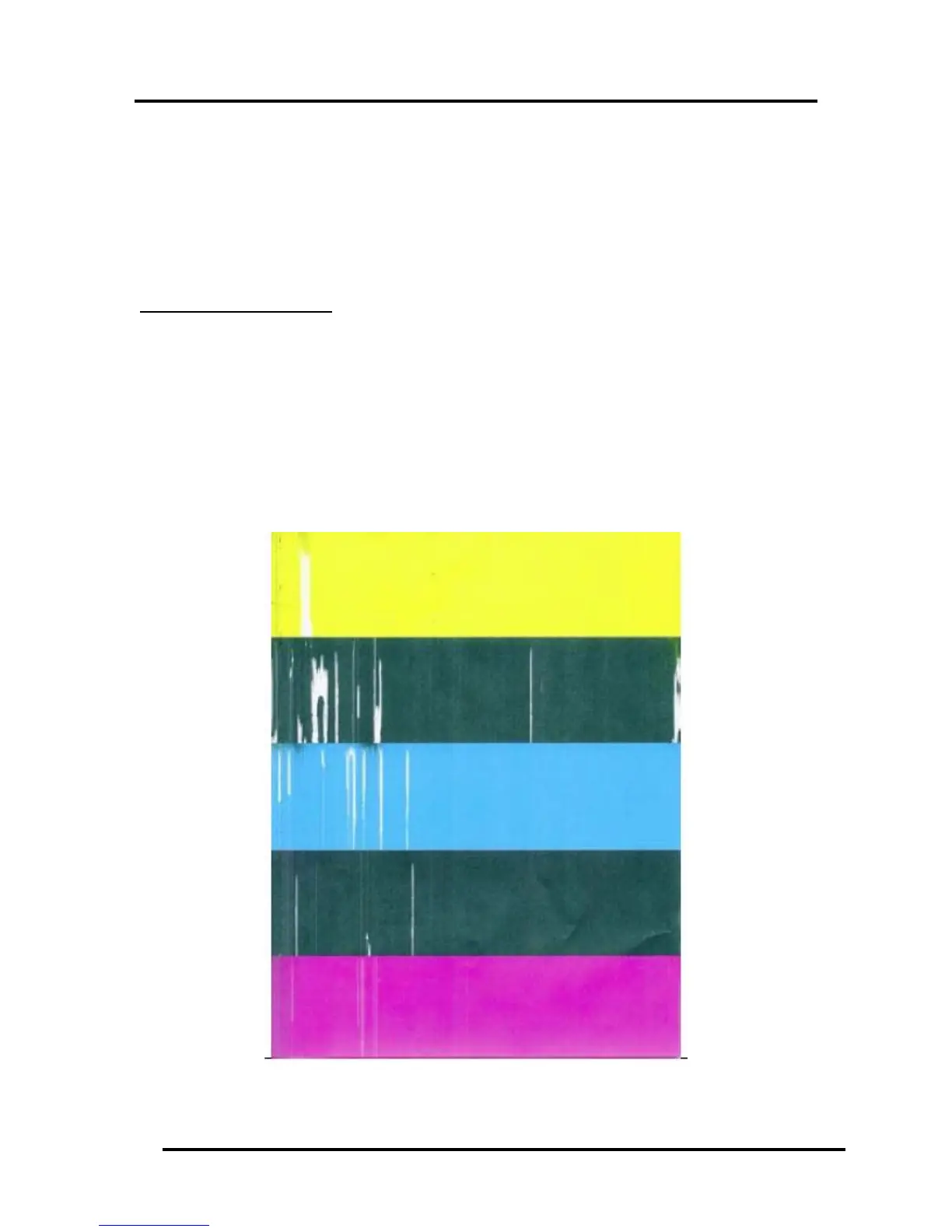
The following examples were produced using a Five Band Color Purge YKCKM.
A similar purge pattern can be performed using the Toolbox.
Air in Printhead Nozzle Area:
Air in the printhead nozzles will show as jagged, irregular shaped lines of missing color. Lines are normally
wider than one nozzle.
Possible Solutions:
Run “Full Clean Printhead” from the Toolbox.
Release the Printhead, using the “Release Printhead” button. Then close printhead latch to re-
prime the system.
Instead of powering the printer off, when not in use, leave the print engine powered-up; so it can
perform automatic maintenance routines.
Don’t lift the print engine to an angle greater than 60º.


 To Next Page