SECTION 4
MAINTENANCE
4. Power-up the printer.
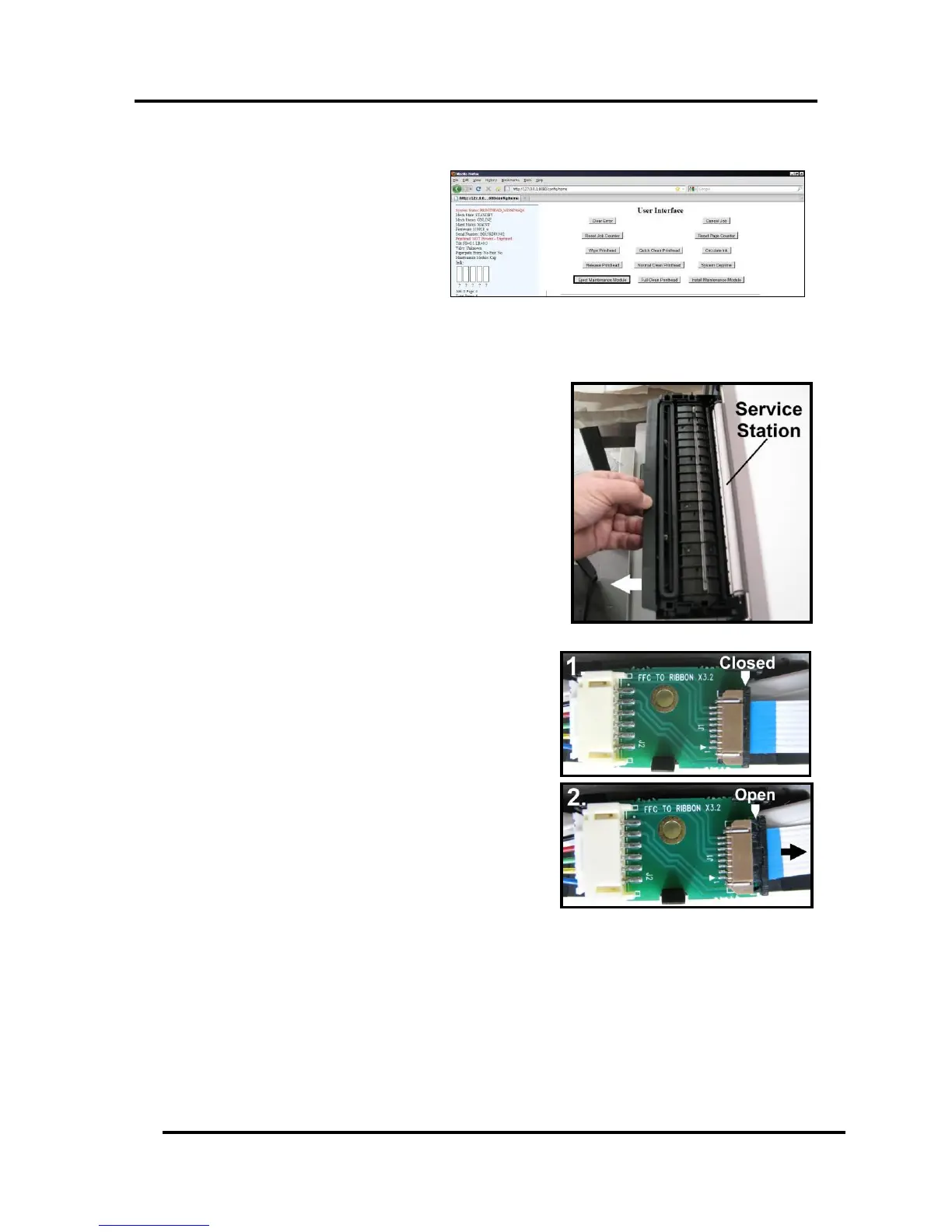
5. Open the Printer Toolbox. In the User
Interface window, press the Eject
Maintenance Station button. Once
the Printer pushes the Service Station
out, turn the Printer OFF.
6. Once the Service Station has ejected;
power OFF the printer. Press the ON/OFF button once and wait about 45 seconds for the print
engine to power off (all control panel light’s off). Then turn the Main Power Switch OFF.
7. Slide the Service Station out of the Service Station port.
NOTE: Do not pull Station all the way out until you
disconnect the Ribbon Cable.
NOTE: It is a good idea to place an absorbent towel
under the Service Station as you remove it to prevent any
drips or leaks.
4. Disconnect the Ribbon Cable. Slide the Latch open on
the Service Station Circuit Board to release the Ribbon
Cable.
5. Remove the Service Station.


 To Next Page