SECTION 4
MAINTENANCE
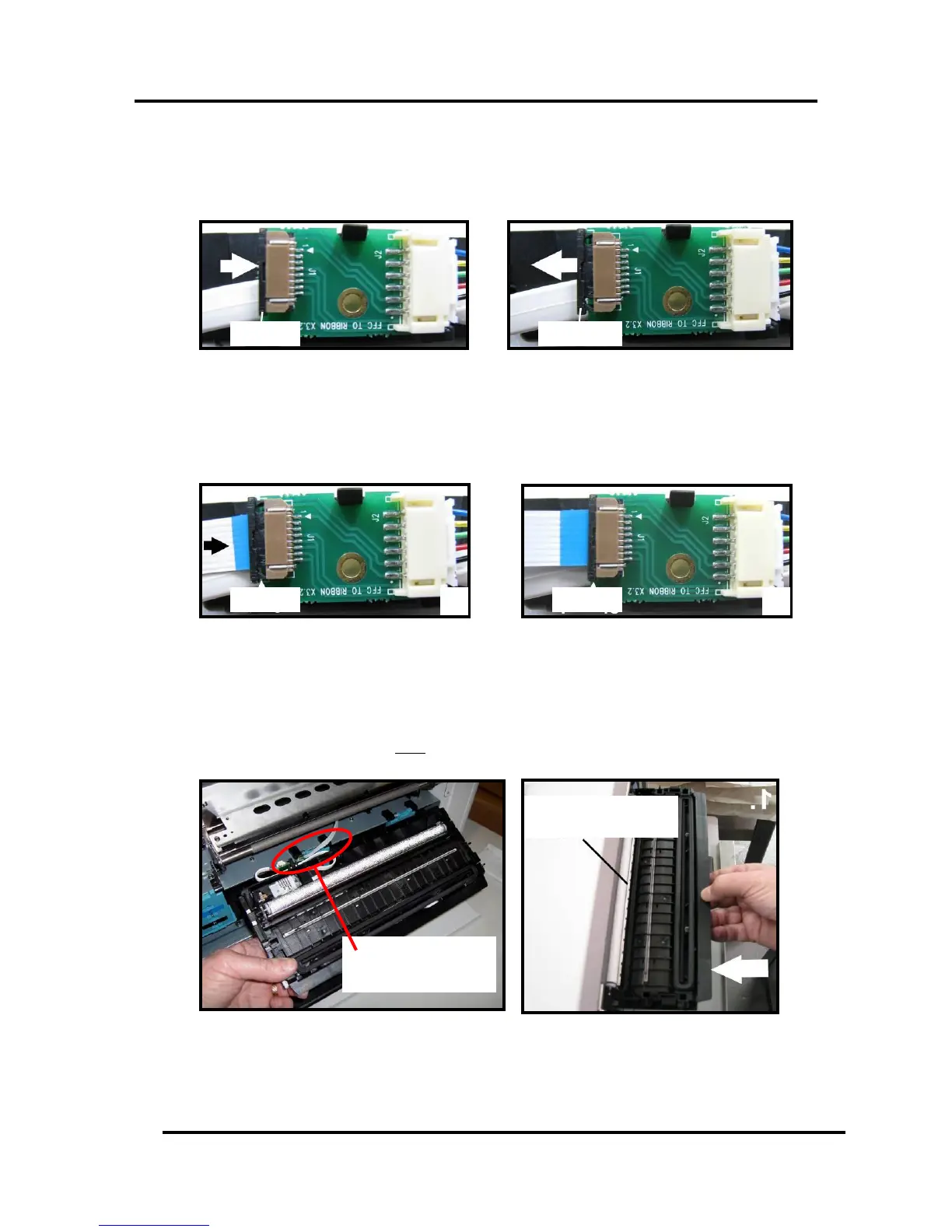
Wiper Roller end of
Service Station
Ribbon Cable
Connected to Service
Station Circuit Board
7. Slide the Cable Securing Latch open on the Service Station Circuit Board; as shown below.
8. Insert the Ribbon Cable (blue side up) into the space under the Cable Securing Latch [1].
Make sure the ribbon cable is pushed in all the way and is NOT crooked. Then close the Cable
Securing Latch [2].
9. Once the Ribbon Cable is properly connected to the Service Station Circuit Board; gently slide the
Service Station, wiper roller end first, into the Service Station Slot until it stops. The Service Station
fits into the slot immediately above the Ink Tank slots.
NOTE: The Ink Tank Door must be open to perform this procedure.


 To Next Page