22
Scheduled
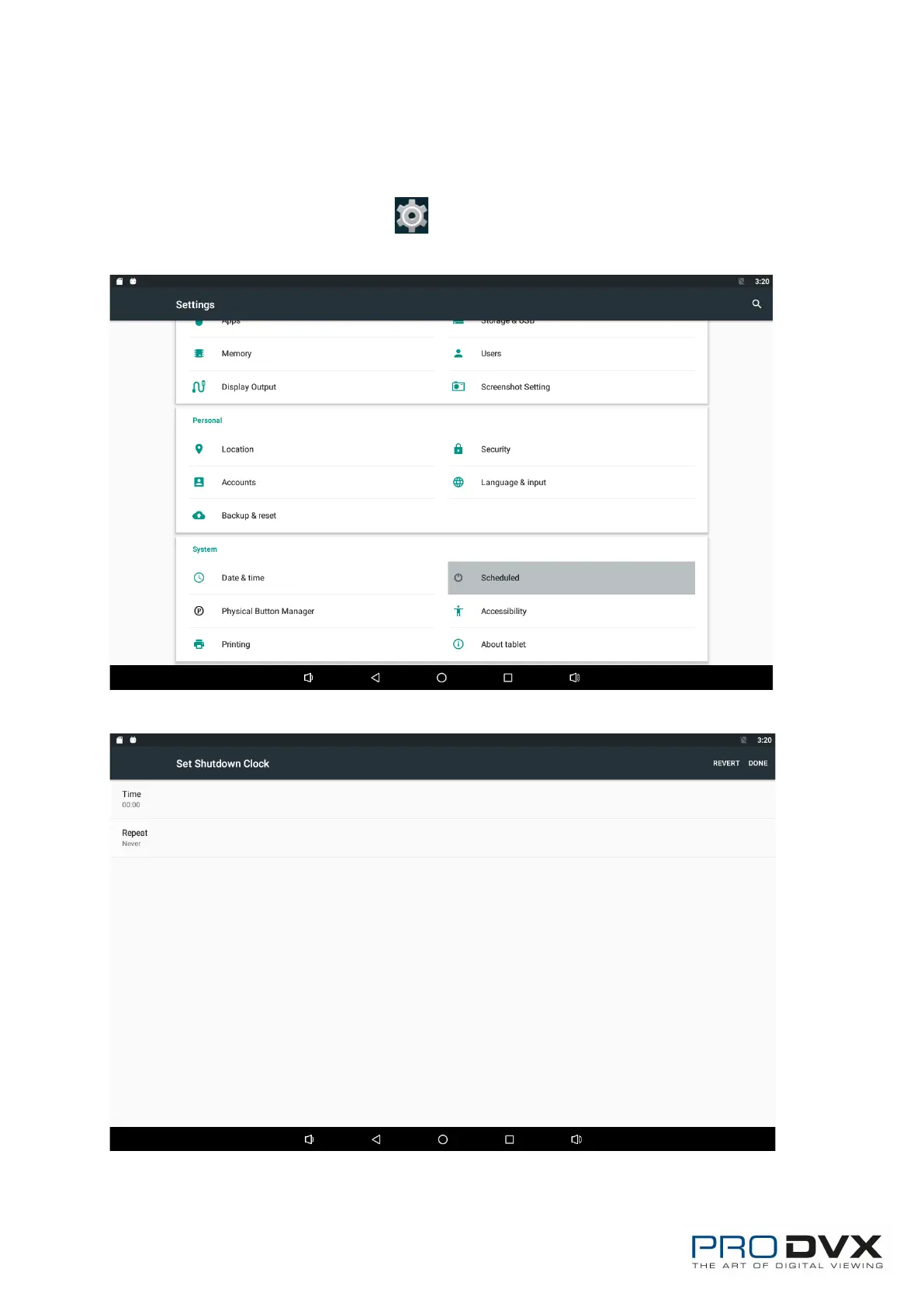
This function is used to power the device on and off automatically at the set
time.
In the App list, click “Settings” to open the system setting app, and
select the option “Scheduled”.
Click the single option “Set Scheduled Shutdown Clocks”.
Click the option “Time” to set the power off time of this device.



 To Next Page