8. Headphone:3.5mm Stereo + MIC
9. HDMI Port: HDMI Type A output (covered, for production test only)
10. Add-on module slot: to put optional add-on module
11. Micro-USB Port: support Micro-USB 2.0
12. USB Port: support USB 2.0 Host type A
13. 10/100/1000Mbps RJ45 Ethernet Port: support Ethernet connection
14. VESA Mount Holes: for installing the bracket
15. Speakers: 8ohm / 2W
16. WIFI: 802.11b/g/n/ac 2.4G/5G
17. Temperature:Operation: 0℃ ~ 40℃ ( 32F ~104F)
Storage: -10°C ~ 55°C (14°F ~ 131°F)
18: Bluetooth : V4.2 of 1, 2 and 3 Mbps.
Power on the Product
Without Mounting Bracket
Step1 Power on the power adapter that connected to this product.
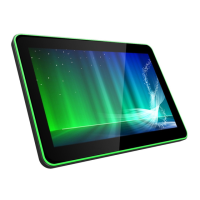
Step2 When the power is switched on, the LED light (#7) shows green.
Use Mounting Bracket
Step1 Put the mounting bracket to the back of the tablet, and tighten the
installation screws on the screw holes.
Step2 Plug the power adapter into the DC in jack (#8 in Product Instruction)
at the bottom of the mounting bracket.


 To Next Page