8
Display different content for double
This product supports display different content for double screen. Please plug
one side of the HDMI cable into the HDMI port (#9 in Product Instruction) on
the bottom of this product, and plug the other side of the HDMI cable into the
HDMI port of the monitor.
Display screen and this product display different interface.
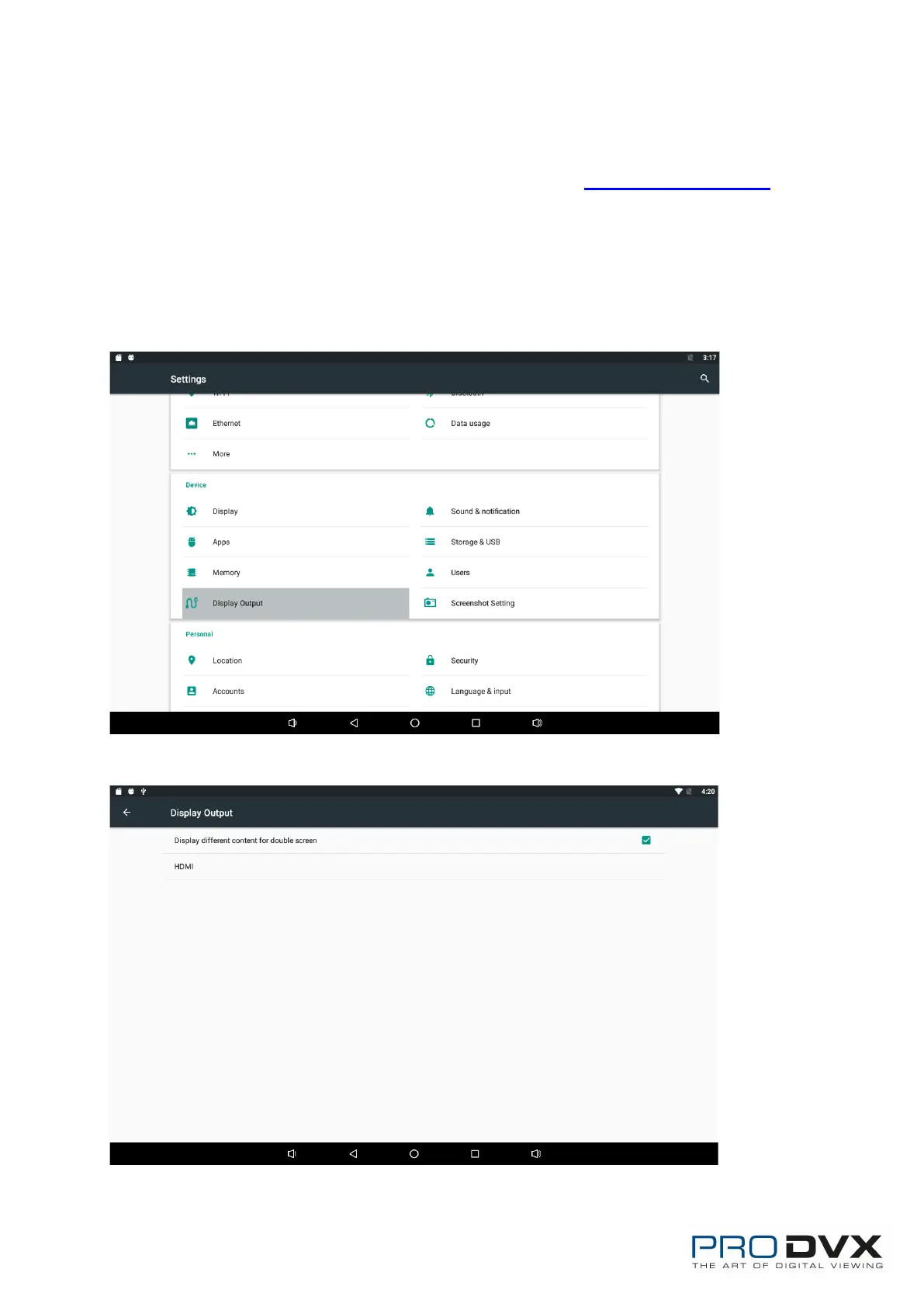
Dual screen show different content Guide:
1. Enter settings to display outputs;
2. Select “Display different content for double screen”;


 To Next Page