26
Ethernet
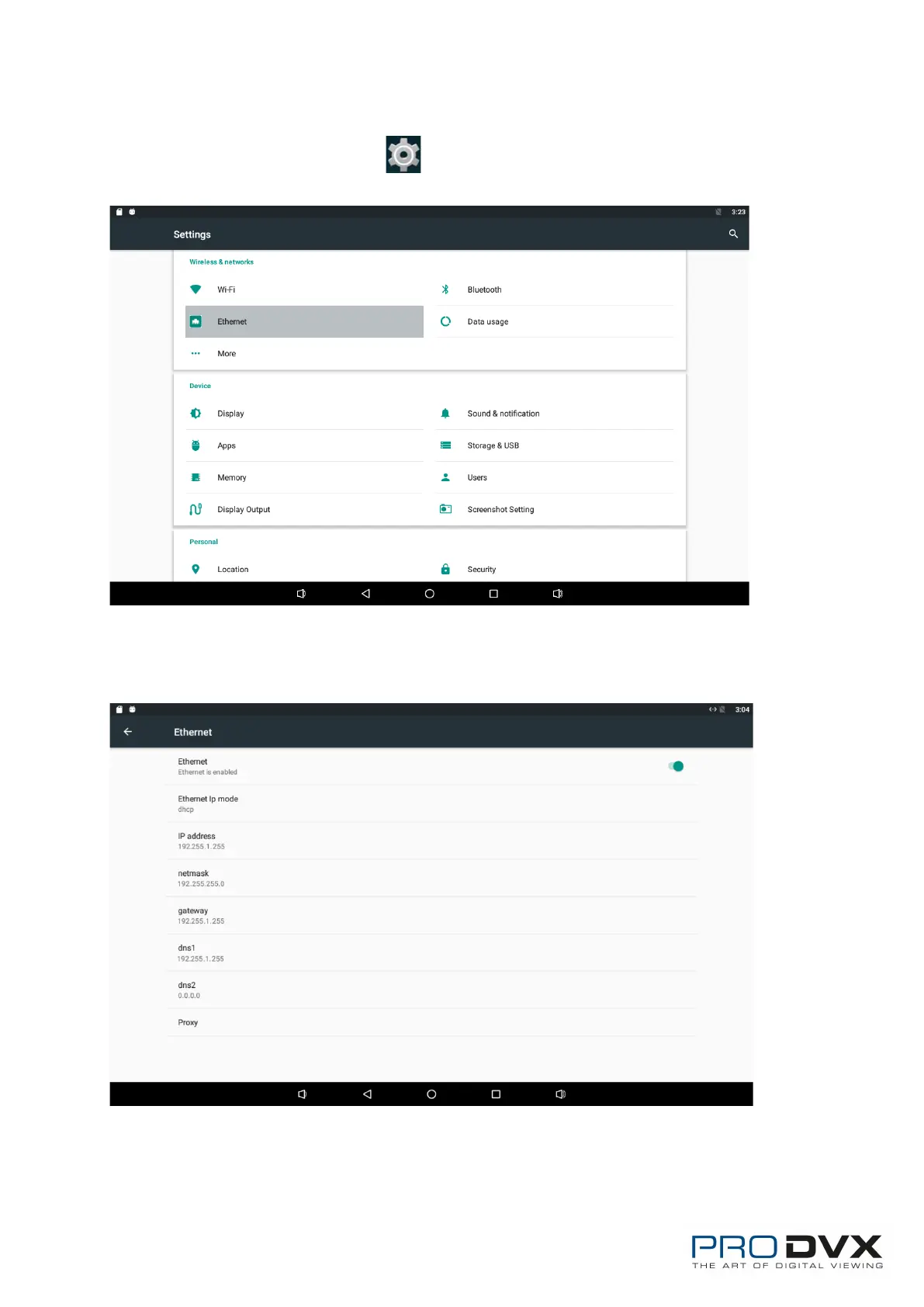
In the App list, click “Settings” to open the system setting app, select
“Ethernet” at the left side.
Check “Use Ethernet” and plug the Internet cable into the Ethernet port (#13 in
Product Instruction). If Wi-Fi is on, please turn off Wi-Fi to allow Ethernet
working.
If you are Static IP user, please set the configurations manually.


 To Next Page