28
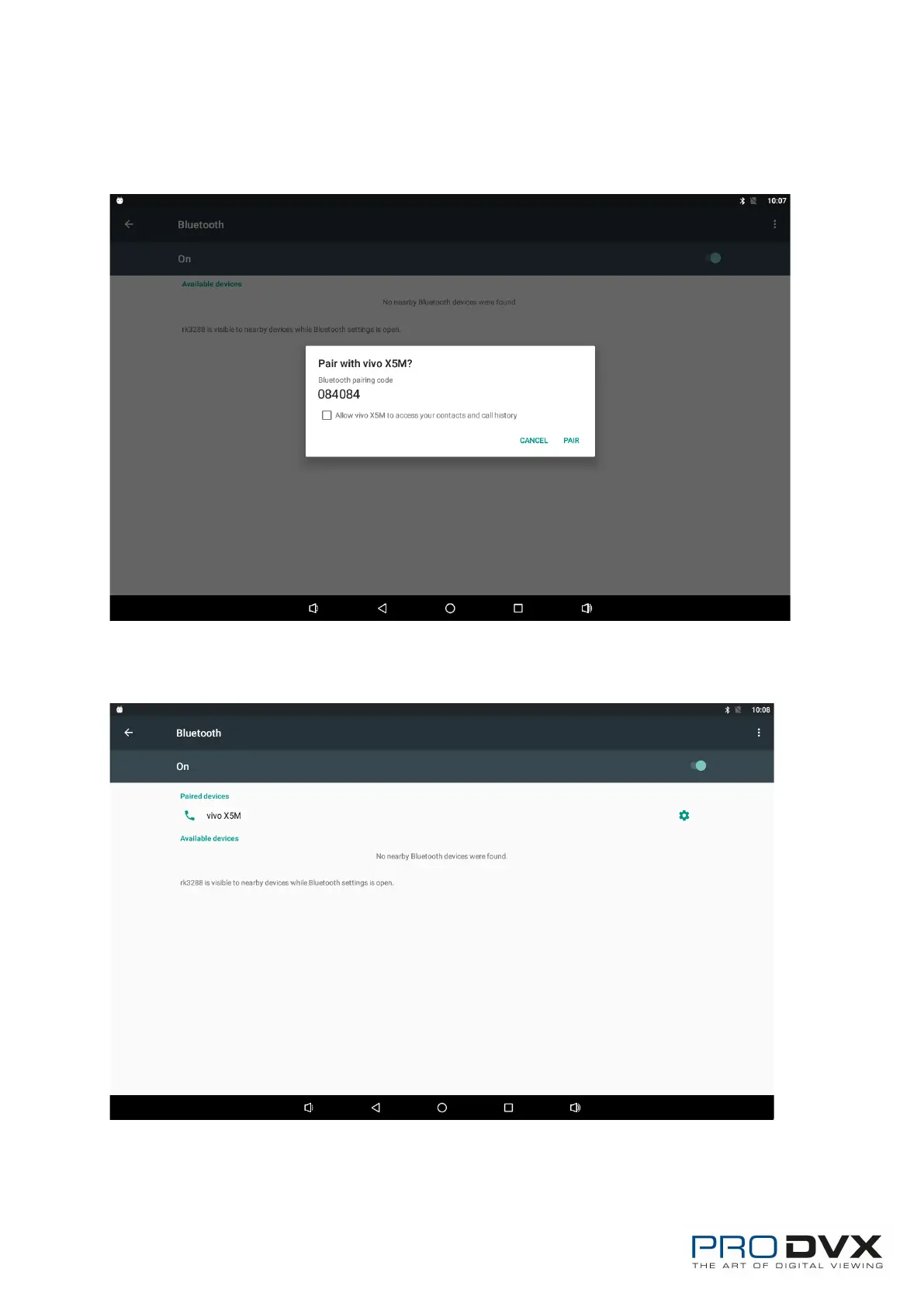
If you want to pair another Bluetooth device, select it from the “Available
Devices” list, and then click “Pair” in the pop-up window. At the same time,
click “Pair” in the pop-up window of the Bluetooth device to be paired.
After pairing, the paired device will be moved to the “Paired Devices” list.


 To Next Page