37
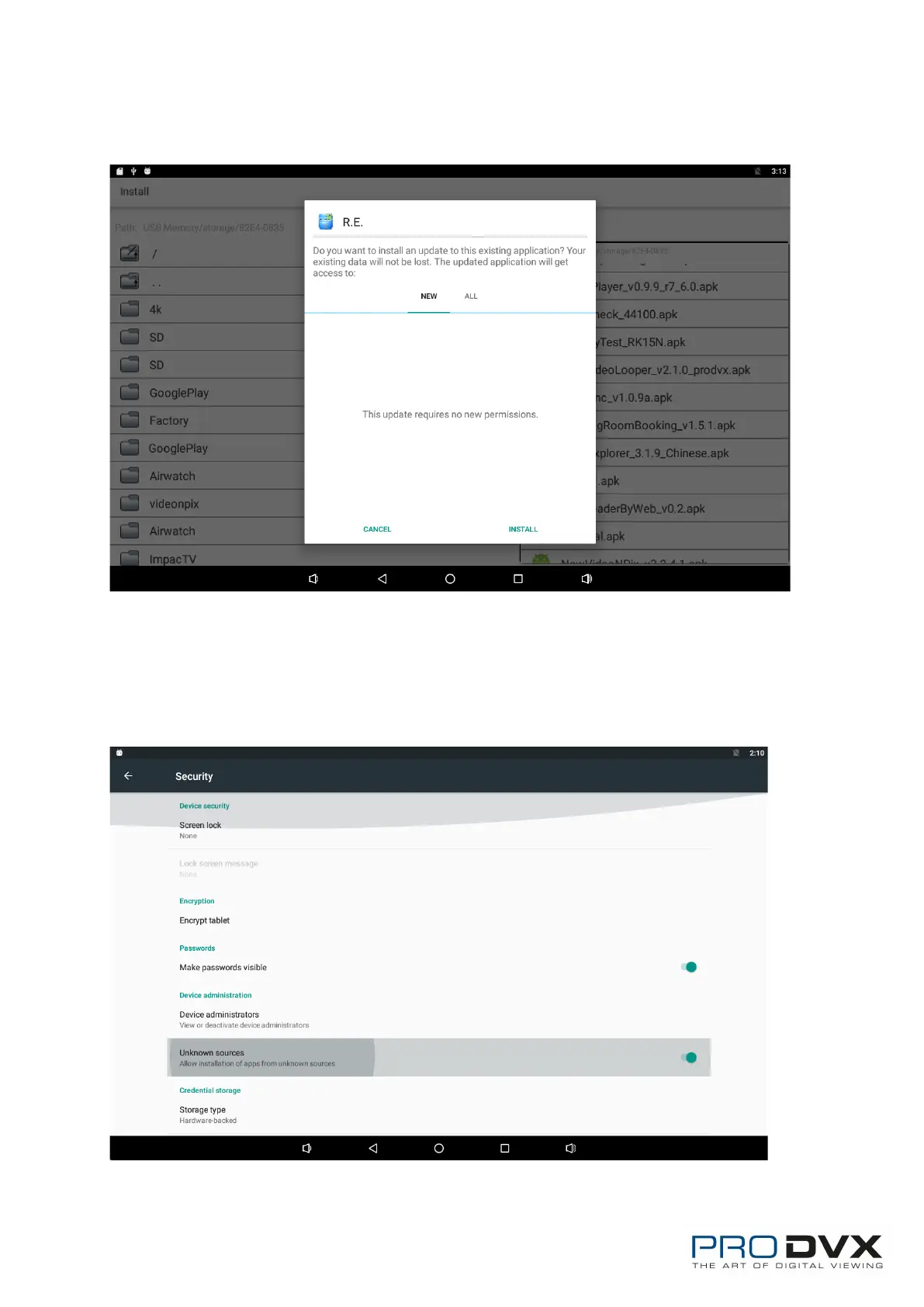
Click “Install” or “Next” until it turns to “Install”, and then waiting for installation
finished.
You can also download an android app market, and install the apps via the
market.
If “Install blocked” is prompted when installing an app, please open “Settings”
and select the option “Security”, allow “Unknown sources” and then back to
reinstall the app.


 To Next Page