EasyManua.ls Logo

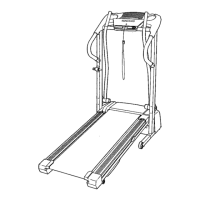
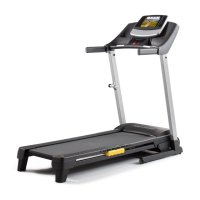
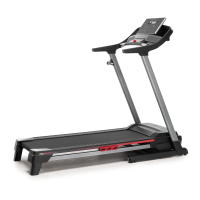
Pro-Form 305 CST - User Manual

Pro-Form 305 CST
32 pages
Print Icon
To Next Page IconTo Next Page
Loading...
USER’S MANUAL
Model No. PFTL44920.0
Serial No.
Write the serial number in the space
above for reference.
CAUTION
Read all precautions and instruc-
tions in this manual before using
this equipment. Save this manual
for future reference.
proform.com
ACTIVATE YOUR
WARRANTY
To register your product and
activate your warranty today, go
to my.proform.com.
CUSTOMER CARE
For service at any time, go to
proformservice.com.
Or call 1-888-533-1333
Mon.–Fri. 6 a.m.–6 p.m. MT
Sat. 8 a.m.–12 p.m. MT
Please do not contact the store.
Serial
Number
Decal

Questions and Answers

  • M
    Mrs. Lindsey Tanner MDJul 25, 2025
    What to do if Pro-Form Treadmill power does not turn on?
    • M
      morrisalexanderJul 25, 2025
      First, ensure the power cord is correctly plugged into a surge suppressor, and the surge suppressor is plugged into a properly grounded outlet. Also, make sure the key is inserted into the console after plugging in the power cord. Check the power switch on the treadmill frame near the power cord; if it protrudes, reset it by waiting five minutes, then pressing it back in. Finally, the console may require activation; refer to assembly step 10 if you haven't activated it.
  • G
    Gregory ColemanAug 2, 2025
    What to do if Pro-Form Treadmill walking belt is off-center?
    • C
      Cindy BeckerAug 2, 2025
      If the walking belt has shifted to the left, use the hex key to turn the left idler roller screw clockwise 1/2 of a turn. If the walking belt has shifted to the right, turn the left idler roller screw counterclockwise 1/2 of a turn. When the walking belt is properly tightened, you should be able to lift each edge of the walking belt 2 to 3 in. (5 to 7 cm) off the walking platform. If the walking belt slips when walked on, first remove the key and unplug the power cord. Using the hex key, turn both idler roller screws clockwise, 1/4 of a turn. Note that your treadmill features a walking belt coated with high-performance lubricant, so never apply silicone spray or other substances to the walking belt or the walking platform unless instructed to do so by an authorized service representative.
  • P
    phillip06Aug 9, 2025
    How to recalibrate incline on Pro-Form Treadmill?
    • L
      Linda RobinsonAug 9, 2025
      Enter the settings mode. Press the Stop button once, and then press the Incline increase or decrease button. The treadmill will automatically rise to the maximum incline level and then return to the minimum level. This will recalibrate the incline system.
  • L
    lewisrubenAug 17, 2025
    How to turn off demo mode on Pro-Form Treadmill?
    • T
      Tammy PonceAug 17, 2025
      The console features a display demo mode. To turn off the demo mode, hold down the Stop button for a few seconds. If the displays are still lit, see THE SETTINGS MODE on Page 19 to turn off the demo mode.

Pro-Form 305 CST Specifications

General IconGeneral
Incline0-10%
Speed0-10 MPH
Weight Capacity300 lbs
Cooling FanYes
TypeTreadmill
Heart Rate MonitoringYes
FoldingYes
iFit CompatibilityYes
AudioYes

Related product manuals