EasyManua.ls Logo

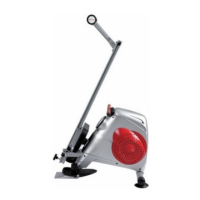
Pro-Form R500 - User Manual

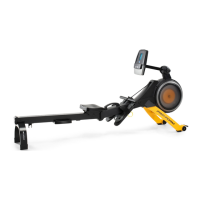
Pro-Form R500
12 pages
Print Icon
To Next Page IconTo Next Page
Loading...
! WARNING
Read all precautions and instruc-
tions in this manual before using
this equipment. Save this manual
for future reference.
USER’S MANUAL
QUESTIONS ?
As a manufacturer, we are
committed to providing com-
plete customer satisfaction. If
you have questions, or if there
are missing or damaged parts,
please call: :
08457 089 009
or write to :
ICON Health & Fitness, Ltd.
Customer Service Department
Unit 4
Revie Road Industrial Estate
Revie Road
Beeston
Leeds, LS118JG
UK
or
email: csuk@iconeurope.com
Serial Number decal behind the
product
Please visit our website for more information on the products
www.iconsupport.eu
Model No. PFICVRW34008.0.
Serial No. ___________
REVISION A
2008-02-06
Proform logo
Made by Claude CEARD
Note : the red of ProForm is
Pantone 186 EC.
Question and Answer IconNeed help?

Do you have a question about the Pro-Form R500 and is the answer not in the manual?

Summary

General Safety Warning

Important Safety Precautions

General Safety and Usage Rules

Includes reading instructions, level surface use, child/pet safety, attire, and handling pain.

Assembly Instructions

Attach Front Stabilizer

Connect the front stabilizer to the main housing bracket using specified bolts and nuts.

Assemble Pedals and Footrests

Attach pedals, footrests, and sponges to the spindle bar and crank cover.

Attach Bracket to Main Frame

Secure the bracket to the main frame with washers and bolts, then attach the bracket cover.

Connect Sensor Wires and Monitor

Connect sensor wires, slide rail into housing, and attach the monitor to the main frame.

Install Seat and Aluminum Rail

Slide seat bracket onto rail, secure stoppers, attach rail to rear stabilizer.

Folding and Storage

Folding the Rowing Machine

Steps to fold the aluminum rail and rear stabilizer for storage.

Console Functions and Operation

Exercise Guidelines and Intensity

Consult Your Physician

Consult a physician before starting any exercise program, especially for specific age groups.

Part List

Ordering Replacement Parts

Summary

General Safety Warning

Important Safety Precautions

General Safety and Usage Rules

Includes reading instructions, level surface use, child/pet safety, attire, and handling pain.

Assembly Instructions

Attach Front Stabilizer

Connect the front stabilizer to the main housing bracket using specified bolts and nuts.

Assemble Pedals and Footrests

Attach pedals, footrests, and sponges to the spindle bar and crank cover.

Attach Bracket to Main Frame

Secure the bracket to the main frame with washers and bolts, then attach the bracket cover.

Connect Sensor Wires and Monitor

Connect sensor wires, slide rail into housing, and attach the monitor to the main frame.

Install Seat and Aluminum Rail

Slide seat bracket onto rail, secure stoppers, attach rail to rear stabilizer.

Folding and Storage

Folding the Rowing Machine

Steps to fold the aluminum rail and rear stabilizer for storage.

Console Functions and Operation

Exercise Guidelines and Intensity

Consult Your Physician

Consult a physician before starting any exercise program, especially for specific age groups.

Part List

Ordering Replacement Parts

Pro-Form R500 Specifications

General IconGeneral
TypeTreadmill
FoldableYes
Speed Range0.5 - 10 mph
Incline Range0 - 10%
Running Surface18" x 50"
Heart Rate MonitoringYes
Dimensions69.7" L x 35.7" W x 57.1" H

Related product manuals