EasyManua.ls Logo

Pro-Form SPORT RL - User Manual

Pro-Form SPORT RL
24 pages
Print Icon
To Next Page IconTo Next Page
Loading...
Serial
Number
Decal
USER’S MANUAL
Model No. PFRW48120-INT.0
Serial No.
Write the serial number in the space
above for reference.
iconeurope.com
CAUTION
Read all precautions and
instructions in this manual before
using this equipment. Keep this
manual for future reference.
CUSTOMER SERVICE
UNITED KINGDOM
Call: 0330 123 1045
From Ireland: 053 92 36102
Website: iconsupport.eu
E-mail: csuk@iconeurope.com
Write:
ICON Health & Fitness, Ltd.
Unit 4, Westgate Court
Silkwood Park
OSSETT
WF5 9TT
UNITED KINGDOM
AUSTRALIA
Call: 1800 993 770
E-mail: australiacc@iconfitness.com
Write:
ICON Health & Fitness, Inc.
PO Box 635
WINSTON HILLS NSW 2153
AUSTRALIA
Question and Answer IconNeed help?

Do you have a question about the Pro-Form SPORT RL and is the answer not in the manual?

Summary

WARNING DECAL PLACEMENT

IMPORTANT PRECAUTIONS

BEFORE YOU BEGIN

PART IDENTIFICATION CHART

ASSEMBLY

Product Registration and Warranty

Guide for registering the product and activating the warranty for users.

Initial Rower Assembly

Steps for preparing the rower and attaching the stabilizer and initial frame parts.

Seat and Rail Installation

Instructions for installing the seat carriage onto the rower's rail.

Console and Wiring Connections

Connecting the console wiring and components to the rower frame.

Final Assembly and Power Connection

Completing assembly by attaching covers, knob, and power adapter.

HOW TO USE THE ROWER

Plugging in the Power Adapter

Instructions for connecting the power adapter to the rower and an outlet.

Adjusting Foot Pads and Console Angle

Steps to adjust foot pads for fit and console viewing angle.

Moving the Rower (Unfolded)

How to move the rower when it is in its operational, unfolded position.

Moving the Rower (Folded)

Instructions for moving the rower when it is in its folded storage position.

Folding and Storing the Rower

Guide on how to fold and store the rower to save space.

HOW TO ROW ON THE ROWER

HOW TO USE THE CONSOLE

Manual Mode Operation

Guide to using the console in manual mode for workouts.

Sound System Integration

Instructions for connecting and using the console's audio playback features.

iFit Workout Integration

Steps for connecting and using iFit workouts with the console.

USING THE MANUAL MODE

Console Display Modes

Explanation of different display modes like Watts, Time, Strokes, and Scan.

Adjusting Resistance and Progress

How to change resistance and interpret console display feedback.

USING THE SOUND SYSTEM

CONSOLE AUTO-OFF FEATURE

USING AN IFIT WORKOUT

Download and Connect iFit App

Steps to download the iFit app and connect your smart device.

Connecting Heart Rate Monitor

Instructions for connecting a compatible heart rate monitor to the console.

Managing iFit Workout Sessions

How to pause, end, and save iFit workouts and disconnect devices.

Heart Rate Monitor Management

Procedures for connecting and disconnecting Bluetooth heart rate monitors.

MAINTENANCE AND TROUBLESHOOTING

Routine Maintenance

Recommended maintenance for optimal performance and longevity of the rower.

Console Troubleshooting

Steps to take if the console is not functioning correctly.

Adjusting the Reed Switch

How to adjust the reed switch for accurate console feedback.

EXERCISE GUIDELINES

Exercise Intensity and Heart Rate Zones

Guidance on determining exercise intensity using heart rate zones.

Workout Structure and Frequency

Recommended structure for workouts including warm-up, training, cool-down, and frequency.

PART LIST

PART LIST (Continued)

EXPLODED DRAWING A

EXPLODED DRAWING B

ORDERING REPLACEMENT PARTS

RECYCLING INFORMATION

Summary

WARNING DECAL PLACEMENT

IMPORTANT PRECAUTIONS

BEFORE YOU BEGIN

PART IDENTIFICATION CHART

ASSEMBLY

Product Registration and Warranty

Guide for registering the product and activating the warranty for users.

Initial Rower Assembly

Steps for preparing the rower and attaching the stabilizer and initial frame parts.

Seat and Rail Installation

Instructions for installing the seat carriage onto the rower's rail.

Console and Wiring Connections

Connecting the console wiring and components to the rower frame.

Final Assembly and Power Connection

Completing assembly by attaching covers, knob, and power adapter.

HOW TO USE THE ROWER

Plugging in the Power Adapter

Instructions for connecting the power adapter to the rower and an outlet.

Adjusting Foot Pads and Console Angle

Steps to adjust foot pads for fit and console viewing angle.

Moving the Rower (Unfolded)

How to move the rower when it is in its operational, unfolded position.

Moving the Rower (Folded)

Instructions for moving the rower when it is in its folded storage position.

Folding and Storing the Rower

Guide on how to fold and store the rower to save space.

HOW TO ROW ON THE ROWER

HOW TO USE THE CONSOLE

Manual Mode Operation

Guide to using the console in manual mode for workouts.

Sound System Integration

Instructions for connecting and using the console's audio playback features.

iFit Workout Integration

Steps for connecting and using iFit workouts with the console.

USING THE MANUAL MODE

Console Display Modes

Explanation of different display modes like Watts, Time, Strokes, and Scan.

Adjusting Resistance and Progress

How to change resistance and interpret console display feedback.

USING THE SOUND SYSTEM

CONSOLE AUTO-OFF FEATURE

USING AN IFIT WORKOUT

Download and Connect iFit App

Steps to download the iFit app and connect your smart device.

Connecting Heart Rate Monitor

Instructions for connecting a compatible heart rate monitor to the console.

Managing iFit Workout Sessions

How to pause, end, and save iFit workouts and disconnect devices.

Heart Rate Monitor Management

Procedures for connecting and disconnecting Bluetooth heart rate monitors.

MAINTENANCE AND TROUBLESHOOTING

Routine Maintenance

Recommended maintenance for optimal performance and longevity of the rower.

Console Troubleshooting

Steps to take if the console is not functioning correctly.

Adjusting the Reed Switch

How to adjust the reed switch for accurate console feedback.

EXERCISE GUIDELINES

Exercise Intensity and Heart Rate Zones

Guidance on determining exercise intensity using heart rate zones.

Workout Structure and Frequency

Recommended structure for workouts including warm-up, training, cool-down, and frequency.

PART LIST

PART LIST (Continued)

EXPLODED DRAWING A

EXPLODED DRAWING B

ORDERING REPLACEMENT PARTS

RECYCLING INFORMATION

Overview

This document is the user's manual for the PRO-FORM® SPORT RL rower, model number PFRW48120-INT.0. It provides comprehensive information on assembly, usage, maintenance, and exercise guidelines for the device.

Function Description:

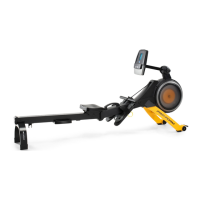
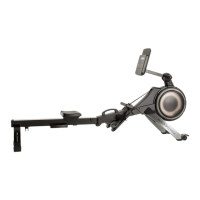
The PRO-FORM® SPORT RL rower is designed for home use to provide an effective exercise for increasing cardiovascular fitness, building endurance, and toning the body. It allows users to engage in rowing exercises in the convenience and privacy of their home. The rower features a console that displays continuous exercise feedback, allows for resistance adjustment, and offers connectivity for personal audio players and iFit workouts.

Important Technical Specifications:

  • Model No.: PFRW48120-INT.0
  • Dimensions (Unfolded):
    • Length: 7 ft. 3 in. (221 cm)
    • Width: 1 ft. 10 in. (56 cm)
  • Weight: 106 lbs. (48 kg)
  • Maximum User Weight: 253 lbs. (115 kg)
  • Power Adapter: Required for console operation.
  • Console Connectivity: Supports Bluetooth Smart for iFit app and compatible heart rate monitors. Other Bluetooth connections are not supported.
  • Audio System: 3.5 mm male to 3.5 mm male audio cable (not included) required for connecting personal audio players.

Usage Features:

  • Assembly: Requires two persons and basic tools (Phillips screwdriver, adjustable wrench). Detailed steps are provided for attaching the stabilizer, orienting the seat, and connecting the console.
  • Console Operation (Manual Mode):
    • Turning On: Press the On/Reset button or simply begin rowing.
    • Resistance Adjustment: Use the Resistance increase/decrease buttons to change the row bar resistance.
    • Display Modes: The console features an upper, center, and lower display.
      • Upper Display: Shows Watts, Strokes Per Minute (SPM), and Resistance.
      • Center Display: Shows Time, Distance, and Strokes.
      • Lower Display: Shows Calories.
      • Watts Meter: Visual representation of power output in watts.
      • Scan Mode: Automatically cycles through Watts, SPM, Time, Distance, and Strokes. Users can select a specific mode for continuous display using the Priority Display button.
    • Volume Control: Increase/decrease buttons for adjusting console sound system volume.
    • Auto-Off Feature: The console will pause if the row bar is not moved for a few seconds and turn off automatically if the row bar is not moved and no buttons are pressed for a few minutes.
  • iFit Workout Mode:
    • App Download: Users need to download the free iFit app from App StoreSM or Google Play™ on their iOS® or Android™ smart device.
    • Connectivity: Connects via Bluetooth Smart. Heart rate monitor connection must precede smart device connection if both are used.
    • Workout Selection: Browse and select workouts from the iFit app's main menu or library.
    • Automatic Resistance Changes: iFit workouts automatically adjust the row bar resistance based on the coach's guidance. Manual override is possible, but may affect calorie burn calculations.
    • Workout Feedback: Provides video guidance, route maps, and workout summaries.
  • Adjustments:
    • Console Viewing Angle: Loosen/tighten the Knob (E) to adjust the Neck (F) position.
    • Foot Pads: Press the Footrest Bracket (C), slide the Foot Pad (B) to the desired position, and tighten the strap over the foot. Ensure both foot pads are in the same position.
  • Moving the Rower:
    • Unfolded Position: Lift the Rail (G) using the Rail Handle (G) until the rower rolls on its wheels. Move to the desired location and lower the Rail. Do not hold or pull on the console.
    • Folded Position: Slide the Seat (J) to the rear of the Rail (G). Hold and lift the Frame Handle (H) and Rail Handle (K), then tip the rower forward onto the Shields (L, M) and Storage Feet (N). Pull the Rail Handle (K) inward until the Folding Clamp (O) engages the Stabilizer (P).
  • Rowing Technique: Consists of three phases:
    • Catch: Slide seat forward, knees almost touching chest, hands directly above feet.
    • Drive: Push backward with legs, lean back slightly at hips (back straight), pull row bar toward chest, elbows outward.
    • Finish: Legs nearly straight, pull row bar even with chest.
    • Maintain smooth, fluid motion and normal breathing.
  • Exercise Guidelines:
    • Consult Physician: Recommended before starting any exercise program, especially for individuals over 35 or with pre-existing health problems.
    • Exercise Intensity: Use heart rate to determine proper intensity for fat burning or aerobic exercise.
    • Workout Structure: Includes warming up (5-10 minutes), training zone exercise (20-30 minutes), and cooling down (5-10 minutes).
    • Frequency: Three workouts per week with rest days initially, increasing to up to five workouts per week as condition improves.

Maintenance Features:

  • Regular Inspection: Inspect and properly tighten all parts each time the rower is used. Replace worn parts immediately.
  • Cleaning: Use a damp cloth and mild detergent. Avoid liquids near the console and direct sunlight. Clean the rail, seat carriage, and carriage rollers daily.
  • Console Troubleshooting: If the console does not turn on, ensure the power adapter is fully plugged in. Use only a manufacturer-supplied regulated power adapter if a replacement is needed.
  • Reed Switch Adjustment: If the console displays incorrect feedback, the reed switch may need adjustment. This involves removing the shields, locating the Reed Switch (47) and Magnet (85), and adjusting the Reed Switch's proximity to the Magnet.

Pro-Form SPORT RL Specifications

General IconGeneral
BrandPro-Form
ModelSPORT RL
CategoryFitness Equipment
LanguageEnglish

Related product manuals