EasyManua.ls Logo

Pro-Form XP 400 R - User Manual

Pro-Form XP 400 R
24 pages
Print Icon
To Next Page IconTo Next Page
Loading...
CAUTION
Read all precautions and instruc-
tions in this manual before using
this equipment. Keep this manual
for future reference.
Serial Number
Decal
Model No. 30480.0
Serial No.
Write the serial number in the
space above for reference.
QUESTIONS?
If you have questions, or if parts
are damaged or missing, PLEASE
CONTACT OUR CUSTOMER
SERVICE DEPARTMENT
DIRECTLY.
CALL TOLL-FREE:
1-888-936-4266
Mon.–Fri., 8:00 until 17:00 ET
(excluding holidays)
OR E-MAIL US:
customerservice@iconcanada.ca
www.proform.com
USERʼS MANUAL
Question and Answer IconNeed help?

Do you have a question about the Pro-Form XP 400 R and is the answer not in the manual?

Summary

Warning Decal Placement

Important Precautions

Key Safety Precautions

Essential safety instructions covering user health, environment, and equipment use.

Before You Begin

Assembly

How to Use the Exercise Cycle

Features of the Console

How to Use the Manual Mode

How to Use a Trainer Workout

How to Use a Calorie Goal Workout

How to Use an iFit Workout

The Information Mode

Maintenance and Troubleshooting

How to Adjust the Reed Switch

Procedure for adjusting the reed switch to correct console feedback.

Exercise Guidelines

Overview

This document is the user's manual for the PRO-FORM XP 400 R exercise cycle, Model No. 30480.0. It provides comprehensive instructions for assembly, operation, maintenance, and troubleshooting of the device.

Function Description:

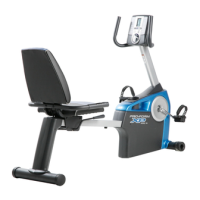
The PRO-FORM XP 400 R is a recumbent exercise cycle designed for home use. Its primary function is to provide an effective exercise for increasing cardiovascular fitness, building endurance, and toning the body. The cycle offers various workout modes, including manual, preset trainer workouts, calorie goal workouts, and iFit interactive workouts, to cater to different fitness goals. It features a console that displays exercise feedback, allows resistance adjustment, and measures heart rate through a handgrip pulse sensor.

Important Technical Specifications:

  • Model Number: 30480.0
  • User Weight Capacity: Not to exceed 275 lbs. (125 kg).
  • Clearance: At least 2 ft. (0.6 m) of clearance around the exercise cycle is recommended.
  • Console Power: Four 1.5V “D” batteries (not included) or an optional manufacturer-supplied AC adapter. Alkaline batteries are recommended.
  • Display Units: Speed and distance can be displayed in either miles (English) or kilometers (Metric).
  • Workout Segments: Trainer and calorie goal workouts are typically divided into 30 one-minute segments.
  • Frame Warranty: Seven (7) years from the date of purchase.
  • Parts Warranty: Ninety (90) days from the date of purchase.

Usage Features:

  • Assembly: Requires two persons and includes an adjustable wrench and a Phillips screwdriver. Detailed instructions with part drawings are provided.
  • Seat Adjustment: The seat can be adjusted forward or backward by pushing down on the adjustment handle, sliding the seat to the desired position, and then pulling up the handle to lock it.
  • Pedal Strap Adjustment: Straps can be adjusted by pulling their ends off the tabs, setting to the desired position, and pressing them back onto the tabs.
  • Portability: The exercise cycle can be moved by lifting the rear stabilizer and rolling it on the front wheels.
  • Console Operation:
    • Turn On: Press any button or begin pedaling.
    • Manual Mode: Allows users to manually adjust pedal resistance using a dial. Displays elapsed time, distance, pedaling pace (MPH/Km/H), calories burned, resistance level, and a 1/4-mile track.
    • Trainer Workouts: Ten preset workouts that automatically adjust pedal resistance and prompt users to vary their pedaling pace. Progress is shown through a scrolling profile of resistance levels.
    • Calorie Goal Workouts: Four workouts (150, 175, 200, or 225 calories) designed to help burn a specific number of calories within a 30-minute workout. Resistance is automatically controlled, and users are prompted to vary pace.
    • iFit Workouts: The console accepts iFit cards (sold separately) for interactive workouts that control pedal resistance and guide users. iFit cards are inserted into a dedicated slot.
    • Heart Rate Monitoring: Handgrip pulse sensors provide heart rate readings. Users should hold the metal contacts with their palms for at least 15 seconds for accurate readings. The pulse sensor is an exercise aid, not a medical device.
    • Information Mode: Accessible by pressing and holding the Workout button, this mode allows selection of measurement units (miles/kilometers) and displays total distance pedaled and total hours of use.
  • Exercise Guidelines: Recommendations for warming up, training zone exercise (fat burning and aerobic), and cooling down. Emphasizes consulting a physician before starting any program and maintaining proper nutrition and rest.

Maintenance Features:

  • Regular Inspection: All parts should be inspected and tightened regularly. Worn parts must be replaced immediately.
  • Cleaning: Use a damp cloth and a small amount of mild soap. Avoid liquids near the console and direct sunlight.
  • Console Troubleshooting:
    • Dim Display: Indicates low batteries; replacement instructions are provided in assembly step 7.
    • Pulse Sensor Malfunction: Refer to step 5 on page 15 for troubleshooting.
  • Reed Switch Adjustment: If the console does not display correct feedback, the reed switch may need adjustment. This involves removing the left pedal and shields, aligning the magnet with the reed switch, loosening a screw, sliding the switch, and retightening.
  • Belt Adjustment: If pedals slip even at the highest resistance, the belt may need tightening. This involves removing the right pedal and shields, loosening an M8 x 22mm Flat Head Screw, tightening an M10 x 90mm Button Screw until the belt is tight, and then retightening the M8 screw.
  • Ordering Replacement Parts: Instructions are provided to contact customer service with the model number, serial number, product name, key number, and description of the required part.

Pro-Form XP 400 R Specifications

General IconGeneral
BrandPro-Form
ModelXP 400 R
CategoryFitness Equipment
LanguageEnglish

Related product manuals