EasyManua.ls Logo

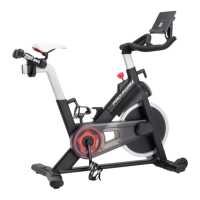
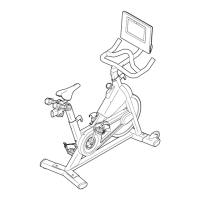
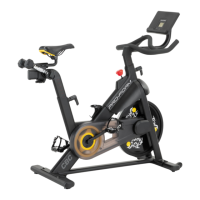
Pro-Form PFEX73920.0 - User Manual

Pro-Form PFEX73920.0
28 pages
Print Icon
To Next Page IconTo Next Page
Loading...
Model No. PFEX73920.0
Serial No.
Write the serial number in the space
above for reference.
CAUTION
Read all precautions and
instructions in this manual before
using this equipment. Keep this
manual for future reference.
Serial
Number
Decal
USER’S MANUAL
proform.com
To register your product and
activate your warranty today,
go to my.proform.com.
For service at any time, go to
support.proform.com.
Or call 1-866-362-4490
Mon.–Fri. 6 a.m.–6 p.m. MT
Sat. 8 a.m.–12 p.m. MT
Please do not contact the store.
ACTIVATE YOUR
WARRANTY
CUSTOMER CARE

Questions and Answers

  • F
    fernandoporterAug 9, 2025
    What to do if message CH0 or CH1 appears on Pro-Form Exercise Bike display?
    • J
      Jill ReedAug 9, 2025
      If you see a CH0 or CH1 message on your Pro-Form Exercise Bike's display, pull out the wire protector and then the wires. Disconnect the console wire from the upper wire, then reconnect them, ensuring proper alignment and a firm press. Finally, press the wire protector back into the handlebar.
  • C
    Christopher TaylorAug 28, 2025
    Why is the console display dim on my Pro-Form Exercise Bike?
    • D
      Donald LarsenAug 28, 2025
      If the console display on your Pro-Form Exercise Bike is dim, it's likely due to low batteries. Replace the batteries (see assembly step 10 on page 12).
  • D
    Donna FosterSep 10, 2025
    Why do the pedals slip on my Pro-Form Exercise Bike?
    • T
      Travis StevensSep 12, 2025
      If the pedals slip while you're pedaling your Pro-Form Exercise Bike, even at the highest resistance, the drive belt likely needs adjustment. Tighten the M10 x 60mm Screw (65) until the Drive Belt is tight.

Summary

WARNING DECAL PLACEMENT

IMPORTANT PRECAUTIONS

BEFORE YOU BEGIN

PART IDENTIFICATION CHART

ASSEMBLY

HOW TO USE THE EXERCISE BIKE

HOW TO USE THE CONSOLE

HOW TO USE THE MANUAL MODE

Begin pedaling to turn on console. Change resistance and follow progress display.

HOW TO CONNECT YOUR TABLET TO THE CONSOLE

Download iFit app, connect tablet via Bluetooth for workout tracking.

HOW TO CONNECT YOUR HEART RATE MONITOR TO THE CONSOLE

Press iFit button to connect compatible Bluetooth Smart heart rate monitors.

MAINTENANCE AND TROUBLESHOOTING

HOW TO TROUBLESHOOT THE CONSOLE

Replace batteries if dim. Check wire connections for CH0/CH1 messages.

HOW TO ADJUST THE REED SWITCH

Adjust reed switch position relative to magnet to correct feedback issues.

HOW TO ADJUST THE DRIVE BELT

EXERCISE GUIDELINES

Pro-Form PFEX73920.0 Specifications

General IconGeneral
Resistance Levels16
DisplayLCD
Weight Capacity275 lbs
Display TypeLCD
Heart Rate MonitoringGrip Sensor
Resistance TypeMagnetic
Max User Weight275 lbs
Weight68 lbs
Number of Resistance Levels16
Drive SystemBelt
TypeUpright Bike

Related product manuals