
 Need help?
Do you have a question about the Pro-Form VUE PFB14820-INT.0 and is the answer not in the manual?
Explains how to attach weight plates to dumbbells and barbells.
Information on purchasing additional fitness equipment for the mirror.
Instructions for connecting the power adapter to the mirror and outlet.
Overview of the tablet's advanced features for workouts.
Steps to power on the fitness mirror's tablet.
Instructions for safely shutting down the tablet.
Guide to operating the full-color touch screen interface.
Steps for initial tablet setup, network connection, and settings.
Guide to selecting and starting iFit workouts and tracking progress.
Instructions for customizing tablet settings, including Wi-Fi and updates.
Steps to connect the tablet to a wireless network for iFit.
Pairing Bluetooth headphones with the tablet for audio playback.
Information on using an optional heart rate monitor with the tablet.
Steps to resolve issues with the tablet not turning on or freezing.
Demonstrates correct form for basic stretching exercises.
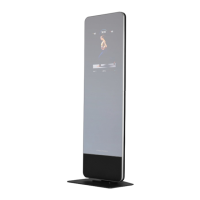
This document describes the PRO-FORM VUE, an innovative digital fitness mirror designed for home use, offering a variety of immersive and interactive workouts along with accessories to help users achieve their fitness goals.
The PRO-FORM VUE is a digital fitness mirror that integrates a touch screen tablet, allowing users to engage in a wide range of iFit workouts. The mirror itself serves as a visual aid during exercises, providing a clear reflection of the user's form. The integrated tablet acts as the central control unit, displaying workout content, tracking progress, and managing settings.
The device is designed to be a comprehensive home fitness solution. It comes with accessories such as a barbell, dumbbells, and weight plates, which can be stored on designated hooks on the back of the mirror when not in use. The tablet features iFit technology, providing access to a large and varied workout library. iFit workouts guide users through immersive and effective exercise sessions, often featuring a coach and video content. The tablet also offers continuous exercise feedback, and with a compatible heart rate monitor, it can display the user's heart rate during workouts.
The touch screen tablet functions similarly to other tablets, allowing users to navigate menus, select workouts, and input information using an on-screen keyboard. It supports wireless network connectivity (Wi-Fi) to access iFit workouts and firmware updates. Bluetooth connectivity is also available for connecting compatible headphones, enabling users to listen to audio from the tablet through their headphones during workouts.
The system allows for personalization, including customizing workout settings, units of measurement, and time zones. Users can log into or create an iFit account, schedule workouts on a calendar, and mark favorite workouts for easy access. The tablet's firmware can be updated regularly to ensure optimal performance and access to the latest features.
To begin using the PRO-FORM VUE, users must first assemble the mirror and its base, which requires two people due to its weight and size. Once assembled, the power adapter is connected to the mirror and then to an electrical outlet. The tablet is turned on by pressing the power switch located on the rear of the mirror.
Before the first use, the tablet needs to be set up. This involves connecting to a wireless network, customizing settings (such as units of measurement and time zone), and logging into or creating an iFit account. It is also recommended to check for firmware updates to ensure the tablet is running the latest software.
To attach weight plates to the dumbbells or barbell, users turn the knobs on the ends of the equipment to the open position, slide the desired number of weight plates onto each side, ensuring an equal amount on both sides, and then turn the knobs to the locked position. It is crucial to ensure the knobs are securely locked before using the equipment. The manual specifies weight limits for the equipment hooks and weight plate hooks, emphasizing not to exceed these limits.
When not in use, the barbell, dumbbells, and weight plates can be conveniently stored on the equipment hooks and weight plate storage hooks located on the back of the fitness mirror. This helps keep the workout area tidy and organized.
During an iFit workout, the tablet displays continuous exercise feedback. Users can interact with the touch screen to view and select music, adjust trainer voice volume, and choose from various display modes to show workout information. Dragging upward or downward on the screen allows users to switch between fullscreen display and workout information displays. Touching different workout information displays or the "more" button reveals additional options, statistics, or charts.
Workouts can be paused by simply touching the screen and resumed by selecting the appropriate option. To end a workout, users pause it and follow the on-screen prompts to return to the home screen. After a workout, a summary appears, offering options to add the workout to a schedule or favorites list.
The tablet automatically becomes inactive and the screen darkens after a few minutes of disuse. To turn off the tablet completely, users press the power switch and then unplug the power adapter. This is important to prevent premature wear of the electrical components.
For those interested in heart rate monitoring, the tablet is compatible with Bluetooth Smart heart rate monitors. Users can wear a compatible monitor, and the tablet will automatically connect and display their heart rate during exercise.
The manual also provides exercise guidelines, including recommendations for warm-up, training zone exercise (fat burning and aerobic), cool-down, and exercise frequency. It explains how to measure heart rate to determine the proper intensity level for different fitness goals. Suggested stretches are also included to aid in warm-up and cool-down routines.
Regular maintenance is crucial for the optimal performance and longevity of the PRO-FORM VUE. Users are advised to inspect and properly tighten all parts of the fitness mirror each time it is used. Any worn parts should be replaced immediately, using only manufacturer-supplied parts.
For cleaning, the fitness mirror can be wiped with a damp cloth and a small amount of mild soap or glass cleaner. It is important to keep liquids away from the fitness mirror and to keep the mirror out of direct sunlight to prevent damage.
In case of tablet issues, troubleshooting steps are provided. If the tablet does not turn on, users should check that the power adapter is fully plugged in and that the power switch has been pressed. If a replacement power adapter is needed, it must be a manufacturer-supplied regulated power adapter to avoid damaging the tablet.
Regularly checking for firmware updates is recommended for the best results. If the tablet does not boot properly, freezes, or does not respond, a factory default reset can be performed. This process requires two people and involves pressing a small reset button on the back of the tablet while simultaneously plugging in the power adapter and pressing the power switch. It is important to note that performing a factory reset will erase all custom settings. After a reset, users should check for firmware updates again.
For problems related to connecting to a wireless network or issues with an iFit account or workouts, users are directed to the support website. The manual also specifies that the tablet supports unsecured and secured (WEP, WPA™, and WPA2™) encryption, and a broadband connection is recommended for optimal performance.
The manual emphasizes the importance of reading all precautions and instructions before using the equipment and keeping the manual for future reference. It also includes information on ordering replacement parts and recycling the electronic product responsibly at the end of its useful life.
 General
| Model | PFB14820-INT.0 |
|---|---|
| Connectivity | Bluetooth |
| iFit Enabled | Yes |
| Resistance | Magnetic |
| Weight Capacity | 250 lbs |


 To Next Page